
MemberPress Social Login
Antivirus scan
Powered by ClamAV
✅ Verified clean
This product file has passed our security filters.
Want to run a fresh ClamAV scan right now? Takes a few seconds and shows scanner version, signature DB and live result.
This can take 5 to 30 seconds.
Clean file Threat detected
No threats detected in this file.
- File
- Size
- Scanned
- ClamAV
- Signature database
⚡ Powered by ClamAV
Scan could not be completed
Report product
If you detected an issue (broken file, malware, inappropriate content, etc.) let us know and we'll review it ASAP.
Sign in to report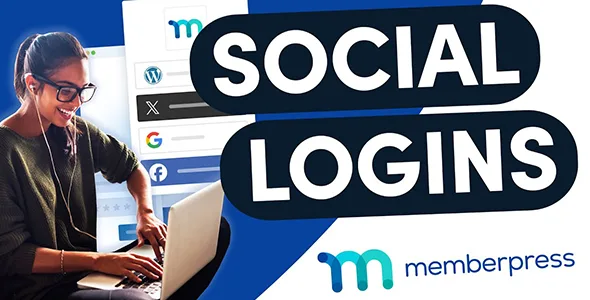
About MemberPress Social Login
Paying members don't want to remember yet another password
On a membership site, churn rarely happens at checkout: it happens weeks later, when the member comes back, can't remember the password, requests a recovery email and puts it off until tomorrow. MemberPress Social Login lets your members sign in with a social media account or other credentials.
It is an add-on for MemberPress, not a standalone plugin. It only makes sense if you already manage your memberships with MemberPress.
Social login doesn't replace registration: members sign up first
This is the detail that confuses people most. The Facebook or Google button does not create new accounts: users must first register on your site and then link their social account to their profile. That is why it is no shortcut for capturing sign-ups with one click.
Linking works in two ways:
- Automatic: if the email they registered with on your site matches the one on their social account, the first time they use the button MemberPress recognizes them, verifies their identity and connects the account.
- Manual: if they use different emails, they have to start the connection from their profile and go through verification. After the first successful login, it is linked.
From the My Profile page of the MemberPress account, each member sees the status of their connections and can connect or disconnect providers. They can only log in with the networks they have linked.
Facebook, Google, X and WordPress.com, plus the credentials you have to supply
The providers with a setup guide are Facebook, Google, X (formerly Twitter) and WordPress.com. To enable each one you need a developer account with that service, create your own app and copy its credentials into MemberPress. It isn't a switch: it is a small technical task per provider, and worth doing carefully if you plan to offer several.
Once a provider is enabled, its button appears automatically on the MemberPress login page.
Shortcodes to place the buttons wherever you want
The buttons are automatically added to any form inserted with the MemberPress login shortcode. If on some page you prefer the form without buttons, the shortcode accepts the social_login attribute set to false. There are also two standalone shortcodes:
- [memberpress_social_login_buttons] shows only the buttons, without the rest of the form.
- [memberpress_social_connect_disconnect] shows the buttons to connect and disconnect accounts on any page members can access.
Decide if it's worth it: requirements and common questions
Before deciding, keep in mind that it depends on MemberPress and that each provider requires its own developer app.
Can someone sign up on my site using only Google or Facebook?
No. The user must already have an account on your site; social login is linked afterwards.
What happens if the member uses a different email on their social network?
They will have to connect the account manually from their profile and verify it. Until then they can't log in with it.
Can I offer only some providers?
Yes. Only the ones you have enabled and configured appear, and members can only connect those.
Does it work without MemberPress?
No, it is an add-on that relies on MemberPress and its login forms.
Can I remove the buttons from a specific page?
Yes, by using the login shortcode with social_login set to false.
Topics
Version history
-
v
1.1.0 Current 17 Oct 2026
-
v
1.0.3 9 Apr 2026
Customer reviews
Sign in to leave a review. Only people who have the product can review it.
No reviews for this product yet.
Frequently asked questions
-
GPL (General Public License) is the license under which WordPress and most premium plugins/themes are distributed. It grants you the right to use, modify and redistribute the software in as many projects as you want, with no domain restrictions.
-
Yes. With membership you get automatic updates via our GPLClub Updater plugin (installed on your WP, detects new versions and applies them). With individual purchase, you get one year of manual updates from your account.
-
Depends on the plan. Monthly: 3 domains. Semi-annual: 7. Annual and Lifetime: 15. Individual purchase: 1 domain.
-
GPLClub offers its own support for installation, configuration and compatibility. For direct support from the original author (feature requests, product-specific bugs), a license purchased from the author is required.
Related products
Product Input Fields for WooCommerce Pro By Tyche Softwares
Gravity Forms Image Choices
By Gravity Forms
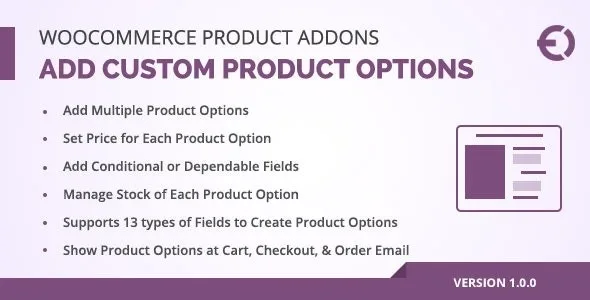
Extendons: WooCommerce Product Add-ons - Custom Product Options Plugin
By WooCommerce
Gravity Forms Picatcha Add-On
By Gravity Forms