Ocean Gutenberg Blocks
Antivirus scan
Powered by ClamAV
✅ Verified clean
This product file has passed our security filters.
Want to run a fresh ClamAV scan right now? Takes a few seconds and shows scanner version, signature DB and live result.
This can take 5 to 30 seconds.
Clean file Threat detected
No threats detected in this file.
- File
- Size
- Scanned
- ClamAV
- Signature database
⚡ Powered by ClamAV
Scan could not be completed
Report product
If you detected an issue (broken file, malware, inappropriate content, etc.) let us know and we'll review it ASAP.
Sign in to report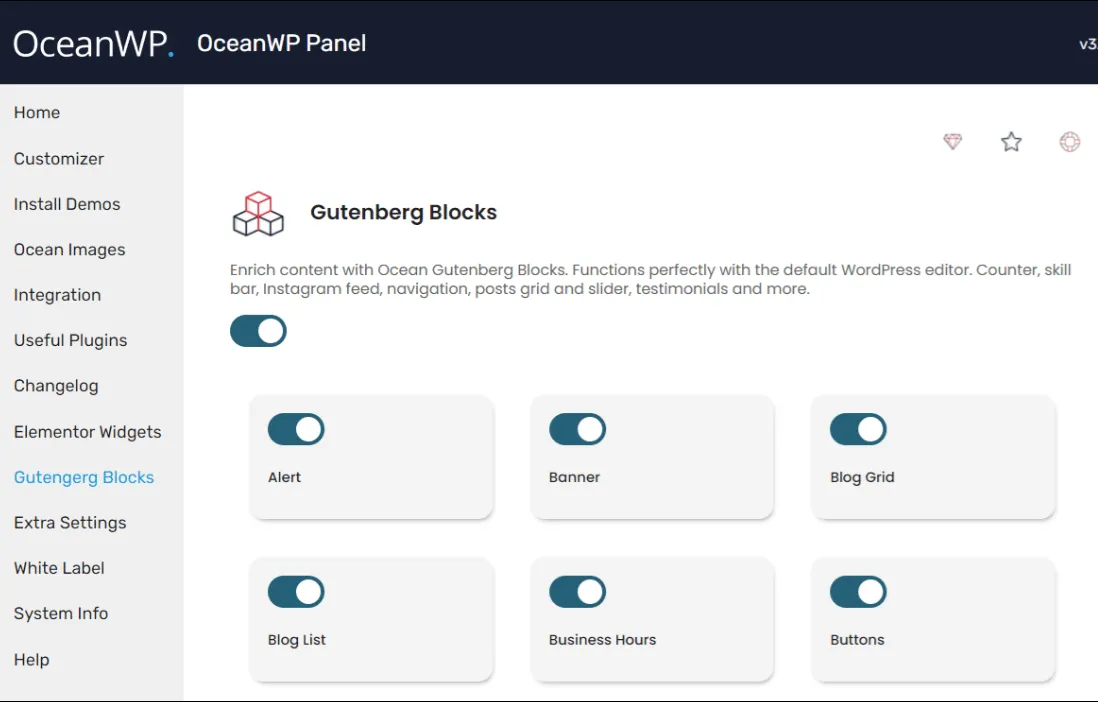
About Ocean Gutenberg Blocks
Additional blocks for WordPress's native editor
Building pages with the standard WordPress block editor falls short as soon as a project needs more than standalone paragraphs and images. Ocean Gutenberg Blocks adds a set of blocks designed to lay out entire sections without relying on an external page builder or custom code, keeping the workflow inside WordPress's own editor.
What it adds to the editor
The plugin extends the available block library with elements common in modern page design: columns and containers with more styling options than Gutenberg offers by default, icon blocks, visual elements for highlighting content, and components designed to build landing-page-style sections directly in the editor. The idea is to reduce reliance on heavier page-building plugins when the goal is simply to give content more visual flexibility.
Built to integrate with OceanWP
Ocean Gutenberg Blocks is developed by the same team behind the OceanWP theme, so its design and behavior follow the same philosophy: lightweight, compatible with the native editor, and free of unnecessary dependencies. While it can be used with other themes, its integration feels especially coherent on sites already working within the OceanWP ecosystem.
Common use cases
Sites that want to stay within the native block editor without adding a third-party page builder.
Landing pages or homepage sections that need more control over columns, icons, and visual layout.
Projects built on OceanWP looking to expand layout options without sacrificing performance.
Users who prefer a lightweight approach over more feature-heavy block solutions.
Why choose a native block-based approach
Working with native blocks instead of a standalone visual builder has concrete advantages: content stays more portable if you switch themes, page load tends to be lighter since you avoid the extra scripts and styles of a full page builder, and the learning curve is smaller because it relies on the interface WordPress already provides by default. Ocean Gutenberg Blocks follows that same logic: it adds design capabilities without turning the editor into an environment different from the one users already know.
Frequently asked questions
Do I need the OceanWP theme to use this plugin?
No, it's not required. The plugin works on top of the WordPress block editor and is compatible with other themes, although its integration and styling are designed to align with OceanWP.
Does it replace a page builder like Elementor or Divi?
It's not meant to replicate all the features of a full page builder, but rather to extend the native editor with additional blocks for those who prefer a lighter, more native WordPress approach.
Does it affect site performance?
Since these blocks rely on the native editor, the added overhead is usually lighter than that of a standalone visual builder, though the final impact depends on how many blocks are used on each page.
Can I keep using WordPress's standard blocks alongside this plugin's blocks?
Yes, the added blocks work alongside WordPress's native blocks as well as those from other block plugins installed on the site.
Version history
-
v
1.2.3 Current 2 Oct 2026
Customer reviews
Sign in to leave a review. Only people who have the product can review it.
No reviews for this product yet.
Frequently asked questions
-
GPL (General Public License) is the license under which WordPress and most premium plugins/themes are distributed. It grants you the right to use, modify and redistribute the software in as many projects as you want, with no domain restrictions.
-
Yes. With membership you get automatic updates via our GPLClub Updater plugin (installed on your WP, detects new versions and applies them). With individual purchase, you get one year of manual updates from your account.
-
Depends on the plan. Monthly: 3 domains. Semi-annual: 7. Annual and Lifetime: 15. Individual purchase: 1 domain.
-
GPLClub offers its own support for installation, configuration and compatibility. For direct support from the original author (feature requests, product-specific bugs), a license purchased from the author is required.