One Accessibility Pro
Antivirus scan
Powered by ClamAV
✅ Verified clean
This product file has passed our security filters.
Want to run a fresh ClamAV scan right now? Takes a few seconds and shows scanner version, signature DB and live result.
This can take 5 to 30 seconds.
Clean file Threat detected
No threats detected in this file.
- File
- Size
- Scanned
- ClamAV
- Signature database
⚡ Powered by ClamAV
Scan could not be completed
Report product
If you detected an issue (broken file, malware, inappropriate content, etc.) let us know and we'll review it ASAP.
Sign in to report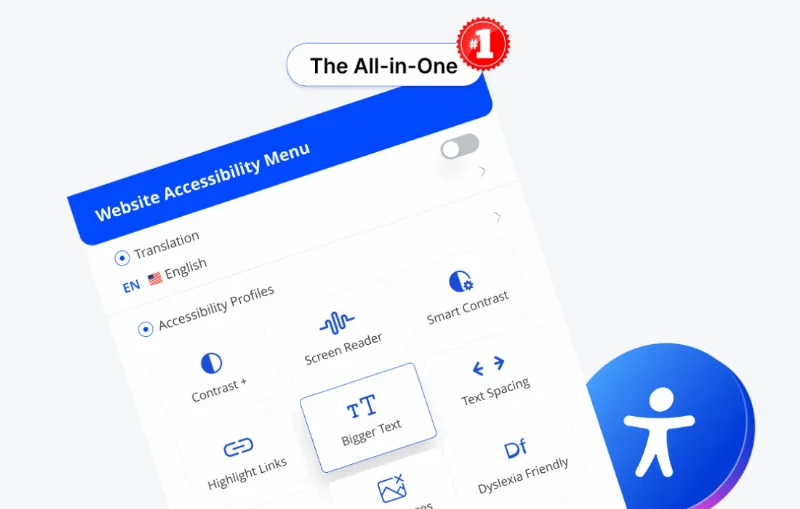
About One Accessibility Pro
An accessibility widget helps some visitors. It does not make your site accessible
It is worth starting here, because it is what almost nobody says and it is what can cost the most money. Tools of this kind, called accessibility overlays, add a floating button with settings the visitor switches on: larger text, more contrast, a reading guide.
That genuinely helps a portion of people, and it is not a small thing. But it is different from your site meeting the accessibility guidelines, because the underlying barriers are still there: images with no alternative text, forms with no labels, broken tab order, videos with no captions. None of that is fixed by a settings panel.
The difference stopped being a technical argument in April 2025, when the United States Federal Trade Commission fined a maker of this kind of tool one million dollars for claiming its widget made any website conform to the WCAG guidelines, and barred it from saying so again without evidence. Industry figures point the same way: in the first half of 2025, roughly one in five accessibility lawsuits in the United States targeted sites that already had one installed.
What it does
- Visitor panel with settings switched on by whoever needs them, without touching your configuration.
- Keyboard navigation to move through the site's elements without a mouse.
- Text adjustments: size, spacing and legibility.
- Colour and contrast adjustments, including modes aimed at different kinds of colour blindness.
- Reading aids such as a line guide and a mask to cut down distraction.
- Profiles that switch on several settings at once according to the type of need.
- No code changes to your theme or your templates.
What it is genuinely good for, stated precisely
It is good for letting someone with low vision enlarge your text even when your theme does not handle it well. For letting whoever needs more contrast get it without fighting their browser settings. For making a long text more bearable for someone with reading difficulties.
Those are real benefits for real people, and that is the honest reason to install it. A visitor who leaves today because they cannot read you stays tomorrow.
It also works as a patch while you fix the underlying issues. Putting it in on day one and carrying on working is reasonable: what is not reasonable is putting it in and considering the matter closed.
What you have to do as well, not instead
The real work is in the content and the template, and almost all of it can be done without being a developer. Give alternative text to images that say something, and leave it empty on decorative ones. Give every form field its visible label. Make links say where they lead, rather than "click here". Make everything reachable with the tab key and make it visible where you are.
That is the right order: the widget accompanies, the content complies.
And if your obligation is regulatory, because you sell to government or because of your company size, what you will be asked for is a conformance report on your site, not a plugin's badge. That comes from an audit, and it is worth knowing before you budget.
Requirements and what it does not do
It works on WordPress without touching theme code, which is both its advantage and its limit.
It does not correct your pages' code. It does not write alternative text for you, does not label your forms, does not order your headings and does not caption your videos.
And it does not confer conformance with any standard. Not with the WCAG guidelines, not with the United States disability act, not with the European accessibility standard. No plugin can confer it, because conformance is a property of your whole site and not of a tool installed on it.
Alternatives in the catalogue
There is no other dedicated accessibility tool in the catalogue today, so the useful thing is to point at what genuinely moves the needle. A well built theme saves half the work: Kadence and Blocksy have a solid base in markup and contrast.
And since most barriers live in the content, having your images in order helps when reviewing their alternative text: Sigma Media Manager can also generate them in bulk for you to review afterwards, which is faster than going photo by photo.
Frequently asked questions
Does this make me compliant?
No. No widget confers conformance: it is a property of your whole site, not of a plugin installed on it.
Then why install it?
Because it genuinely helps visitors with low vision, colour blindness or reading difficulties. That is the honest reason.
Can it hurt me?
Installing it, no. Believing the matter is settled, yes: sites with a widget have been sued anyway.
What do I fix first if I have little time?
Alternative text, form labels and being able to navigate with the tab key. Most of the problem is there.
Does it write alternative text for me?
No. That is content and it has to be reviewed, even when a tool drafts it.
Is it any use if I am asked for a conformance report?
It does not replace a site audit, which is what gets asked for in those cases.
Version history
-
v
1.6.3 Current 12 Sep 2026
-
v
1.6.1 7 Sep 2026
-
v
1.6.0 5 Sep 2026
-
v
1.4.0 12 Aug 2026
Customer reviews
Sign in to leave a review. Only people who have the product can review it.
No reviews for this product yet.
Frequently asked questions
-
GPL (General Public License) is the license under which WordPress and most premium plugins/themes are distributed. It grants you the right to use, modify and redistribute the software in as many projects as you want, with no domain restrictions.
-
Yes. With membership you get automatic updates via our GPLClub Updater plugin (installed on your WP, detects new versions and applies them). With individual purchase, you get one year of manual updates from your account.
-
Depends on the plan. Monthly: 3 domains. Semi-annual: 7. Annual and Lifetime: 15. Individual purchase: 1 domain.
-
GPLClub offers its own support for installation, configuration and compatibility. For direct support from the original author (feature requests, product-specific bugs), a license purchased from the author is required.