One Click Optimization - WordPress Speed & Performance
Antivirus scan
Powered by ClamAV
✅ Verified clean
This product file has passed our security filters.
Want to run a fresh ClamAV scan right now? Takes a few seconds and shows scanner version, signature DB and live result.
This can take 5 to 30 seconds.
Clean file Threat detected
No threats detected in this file.
- File
- Size
- Scanned
- ClamAV
- Signature database
⚡ Powered by ClamAV
Scan could not be completed
Report product
If you detected an issue (broken file, malware, inappropriate content, etc.) let us know and we'll review it ASAP.
Sign in to report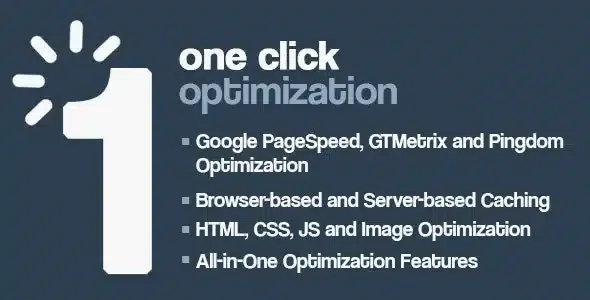
About One Click Optimization - WordPress Speed & Performance
For owners who want a better PageSpeed score without touching code (and not for those on weak hosting)
You run PageSpeed, GTmetrix or Pingdom, see red scores and warnings about render-blocking resources, and all you want is for the list to shrink without opening a single theme file. That is the profile One Click Optimization is built for: you activate it and it applies its settings in one go, with no prior setup.
A big share of a WordPress site's slowness is not something a plugin can trim, but comes from the server, oversized images or a heavy theme. This plugin cleans up what WordPress sends to the browser; it won't change your hosting for you.
- It doesn't fit you if: you want very fine control over every file or need each script to have its own rules.
- Nor if: your problem is an overloaded server. No amount of minification makes up for that.
One Click Optimization: what it trims from HTML, CSS and JavaScript
The core of the plugin is reducing the weight of what is sent to the visitor. It includes GZip compression, HTML compression and HTML, CSS and JS optimization.
It also applies automatic ASYNC loading and can move scripts from the header to the footer. This is the part to watch most closely (more on why below).
Emojis, embeds and other extras WordPress loads even if you don't use them
A standard WordPress install drags along pieces that many sites don't need. The plugin removes or simplifies these:
- Emoji and smilies scripts.
- Shortlink and WP Embed.
- Version strings (query strings) on static files.
- Comment optimization.
- JS Migrate optimization.
If your site embeds content from other pages using WordPress's embed system, think first about whether you want to remove it.
Images, browser caching and the admin panel
It includes image optimization and lazy loading. It also configures browser caching.
It also optimizes the WordPress admin panel itself. It has an advanced settings section.
Minifying and moving scripts: test it on a copy first
This is the real risk of any plugin of this kind. When scripts are moved to the footer or JavaScript is compressed, a slider, a dropdown menu or a form can stop working. The plugin works with all themes and plugins, but that doesn't relieve you from checking your site.
Turn the settings on in a copy or during low-traffic hours, browse the home page, a post, the cart if you run a shop and the contact form, and measure before and after. If something breaks, switch off only the offending option in the advanced settings.
Frequently asked questions about One Click Optimization
Do I need to know how to code?
No. You activate it and it applies the settings with one click, without touching code.
Does it replace good hosting?
No. It reduces what is sent to the browser, but if the server is slow to respond, you will still notice it.
Can it break my site?
It can, like any plugin that compresses JavaScript or moves scripts. That is why you should test on a copy and check the interactive features.
Does it improve PageSpeed, GTmetrix and Pingdom results?
Its settings are designed to address the warnings from these tools, but the result depends on your theme, your images and your server. Measure before and after.
Topics
Version history
-
v
2.0.3 Current 8 Jan 2025
Customer reviews
Sign in to leave a review. Only people who have the product can review it.
No reviews for this product yet.
Frequently asked questions
-
GPL (General Public License) is the license under which WordPress and most premium plugins/themes are distributed. It grants you the right to use, modify and redistribute the software in as many projects as you want, with no domain restrictions.
-
Yes. With membership you get automatic updates via our GPLClub Updater plugin (installed on your WP, detects new versions and applies them). With individual purchase, you get one year of manual updates from your account.
-
Depends on the plan. Monthly: 3 domains. Semi-annual: 7. Annual and Lifetime: 15. Individual purchase: 1 domain.
-
GPLClub offers its own support for installation, configuration and compatibility. For direct support from the original author (feature requests, product-specific bugs), a license purchased from the author is required.