Print, PDF & Email by PrintFriendly
Antivirus scan
Powered by ClamAV
✅ Verified clean
This product file has passed our security filters.
Want to run a fresh ClamAV scan right now? Takes a few seconds and shows scanner version, signature DB and live result.
This can take 5 to 30 seconds.
Clean file Threat detected
No threats detected in this file.
- File
- Size
- Scanned
- ClamAV
- Signature database
⚡ Powered by ClamAV
Scan could not be completed
Report product
If you detected an issue (broken file, malware, inappropriate content, etc.) let us know and we'll review it ASAP.
Sign in to report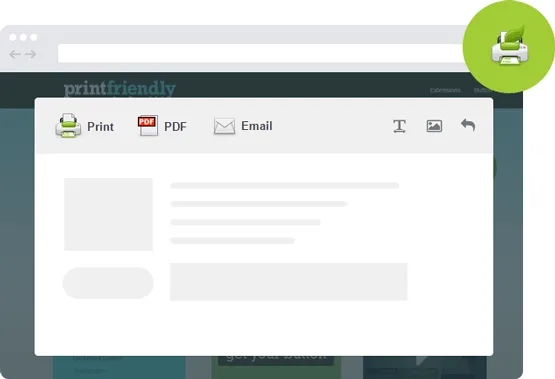
About Print, PDF & Email by PrintFriendly
Printing your article shouldn't bring out the menu and the ads
Anyone who publishes recipes, guides, reports or tutorials knows that part of their audience doesn't read on screen: they print it, save it for later or send it to someone else. And what comes out of the browser is usually a page with a menu, a sidebar, banners and text cut off mid-line.
Here is what almost nobody watches: that paper or that file is the only version of your content the reader keeps outside your site. If it comes out messy, that is the image of your brand they take away, not your carefully designed layout. Print, PDF & Email by PrintFriendly puts a button on your pages so readers get a clean version without hunting for workarounds.
Print, PDF & Email by PrintFriendly: one button, three outputs
The plugin adds a button with three actions to your content, and each one answers a different reader habit:
- Print: generates a version designed for paper, without the navigation elements and ads that get in the way.
- PDF: lets readers save the page as a file with links that still work.
- Email: lets the reader share the content with someone else.
It works with standard, custom and WooCommerce templates, so it isn't limited to blog posts.
An editable preview that saves paper and ink
Before printing or downloading, the reader sees the page and can adjust it: remove the blocks they don't care about and change the size of the text and images. For you it is a quiet advantage: someone who prints a recipe or a guide and skips half a dozen unneeded blocks reaches the last sheet without complaining about ink.
The idea comes from PrintFriendly, a service that since 2009 has been dedicated to making web pages come out clean on paper. Before deciding, check in the demo how your type of content looks (tables, galleries, wide images), because that is where any print version is put to the test.
The email button doesn't replace your newsletter tool
The category can be misleading: this plugin is not an email marketing tool. Its email action lets a reader share a specific piece of content, not lets you communicate with your audience.
- Already solved: a print button on your pages, with a version free of menus and ads.
- Already solved: saving the page as a PDF with active links and sharing it by email.
- Up to you, with another tool: collecting subscribers, managing lists and sending campaigns or automations.
- Up to you, with a professional: a PDF with its own editorial design, such as a dossier with a cover; the plugin delivers the clean page, not a custom layout.
Questions from people about to install PrintFriendly on their site
Does it work with WooCommerce?
It works with standard, custom and WooCommerce templates. Even so, test the specific page you want people to print in the demo.
Can I send newsletters with it?
No. The email action is for sharing a page; lists and campaigns need a separate email marketing tool.
Topics
Version history
-
v
5.2.5 Current 14 May 2024
Customer reviews
Sign in to leave a review. Only people who have the product can review it.
No reviews for this product yet.
Frequently asked questions
-
GPL (General Public License) is the license under which WordPress and most premium plugins/themes are distributed. It grants you the right to use, modify and redistribute the software in as many projects as you want, with no domain restrictions.
-
Yes. With membership you get automatic updates via our GPLClub Updater plugin (installed on your WP, detects new versions and applies them). With individual purchase, you get one year of manual updates from your account.
-
Depends on the plan. Monthly: 3 domains. Semi-annual: 7. Annual and Lifetime: 15. Individual purchase: 1 domain.
-
GPLClub offers its own support for installation, configuration and compatibility. For direct support from the original author (feature requests, product-specific bugs), a license purchased from the author is required.