Product password protector for WooCommerce
Antivirus scan
Powered by ClamAV
✅ Verified clean
This product file has passed our security filters.
Want to run a fresh ClamAV scan right now? Takes a few seconds and shows scanner version, signature DB and live result.
This can take 5 to 30 seconds.
Clean file Threat detected
No threats detected in this file.
- File
- Size
- Scanned
- ClamAV
- Signature database
⚡ Powered by ClamAV
Scan could not be completed
Report product
If you detected an issue (broken file, malware, inappropriate content, etc.) let us know and we'll review it ASAP.
Sign in to report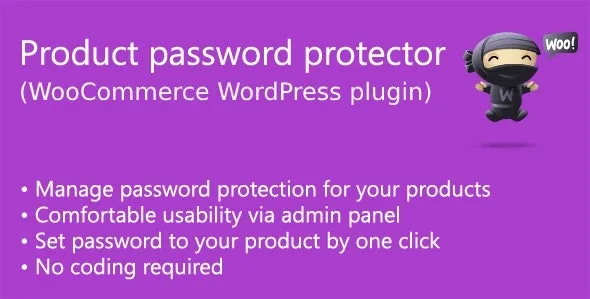
About Product password protector for WooCommerce
For the store that sells to specific customers, not to anyone who lands on it
Many people set up a WooCommerce store and discover that not everything they sell should be buyable by anyone: a wholesale catalog, a line for professionals, products for members, or a custom order for one client. Hiding the page is not enough, and forcing everyone to register is too much. This plugin adds a purchase password: whoever wants to buy the product has to enter it.
It suits you if you already share the password through another channel (email, phone, a sales rep) and just want the buy button closed without it. It does not suit you if you need user accounts, roles, different prices per customer or individual access lists: here the password is the same for anyone who knows it and does not identify anybody.
- A shared password does not tell you who is buying: if it leaks, anyone can use it.
- It does not turn your store into a private area: the protection is designed for purchasing the product.
- Passwords are managed in the admin panel, without touching code.
Three password levels and which one wins when they overlap
Product password protector for WooCommerce lets you protect in three ways: with a global password for the whole store, one per category, or one specific to each product. When several apply, the most specific wins: first the product's, then the category's, and finally the global one.
In practice you can lock an entire wholesale category with a single key and, inside it, give a special product a different one. Categories work hierarchically, so a password on a parent category also reaches its subcategories.
Category management in the panel
The settings screen lets you search categories, filter them by protection status, edit or remove their password without leaving the list, and see clearly which priority applies. You can also reveal the stored passwords with a reveal control, handy when you have forgotten which one you assigned.
What the customer sees on the product page
The product page shows a required password field and, to buy, the correct key must be entered. You can also hide the price: a replacement text, "Price is hidden" (changeable with a filter), is shown instead, useful if your rates should not be publicly visible.
One practical detail: products already in the cart no longer ask for the password, so the customer does not have to repeat it when reviewing the order.
Customizing the look without much coding
The field and its label have their own CSS classes (product-protector-label and product-protector-password) so you can match your theme's style. If you have some technical knowledge, two filters let you change the label text and the hidden price message. It works without writing code, but fine-tuning does require CSS or PHP.
What to know before relying on a product password
- It is a purchase control, not an account or permissions system.
- It does not include per-customer rates or wholesale price lists.
- If your theme heavily modifies the product page, check in the demo that the field appears where you expect.
Frequently asked questions
Can I protect only some products?
Yes. You can enable protection globally, by category or product by product.
What happens if a product has its own password and so does its category?
The product's password applies, as it has the highest priority, above the category's and the global one.
Can the price be hidden?
Yes, there is an option to hide it and show a replacement text that you can change with a filter.
Does each customer get their own password?
No. The password is assigned to a product, a category or the whole store, not to each user.
Do I need to know how to code?
Not to enable and configure it from the panel. You would only need it to change texts with filters or adjust styles with CSS.
Topics
Version history
-
v
1.6.3 Current 7 Sep 2026
-
v
1.6.2 12 May 2024
Customer reviews
Sign in to leave a review. Only people who have the product can review it.
No reviews for this product yet.
Frequently asked questions
-
GPL (General Public License) is the license under which WordPress and most premium plugins/themes are distributed. It grants you the right to use, modify and redistribute the software in as many projects as you want, with no domain restrictions.
-
Yes. With membership you get automatic updates via our GPLClub Updater plugin (installed on your WP, detects new versions and applies them). With individual purchase, you get one year of manual updates from your account.
-
Depends on the plan. Monthly: 3 domains. Semi-annual: 7. Annual and Lifetime: 15. Individual purchase: 1 domain.
-
GPLClub offers its own support for installation, configuration and compatibility. For direct support from the original author (feature requests, product-specific bugs), a license purchased from the author is required.