Simple Slider Addon For Elementor
Antivirus scan
Powered by ClamAV
✅ Verified clean
This product file has passed our security filters.
Want to run a fresh ClamAV scan right now? Takes a few seconds and shows scanner version, signature DB and live result.
This can take 5 to 30 seconds.
Clean file Threat detected
No threats detected in this file.
- File
- Size
- Scanned
- ClamAV
- Signature database
⚡ Powered by ClamAV
Scan could not be completed
Report product
If you detected an issue (broken file, malware, inappropriate content, etc.) let us know and we'll review it ASAP.
Sign in to report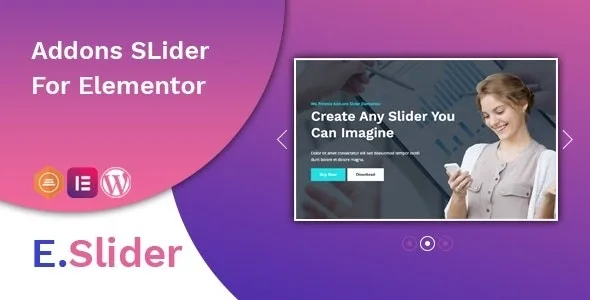
About Simple Slider Addon For Elementor
An Elementor add-on ages at Elementor's pace
The slider on your front page depends on two programs at once. One is the program you choose carefully, comparing effects and animations. The other is Elementor, which keeps changing even if you touch nothing. While the two fit together, nobody thinks about it.
E.Slider, by themesflat, is an add-on for creating sliders inside Elementor. Its latest update dates from 2 April 2022 and consisted of fixing a bug with Elementor 3.6.1. That fact explains what you are getting better than any list of effects: with an add-on of this kind, what counts is the distance between its latest update and your version of Elementor. That distance grows by itself every month, and it is worth measuring before you put anything on the front page.
That does not rule it out. It means you use it differently: trying it first on a copy of your site and having in mind what you would put in its place.
Two sliders in one add-on, and what you can adjust
It comes with two types, meant for different jobs:
- Hero. For a header with moving text: scrolling and typing text animations that combine prefix and suffix, custom height or full screen, 23 background effects with adjustable duration, a background overlay and 9 pattern overlay styles.
- Standard. For a composed slide: background animation and multiple layers, each with its own delay. A layer can be text, a button or an image.
You can also adjust these details from Elementor:
- 27 text animations, with Google Fonts included.
- Custom typography, colour and spacing on the layers.
- Custom padding, margin and icon for button and text layers.
- Arrows and bullets with navigation and pagination settings.
- Display options for mobile and tablet.
How to decide whether it suits you today
Before choosing it, three checks tell you more than the demo:
- Your WordPress version. The stated compatibility runs from WordPress 5.4 to 5.9. If your site is on a later version, you are outside what has been checked and need to test it yourself.
- Your Elementor version. The only specific reference is that fix for Elementor 3.6.1, which also shows that a change in Elementor can affect it.
- Where it is going to sit. If you place it on the front page, any failure shows up in the first thing a visitor sees. On an inner page, the same failure matters much less.
Elementor, hand-built slides and three layer types
It does not work without Elementor. It is an add-on for that editor, and it is not optimised for Gutenberg.
Its features include no dynamic sliders. Slides are built by hand with text, buttons and images.
Layers are text, button or image. Video does not appear among them.
Requirements and first steps on a copy of the site
It needs WordPress and Elementor, with the version notes above. To start:
- Make a copy of your site with your current WordPress and Elementor versions.
- Install and activate the add-on on that copy.
- Create one Hero slider and one Standard slider on a test page.
- Check the animations on desktop, tablet and mobile.
- Update Elementor on the copy and see whether everything stays the same before taking it to your real site.
Other sliders for Elementor
If you prefer more variety inside the same editor, Prime Slider brings together more than fifty widgets, with header, blog and WooCommerce sliders. HT Slider Pro fits if you want sliders that pull posts or products from your site, with more than eighty starter templates.
And if you would rather not depend on Elementor for this, another name worth a look is Slider Revolution.
Questions about E.Slider
How many slider types does it include?
Two: Hero, for headers with animated text, and Standard, for slides composed of layers.
Do I need to know how to code?
No need. Slides are created from the Elementor editor.
Does it work with the latest WordPress?
The stated compatibility goes up to WordPress 5.9. With later versions you need to test it on a copy.
Can it show WooCommerce products?
Its features include nothing for WooCommerce: slides are built by hand with text, buttons and images.
Topics
Version history
-
v
1.0.3 Current 16 May 2024
Customer reviews
Sign in to leave a review. Only people who have the product can review it.
No reviews for this product yet.
Frequently asked questions
-
GPL (General Public License) is the license under which WordPress and most premium plugins/themes are distributed. It grants you the right to use, modify and redistribute the software in as many projects as you want, with no domain restrictions.
-
Yes. With membership you get automatic updates via our GPLClub Updater plugin (installed on your WP, detects new versions and applies them). With individual purchase, you get one year of manual updates from your account.
-
Depends on the plan. Monthly: 3 domains. Semi-annual: 7. Annual and Lifetime: 15. Individual purchase: 1 domain.
-
GPLClub offers its own support for installation, configuration and compatibility. For direct support from the original author (feature requests, product-specific bugs), a license purchased from the author is required.