Slider Revolution Weather Add-on
Antivirus scan
Powered by ClamAV
✅ Verified clean
This product file has passed our security filters.
Want to run a fresh ClamAV scan right now? Takes a few seconds and shows scanner version, signature DB and live result.
This can take 5 to 30 seconds.
Clean file Threat detected
No threats detected in this file.
- File
- Size
- Scanned
- ClamAV
- Signature database
⚡ Powered by ClamAV
Scan could not be completed
Report product
If you detected an issue (broken file, malware, inappropriate content, etc.) let us know and we'll review it ASAP.
Sign in to report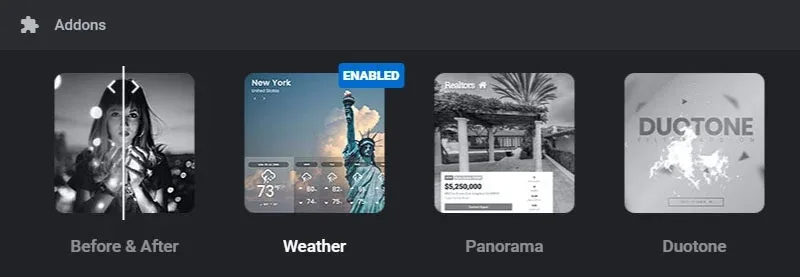
About Slider Revolution Weather Add-on
With live weather, someone else decides how your hero looks
You approve a sunny hero section, publish it and the next day it shows a storm. That does not happen with a photo: the picture you choose is the one everyone sees. The Slider Revolution Weather add-on opens up another possibility, and with it a decision worth making before you pick effects.
Weather has two ways of working. With live data, the real weather picks the scene and you need a Weatherbit key. With fixed conditions, you pick it and no API key is needed. The underlying question is who is in charge of your first screen: the forecast or your design judgment. Text, contrast and photography have to work with every scene live mode might show.
If the data matters to your visitors, live mode gives them useful information. If you only want the atmosphere of rain on glass, fixed conditions give you the effect without depending on anyone.
Scenes and cards in the Weather add-on
- Eleven scenes, with rain, branching lightning and targeted strikes, melting snow, frost and movable sunlight.
- Live weather, which picks the scene from the data.
- Fixed conditions, with no API key.
- Three forecast cards ready in the Effects Library.
- Settings for droplet density, tint color and bolt color.
- Glass effect that respects the focus point of the background image.
The Effects Library opens from Add Layer and shows a grid of ready-made effects, so the cards are not built from scratch.
Showing data: cities, temperatures and days
The add-on also takes weather data from Weatherbit and displays it in your modules. The Live Weather template shows this with several cities: each slide presents one, with its temperature and forecast.
The fields in that template include current temperature, high, low, icon, day and date, plus six days of forecast.
If you need several cities, one slide per city avoids crowding them.
Three things that depend on you
Slider Revolution. Weather is an add-on and does not work alone. The eleven scenes belong to its rebuilt version, so the base plugin must be recent.
The data provider. Live data needs a weatherbit.io key, one for the whole site; without it the fixed weather shows. The add-on caches answers for hours and limits queries per visitor, so do not expect minute-by-minute data. Check Weatherbit's terms, because the provider sets those rules.
The visitor's graphics card. Rain on glass now sends less than half as much to the graphics card while it rains and nothing while paused, but it still works with that card. Test it on modest phones before leaving it on your hero.
Putting Weather in a module
You need Slider Revolution installed. Weather is searched for and enabled from its dashboard, and an add-on not yet installed gets installed when you add it to a module. To begin:
- Decide whether your module will use live weather, with your Weatherbit key, or fixed conditions.
- Search for Weather in the Slider Revolution dashboard and enable it.
- Create a module and add a forecast card from Add Layer.
- If you use live data, check that the text reads well in every possible scene.
- Review the result on a real phone.
More options for motion and weather data
Slider Revolution is the plugin you need to use this add-on. Within its family, Filmstrip creates infinite strips of images or videos and Scroll Video ties a video to the scroll, two ways to add motion to a section without involving the weather.
If you only want to publish the weather and the visual effect does not interest you, the catalog has Astero, a weather plugin for WordPress, and JNews Weather for those using the JNews theme.
Worth clearing up about Weather
Does it work without Slider Revolution?
No. It is an add-on for that plugin.
Do I need an API key?
For fixed conditions, no. For live weather, yes: one weatherbit.io key for the whole site.
Where does the data come from?
From Weatherbit, with the key you save in the add-on.
How many scenes are there?
Eleven, among them rain, lightning, snow, frost and sunlight.
Can I show several cities?
The Live Weather template does it with one city per slide.
Topics
Version history
-
v
7.2.5 Current 28 Oct 2026
-
v
6.7.2 14 May 2024
Customer reviews
Sign in to leave a review. Only people who have the product can review it.
No reviews for this product yet.
Frequently asked questions
-
GPL (General Public License) is the license under which WordPress and most premium plugins/themes are distributed. It grants you the right to use, modify and redistribute the software in as many projects as you want, with no domain restrictions.
-
Yes. With membership you get automatic updates via our GPLClub Updater plugin (installed on your WP, detects new versions and applies them). With individual purchase, you get one year of manual updates from your account.
-
Depends on the plan. Monthly: 3 domains. Semi-annual: 7. Annual and Lifetime: 15. Individual purchase: 1 domain.
-
GPLClub offers its own support for installation, configuration and compatibility. For direct support from the original author (feature requests, product-specific bugs), a license purchased from the author is required.