SUMO Subscriptions
Antivirus scan
Powered by ClamAV
✅ Verified clean
This product file has passed our security filters.
Want to run a fresh ClamAV scan right now? Takes a few seconds and shows scanner version, signature DB and live result.
This can take 5 to 30 seconds.
Clean file Threat detected
No threats detected in this file.
- File
- Size
- Scanned
- ClamAV
- Signature database
⚡ Powered by ClamAV
Scan could not be completed
Report product
If you detected an issue (broken file, malware, inappropriate content, etc.) let us know and we'll review it ASAP.
Sign in to report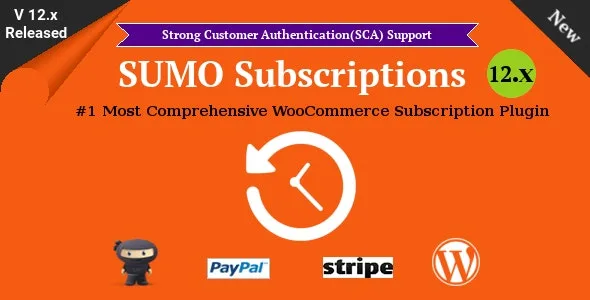
About SUMO Subscriptions
Selling something customers need every month (coffee, cosmetics, a course, a maintenance plan) often ends up as manual charges, hand-written "your payment is late" emails and customers who leave without warning. Moving to recurring revenue requires a system that handles renewals, failed payments and plan changes so you don't do it order by order.
A real walkthrough with SUMO Subscriptions: from the coffee box to the renewal
Imagine a store that sells monthly coffee boxes. Here is how the plugin covers it, step by step:
- You create the product. It can be a simple subscription, a variable one (for example 250 g or 1 kg) or a grouped one. You set a sign-up fee if you want one, and a free or paid trial.
- The customer buys. They can put the subscription and one-off products in the same cart, and even several subscriptions at once.
- The renewal is charged. Automatic renewal works with Stripe, PayPal Subscriptions, PayPal Payments or SUMO Reward Points. If the customer prefers, renewal is manual with any gateway WooCommerce supports.
- The payment fails. You can set an overdue period and a suspension period, with several reminder emails in each phase, to recover the payment before losing the customer.
- The customer changes their mind. From their account they pause, cancel, change the quantity or resubscribe if it expired or was cancelled.
Which gateways need another plugin behind them
Automatic card renewal doesn't work out of the box: with Stripe you need the WooCommerce Stripe plugin, and with PayPal Payments you need the PayPal Payments plugin. Using points as a payment method requires SUMO Reward Points. If your gateway isn't among those, renewal will be manual. If they cancel an automatic renewal, the subscription can switch to manual mode.
Charging on the first of every month: synchronization and proration
If you prefer all charges to fall on a specific day of the month, payment synchronization allows it, and someone who signs up mid-period can be charged a prorated amount. It makes cash flow easier to plan, but it's worth testing in the demo how that first partial charge is explained to the customer.
Frequently asked questions about SUMO Subscriptions
Can I turn a regular product into a recurring one?
Yes. With order subscriptions, a non-subscription product can be bought on a recurring basis, and the customer chooses the renewal frequency and the number of instalments.
Can subscribers switch plans?
Yes, upgrades and downgrades are available for variable and grouped subscriptions, charging either the prorated amount or the full price depending on your setup.
Can I sign up a customer manually?
Yes, as an administrator you can create an order with a subscription and assign it to any user.
Does it work for memberships or donations?
Not on its own. Memberships require SUMO Memberships and recurring donations require SUMO Donations.
Shipping, taxes and drip content
You can include or exclude shipping costs and taxes in each renewal, which is key if you sell physical goods. For courses or downloads, downloadable content can be released gradually, and you can add extra digital downloads. There are also coupons that discount only the sign-up fee or only the recurring fee, and a bulk action to change the settings of many subscription products at once.
The plugin is WPML compatible and translation ready, useful if you sell in several languages. It works as a WooCommerce extension: you need a WooCommerce store already set up.
Topics
Version history
-
v
17.8.0 Current 29 Oct 2026
-
v
17.7.0 3 Aug 2026
-
v
17.5.0 24 Feb 2026
Customer reviews
Sign in to leave a review. Only people who have the product can review it.
No reviews for this product yet.
Frequently asked questions
-
GPL (General Public License) is the license under which WordPress and most premium plugins/themes are distributed. It grants you the right to use, modify and redistribute the software in as many projects as you want, with no domain restrictions.
-
Yes. With membership you get automatic updates via our GPLClub Updater plugin (installed on your WP, detects new versions and applies them). With individual purchase, you get one year of manual updates from your account.
-
Depends on the plan. Monthly: 3 domains. Semi-annual: 7. Annual and Lifetime: 15. Individual purchase: 1 domain.
-
GPLClub offers its own support for installation, configuration and compatibility. For direct support from the original author (feature requests, product-specific bugs), a license purchased from the author is required.