Theme My Login
Antivirus scan
Powered by ClamAV
✅ Verified clean
This product file has passed our security filters.
Want to run a fresh ClamAV scan right now? Takes a few seconds and shows scanner version, signature DB and live result.
This can take 5 to 30 seconds.
Clean file Threat detected
No threats detected in this file.
- File
- Size
- Scanned
- ClamAV
- Signature database
⚡ Powered by ClamAV
Scan could not be completed
Report product
If you detected an issue (broken file, malware, inappropriate content, etc.) let us know and we'll review it ASAP.
Sign in to report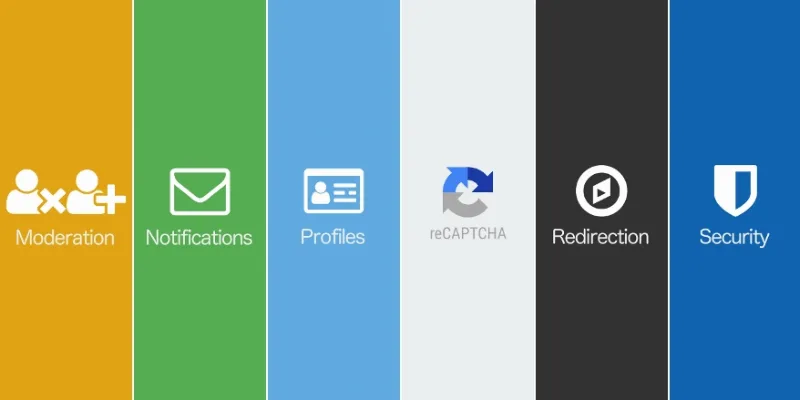
About Theme My Login
For anyone with open registration who is tired of fake users
Opening registration on WordPress seems harmless until you check the user list and half of it is bot accounts with absurd email addresses. Meanwhile, real users log in through a screen that looks nothing like your brand, receive generic emails and end up in the wp-admin dashboard with no idea what to do.
This bundle brings together six Theme My Login extensions that cover the whole account journey: sign-up, login, emails, profile and logout. It suits you if:
- You run a community, a client area or a site with comments and open registration.
- You want your users never to see the admin panel.
- You worry that wp-login.php is exposed to brute-force attacks.
It does not suit you if only you and your team log in: you would be paying for features you will not use. Nor if you are looking for payments, access levels or content restriction by member type: none of the six extensions is about that. And they are extensions, not a standalone plugin: they rely on Theme My Login.
Three barriers to keep spam out of your database
The problem with fake registrations is not only the noise: each junk account is a user who can comment, receive your emails or try to sneak in. Here are three layers that complement each other:
- Moderation: requires email confirmation, manual approval by the administrator, or both at once.
- reCAPTCHA: stops bots on the login, registration, lost password and comment forms.
- Security: locks out after failed login attempts, enforces password rules and lets you disable wp-login.php.
Manual approval requires someone to review the requests, and legitimate users wait until you do.
Emails in your voice, a profile without wp-admin and every user in the right place
The remaining three extensions look after what users experience after registering, which is where many sites look neglected.
Notifications rewrites the account emails that WordPress sends by default and lets you create your own. That way the welcome or password recovery message sounds like your business, not a system notice.
Profiles offers a front-end profile page, integrated with the theme design, so users can edit their details without going through wp-admin.
Redirection decides where each person goes after logging in, logging out or registering. A client can land in their own area and a new registrant on a welcome page, instead of everyone ending up on the same home page.
Theme My Login: where to start so you do not lock yourself out of your own site
You do not need to activate everything at once. A sensible order: first Moderation and reCAPTCHA, which tackle spam without touching access; then Notifications and Profiles, which improve the experience; and finally Security.
With Security, be careful when disabling wp-login.php: before you do, make sure you know how you and your team will log in, and test it with a different session. The same goes for password rules: warn your users if they are going to change.
If you are unsure how the forms will look, check the demo and see whether they fit your design before deciding.
Questions buyers ask when in doubt
Does it work without the base plugin?
That is not the intended use: these are Theme My Login extensions and are used alongside it.
Is it suitable for protecting paid content?
No. It controls access to the account, not which content each user sees or payments.
Does it stop all spam?
No layer guarantees that an account will never slip through. That is why it is worth combining confirmation, reCAPTCHA and, if needed, manual approval.
Version history
-
v
7.0.15 Current 16 May 2024
Customer reviews
Sign in to leave a review. Only people who have the product can review it.
No reviews for this product yet.
Frequently asked questions
-
GPL (General Public License) is the license under which WordPress and most premium plugins/themes are distributed. It grants you the right to use, modify and redistribute the software in as many projects as you want, with no domain restrictions.
-
Yes. With membership you get automatic updates via our GPLClub Updater plugin (installed on your WP, detects new versions and applies them). With individual purchase, you get one year of manual updates from your account.
-
Depends on the plan. Monthly: 3 domains. Semi-annual: 7. Annual and Lifetime: 15. Individual purchase: 1 domain.
-
GPLClub offers its own support for installation, configuration and compatibility. For direct support from the original author (feature requests, product-specific bugs), a license purchased from the author is required.