Tickera - Serial Ticket Codes
Antivirus scan
Powered by ClamAV
✅ Verified clean
This product file has passed our security filters.
Want to run a fresh ClamAV scan right now? Takes a few seconds and shows scanner version, signature DB and live result.
This can take 5 to 30 seconds.
Clean file Threat detected
No threats detected in this file.
- File
- Size
- Scanned
- ClamAV
- Signature database
⚡ Powered by ClamAV
Scan could not be completed
Report product
If you detected an issue (broken file, malware, inappropriate content, etc.) let us know and we'll review it ASAP.
Sign in to report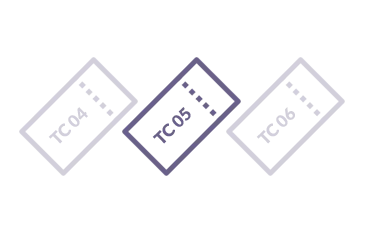
About Tickera - Serial Ticket Codes
Random ticket codes like WUNVA2 or X7Z2QM work at the door, but they are a nuisance everywhere else: you can't read them over the phone without mistakes, they say nothing in a spreadsheet and they don't sort logically. This Tickera add-on replaces those strings with codes in the format you decide.
Anyone selling tickets ends up on the phone with a code in hand
At an event, the ticket code isn't only read by the scanner: it's read by a person at the box office, by someone in accounting reconciling sales and by the attendee who writes to support because they can't find their ticket. A code like NORTHBAY-VIP-0001 can be read aloud, sorted and understood at a glance. A random one can't. A sequential number also tells you how many tickets have been issued without opening a report.
Six settings that shape every code in Tickera - Serial Ticket Codes
- Custom prefix: puts your brand, your venue or a tag like VIP in front of every code.
- Custom suffix: adds a year, a venue code or a sponsor tag at the end.
- Starting number: begin the sequence wherever you like. If you start at 1001, the first ticket doesn't reveal it's the first sale.
- Zero padding: sets the number of digits (0001, 0002, 0042) so all codes are the same width and sort cleanly in a spreadsheet.
- Maximum length: caps the code length so it fits on the printed ticket, the barcode or a column.
- One-time setup: set once in the Tickera settings and applied to every ticket generated afterwards, whether by purchase, manual creation or complimentary.
One rule for the whole site: no per-event formats
The format is global. You can't have a different prefix for each event. If you need to tell them apart, the usual workaround is to include the year or season in the prefix and change it every year. It also doesn't change the codes of tickets already sold: they keep theirs, and check-in, refunds and scans keep working as before. And of course, it is an add-on: it needs the Tickera plugin to work.
Frequently asked questions before touching your codes
Are the codes still unique?
Yes. The sequential number goes up with every ticket, so the combination of prefix, counter and suffix is never repeated across the site.
Do they still scan via QR?
Yes. The QR on the PDF ticket encodes whatever code the ticket has, random or formatted. The Tickera check-in app and the browser scanner read formatted codes without any change.
What characters can I use in the prefix?
Letters, numbers, hyphens and underscores. Avoid spaces and symbols that confuse barcode readers (slashes, ampersands, quotes) and stick to ASCII characters.
Can I change the format later?
Yes, you can change the prefix, suffix or padding at any time. New tickets use the new format and earlier ones keep theirs.
Set the format before the first sale, and test it printed
Since tickets already issued aren't reformatted, the sensible approach is to decide prefix, starting number and padding before you open sales. Generate a test ticket and check three things: that the code fits on the PDF, that the scanner reads it and that the CSV export, if you use it for accounting, keeps the order you expect. If you cap the length, add the prefix and suffix to the count so nothing important gets cut off.
Topics
Version history
-
v
1.1.1 Current 13 May 2024
Customer reviews
Sign in to leave a review. Only people who have the product can review it.
No reviews for this product yet.
Frequently asked questions
-
GPL (General Public License) is the license under which WordPress and most premium plugins/themes are distributed. It grants you the right to use, modify and redistribute the software in as many projects as you want, with no domain restrictions.
-
Yes. With membership you get automatic updates via our GPLClub Updater plugin (installed on your WP, detects new versions and applies them). With individual purchase, you get one year of manual updates from your account.
-
Depends on the plan. Monthly: 3 domains. Semi-annual: 7. Annual and Lifetime: 15. Individual purchase: 1 domain.
-
GPLClub offers its own support for installation, configuration and compatibility. For direct support from the original author (feature requests, product-specific bugs), a license purchased from the author is required.