Total Survey – Responsive WordPress Survey Plugin
Antivirus scan
Powered by ClamAV
✅ Verified clean
This product file has passed our security filters.
Want to run a fresh ClamAV scan right now? Takes a few seconds and shows scanner version, signature DB and live result.
This can take 5 to 30 seconds.
Clean file Threat detected
No threats detected in this file.
- File
- Size
- Scanned
- ClamAV
- Signature database
⚡ Powered by ClamAV
Scan could not be completed
Report product
If you detected an issue (broken file, malware, inappropriate content, etc.) let us know and we'll review it ASAP.
Sign in to report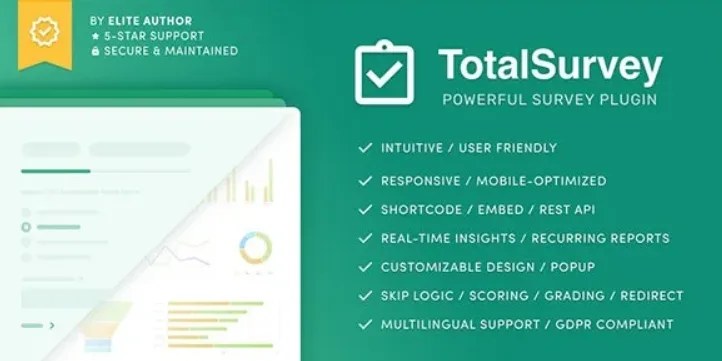
About Total Survey – Responsive WordPress Survey Plugin
A survey nobody finishes tells you nothing
Building a survey in WordPress usually ends in a long form that people abandon halfway and in loose answers nobody opens again. Total Survey takes care of the least glamorous part: getting the survey answered, making the data readable and making sure someone receives the result.
It works for measuring customer satisfaction, product opinion, event feedback or employee evaluation, and also for polls, contests and rating systems. Whoever installs it is usually measuring their own audience, and that is the trap: asking too much is the fastest way to bias your data, because only people with spare time or a strong grudge end up answering.
Skip logic, scoring and grades: ask less and get more from each answer
Among the features is skip logic: depending on what the person replies, the survey skips the sections that do not apply to them. A happy customer does not need to see the questions meant for an unhappy one.
The available fields cover almost any feedback form:
- Short text and text area, number and date.
- Single choice, multiple choice, dropdown and image choice.
- Scale, rating and Likert.
- File upload.
Between questions you can add blocks for title, image, spacer, embedded content or HTML. You can also reuse the value of one field inside another block, for example the name in the wording of a later question.
If you want to score, there is points logic per section and per question, with automatic calculation. Grades are defined with a label, color, range and a custom message built with the block editor. The grade appears in the list of entries and can be filtered by score.
Total Survey on your site: shortcode, popup, reports and privacy
You can place the survey with a shortcode, with PHP code, or consume it through the REST API, and every survey and every entry has its own permalink. There is also a popup where you choose which pages it appears on, its position and how it closes.
The design is adjusted with controls for colors, sizes, spacing and roundness, plus custom CSS, so it does not look like a foreign body in your theme.
So the data does not sit idle, there are interactive charts per section that can be filtered, exported and published. There are also email reports, instant or recurring (daily, weekly or monthly), where you choose which sections to include. Entries are browsed with keyboard shortcuts and can be filtered, exported, printed or deleted.
After submission, you can trigger conditional workflows: an email to the survey taker, a redirect to a URL, a webhook or a WordPress hook. You can require authentication, set a start and end date, and limit submissions by session, IP or user.
On privacy, it offers to store IPs and user agents as hashes and to honor the browser's Do-Not-Track setting. If you collect data from people, state it on your site.
Is Total Survey enough to measure, or do you need something more? Limits and questions
It is a survey and rating plugin, not a statistical analysis dashboard: the charts summarize answers but do not replace an advanced analysis tool. The interface is available in English, Arabic and French; to publish the survey in Spanish you have the built-in translation editor, which handles the survey texts. Some features, such as submission limits or redirecting based on answers, are grouped in their own extensions: check in the demo which ones you need.
Does it work for surveys with many responses?
There is no limit on surveys, entries or blocks. What you should watch is keeping the survey short, because that affects how many people finish it.
Can I offer it in several languages?
Yes: the translation editor lets you create versions of the survey without another plugin, with support for right-to-left languages. The participant's language is saved in their entry.
Can I take my surveys and my data with me?
Yes. Surveys can be duplicated, imported and exported, and entries can be exported too.
Can the participant see what they submitted?
Yes, you can let them view and print their own entry.
Topics
Version history
-
v
1.8.3 Current 8 Apr 2024
Customer reviews
Sign in to leave a review. Only people who have the product can review it.
No reviews for this product yet.
Frequently asked questions
-
GPL (General Public License) is the license under which WordPress and most premium plugins/themes are distributed. It grants you the right to use, modify and redistribute the software in as many projects as you want, with no domain restrictions.
-
Yes. With membership you get automatic updates via our GPLClub Updater plugin (installed on your WP, detects new versions and applies them). With individual purchase, you get one year of manual updates from your account.
-
Depends on the plan. Monthly: 3 domains. Semi-annual: 7. Annual and Lifetime: 15. Individual purchase: 1 domain.
-
GPLClub offers its own support for installation, configuration and compatibility. For direct support from the original author (feature requests, product-specific bugs), a license purchased from the author is required.