Turitor LMS And Education Theme
Antivirus scan
Powered by ClamAV
✅ Verified clean
This product file has passed our security filters.
Want to run a fresh ClamAV scan right now? Takes a few seconds and shows scanner version, signature DB and live result.
This can take 5 to 30 seconds.
Clean file Threat detected
No threats detected in this file.
- File
- Size
- Scanned
- ClamAV
- Signature database
⚡ Powered by ClamAV
Scan could not be completed
Report product
If you detected an issue (broken file, malware, inappropriate content, etc.) let us know and we'll review it ASAP.
Sign in to report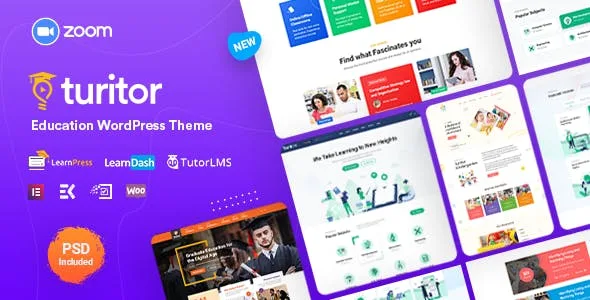
About Turitor LMS And Education Theme
Your academy's certificates do not come from the template
You compare education themes by their home pages, see course grids and instructor profiles, and assume all of that comes with the purchase. In Turitor, what makes courses work lives elsewhere: the LMS plugin holds up the academy, and the theme gives it a front. A certificate, for example, is a feature of the LMS plugin, not of the theme.
That changes the order of the purchase. First you choose LearnPress, Tutor LMS or LearnDash based on how you want to sell and teach. Then you check whether Turitor presents that plugin well. Doing it the other way around leaves you with a pretty home page and the gaps of an LMS you never evaluated.
Three LMS plugins, three starting points
- LearnPress: has its own demo in Turitor.
- Tutor LMS: also with its own demo. It has a free version, and the theme updates templates for that plugin.
- LearnDash: with its own demo, but it is a paid plugin that does not come with the theme. No free version. Its instructor page in Turitor is built with Elementor.
Whatever none of the three provides you will have to solve separately: course features come from these plugins.
What Turitor puts on top of your platform
- Design: six home page variations, six headers and two course layouts.
- Institutions: layouts for a university and for a kindergarten.
- Building: Elementor with Elements Kit addons and forms with MetForm, on Bootstrap 4 and Unyson.
- Added plugins: Turitor Essential, Poptics for popups and Authorsy for the author box.
- Interface: sticky header, popup, left, right or no sidebar, preloader and live customizer.
- Languages: .pot file, WPML compatibility and a right-to-left demo.
- Compatibility: WooCommerce and BuddyPress.
- Files: child theme, PSD and documentation.
Points to test with your LMS
- Two course layouts. If your catalog needs many different presentations, that is a short count.
- LMS pages. Check which of the pages your LMS plugin generates can be edited with Elementor: on the rest, your visual adjustments have less room.
- Instructors. They can create courses from the admin dashboard. If you want them to do it from the front end, check it with your LMS: LearnDash may need addons for that.
- Calendar. A date-based course schedule also depends on the plugin. If you need one, look for it in the LMS first.
- Payments. Each LMS handles payment its own way, so review yours.
Server, child theme and demo
Prepare the server with max_execution_time 600, upload_max_filesize 32M, post_max_size 48M, memory_limit 700M, max_input_time 300 and max_input_vars 10000.
- Upload the parent theme and the child theme to wp-content/themes, and activate only the child.
- Install the plugins requested by the window that appears after activation.
- Install and test the LMS plugin you chose.
- On a new site, go to Tools › Demo content install and click Install. The full install takes a while.
- On a site with content, do not use the one-click demo: import the XML manually.
Themes with a different relationship to the LMS
If you want room to switch platforms, EduBlink is compatible with six LMS plugins and has 15 course listing designs and 5 detail designs, against Turitor's two layouts.
If you already know you will use LearnPress, Eduma is built around that plugin. And if your decision is Tutor LMS, Tutor LMS Pro adds its own commerce with gateways such as Stripe, PayPal and Mollie, plus a certificate builder.
Answers about courses, plugins and demos
Does Turitor include an LMS?
No. It has compatibility and demos for LearnPress, LearnDash and Tutor LMS, and the course features come from those plugins.
Does LearnDash come with the theme?
No. It is a separate premium plugin, also available in the catalog.
Does it work for a university or a kindergarten?
It has layouts for a university and for a kindergarten, meant for launching an institution's website.
Which theme should I activate?
The child. You upload both, but you only activate Turitor Child.
Can I import the demo on a working site?
The one-click demo should not be used on an existing site. Manual XML import is there for that case.
Does it support right-to-left languages?
Yes, and it has a specific demo for them.
Topics
Version history
-
v
1.5.3 Current 9 Dec 2025
Customer reviews
Sign in to leave a review. Only people who have the product can review it.
No reviews for this product yet.
Frequently asked questions
-
GPL (General Public License) is the license under which WordPress and most premium plugins/themes are distributed. It grants you the right to use, modify and redistribute the software in as many projects as you want, with no domain restrictions.
-
Yes. With membership you get automatic updates via our GPLClub Updater plugin (installed on your WP, detects new versions and applies them). With individual purchase, you get one year of manual updates from your account.
-
Depends on the plan. Monthly: 3 domains. Semi-annual: 7. Annual and Lifetime: 15. Individual purchase: 1 domain.
-
GPLClub offers its own support for installation, configuration and compatibility. For direct support from the original author (feature requests, product-specific bugs), a license purchased from the author is required.