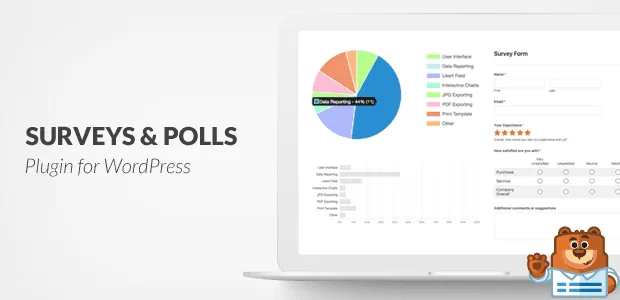
UsersWP - Verified Users
Antivirus scan
Powered by ClamAV
✅ Verified clean
This product file has passed our security filters.
Want to run a fresh ClamAV scan right now? Takes a few seconds and shows scanner version, signature DB and live result.
This can take 5 to 30 seconds.
Clean file Threat detected
No threats detected in this file.
- File
- Size
- Scanned
- ClamAV
- Signature database
⚡ Powered by ClamAV
Scan could not be completed
Report product
If you detected an issue (broken file, malware, inappropriate content, etc.) let us know and we'll review it ASAP.
Sign in to report
About UsersWP - Verified Users
A badge is worth the criterion behind it
One user writes that they are already well known in their field and asks you to verify them. Another has taken part for months and nobody has doubted them. A third looks a lot like someone famous. The verified badge tells everyone else that somebody checked something, and the question is what was checked.
The badge records your decision, not the check: the criterion you use to approve each person is yours to define, and it is worth writing it down before approving the first one.
Verified Users is an add-on for UsersWP that shows a verified user badge in the profile, next to the name. The administrator chooses the badge's color and icon. Users request verification from their own profile, and only the administrator approves or rejects, after reviewing the requester's details.
How verification is requested and approved
- Request from the profile: each user asks for verification from their own account.
- Administrator review: you see the requester's details and approve or reject.
- Verify link: it appears on the administrator's Users page.
- Bulk verification: you filter the users who requested verification and mark them verified at once.
- From the user's profile, as administrator: in the Account Verification menu you choose Verify User.
- Email to the administrator when someone requests verification; it can be turned off in the notification settings.
- Email to the user when the administrator verifies them.
Both emails can be enabled and edited. The settings live under UsersWP, Addons, Verified Users, and the add-on is fully translatable.
The badge is shown after the name on the profile page and also in the users directory, so anyone browsing the list sees it without opening each profile.
A directory of professionals with reviewed profiles
Imagine a site where professionals publish their profile and visitors look them up in the directory. You could decide to verify only those who have emailed their portfolio and whose name matches their account. Each request reaches your inbox, and the filter on the Users page shows you at once who is waiting for review. This is only a guide; the final criterion is yours.
A manual decision that checks nothing on its own
Approval is manual: only the administrator approves or rejects. Among its functions there is no identity check or document review; you do that with the details you receive and with whatever means you prefer outside the plugin. It works as an add-on to UsersWP, so it needs the main plugin installed and active.
How to get started
You need WordPress with the main UsersWP plugin active. Then:
- Install the add-on like any plugin and activate it.
- Open UsersWP, Addons, Verified Users and choose the badge's color and icon.
- Review the two emails and adapt them to your tone, or turn off the administrator notice if you do not want it.
- Approve requests from the Users page.
More UsersWP pieces
The base is UsersWP. For communities there are also UsersWP Private Messaging and UsersWP myCRED.
Answers about Verified Users
Who can request verification?
Each user requests it from their own profile.
Is it approved automatically?
No. Only the administrator approves or rejects each request.
Can I verify several users at once?
Yes. You filter the users who requested it and mark them verified in bulk.
Where is the badge shown?
After the name on the profile and on the users directory page.
Topics
Version history
-
v
1.2.13 Current 18 Sep 2025
Customer reviews
Sign in to leave a review. Only people who have the product can review it.
No reviews for this product yet.
Frequently asked questions
-
GPL (General Public License) is the license under which WordPress and most premium plugins/themes are distributed. It grants you the right to use, modify and redistribute the software in as many projects as you want, with no domain restrictions.
-
Yes. With membership you get automatic updates via our GPLClub Updater plugin (installed on your WP, detects new versions and applies them). With individual purchase, you get one year of manual updates from your account.
-
Depends on the plan. Monthly: 3 domains. Semi-annual: 7. Annual and Lifetime: 15. Individual purchase: 1 domain.
-
GPLClub offers its own support for installation, configuration and compatibility. For direct support from the original author (feature requests, product-specific bugs), a license purchased from the author is required.