WHMCS Sync Integration Plugin for WordPress
Antivirus scan
Powered by ClamAV
✅ Verified clean
This product file has passed our security filters.
Want to run a fresh ClamAV scan right now? Takes a few seconds and shows scanner version, signature DB and live result.
This can take 5 to 30 seconds.
Clean file Threat detected
No threats detected in this file.
- File
- Size
- Scanned
- ClamAV
- Signature database
⚡ Powered by ClamAV
Scan could not be completed
Report product
If you detected an issue (broken file, malware, inappropriate content, etc.) let us know and we'll review it ASAP.
Sign in to report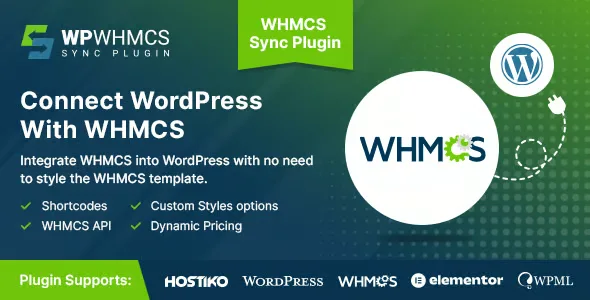
About WHMCS Sync Integration Plugin for WordPress
Customers decide on your site and pay on another that looks nothing like it
If you resell hosting or other services with WHMCS, you know the problem: your WordPress site carries your brand, but the client area lives on a different URL, with a different look and different navigation. A visitor who was ready to buy suddenly lands on a screen that seems to belong to another company. And that jump happens exactly where it hurts most: when signing up, logging in or paying.
WP WHMCS Sync connects your WHMCS installation to your WordPress site so the client area is displayed inside your own website, even if WHMCS is installed at a different address. It is built for people who work with reseller packages and want to sell their services from their site.
Three situations where WP WHMCS Sync fits
Reseller with WHMCS on a subdomain or another server
This is the clearest case. You don't need to move WHMCS to the same URL as WordPress: the plugin brings the client area into your site.
Anyone who already has a finished WordPress design and doesn't want to rebuild the WHMCS template
Tweaking the WHMCS template to look like your site is a separate job, and redoing it every time your design changes is tiring. Here the styling is handled from WordPress: you pick from ready-made style options or write your own in the CSS section.
Agency delivering a site to a reseller client
If you build sites for hosting businesses, the end-customer area is often the loose end of the project. With the connection and your own CSS, you can deliver a site where the client area already respects the agreed visual identity.
Your own styling without fighting the WHMCS template
The plugin separates two tasks that are usually mixed together: connecting the data and dressing it. The connection links WHMCS with WordPress. The look is controlled with predefined styles to get started quickly, or with CSS you write yourself if you want an exact match with your theme.
- Client area inside WordPress: customers reach their account without being sent to another URL.
- Ready-made styles or your own CSS: you can start with what is prepared and fine-tune later.
Before deciding, look at the demo through a customer's eyes: go through registration, login and the billing area, and check whether the result looks like what you would offer.
Questions before connecting your WHMCS to WordPress
Does WHMCS have to be on the same domain as WordPress?
No. Even if WHMCS is on another URL, the client area can be displayed inside your WordPress site.
Can I change the look of the client area?
Yes. You can choose from predefined styles or write your own CSS in the corresponding section.
Is it useful if I'm not a reseller?
It is designed for people with reseller packages who sell services from their website. If your case is different, check in the demo whether the flow covers what you need.
Do I need to install anything else in WHMCS?
The process consists of installing the plugin in WordPress and connecting your WHMCS. Combining it with WHMCS addons is not supported, as the next section explains.
It only works with default WHMCS, without added addons or plugins
The integration is designed for the default configuration and layouts of WHMCS. If your installation uses additional addons or plugins, custom development may be needed for everything to integrate properly. If you depend on extra modules for billing or client management, weigh that before you start.
Topics
Version history
-
v
2.2.1 Current 17 Jan 2025
Customer reviews
Sign in to leave a review. Only people who have the product can review it.
No reviews for this product yet.
Frequently asked questions
-
GPL (General Public License) is the license under which WordPress and most premium plugins/themes are distributed. It grants you the right to use, modify and redistribute the software in as many projects as you want, with no domain restrictions.
-
Yes. With membership you get automatic updates via our GPLClub Updater plugin (installed on your WP, detects new versions and applies them). With individual purchase, you get one year of manual updates from your account.
-
Depends on the plan. Monthly: 3 domains. Semi-annual: 7. Annual and Lifetime: 15. Individual purchase: 1 domain.
-
GPLClub offers its own support for installation, configuration and compatibility. For direct support from the original author (feature requests, product-specific bugs), a license purchased from the author is required.