Woo Essential
Antivirus scan
Powered by ClamAV
✅ Verified clean
This product file has passed our security filters.
Want to run a fresh ClamAV scan right now? Takes a few seconds and shows scanner version, signature DB and live result.
This can take 5 to 30 seconds.
Clean file Threat detected
No threats detected in this file.
- File
- Size
- Scanned
- ClamAV
- Signature database
⚡ Powered by ClamAV
Scan could not be completed
Report product
If you detected an issue (broken file, malware, inappropriate content, etc.) let us know and we'll review it ASAP.
Sign in to report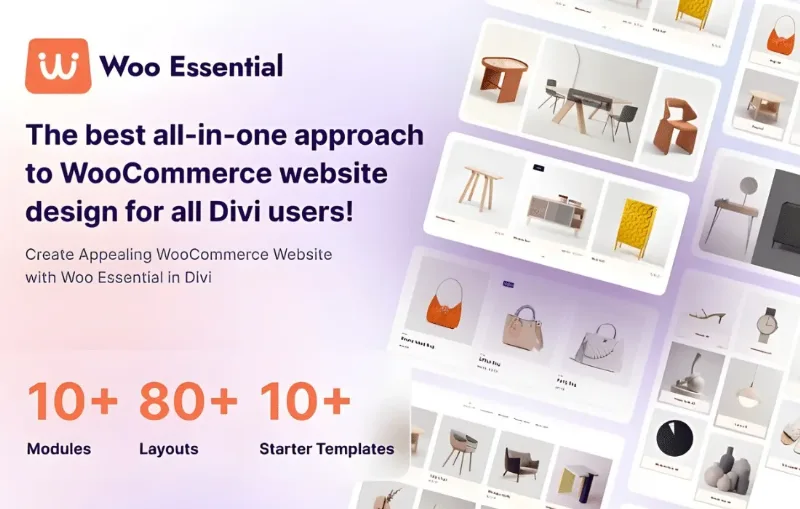
About Woo Essential
If you build your store with Divi and WooCommerce, this is for you; if you don't use Divi, it isn't
Woo Essential is a set of modules for the Divi Visual Builder. It suits people who already work with the Divi theme by Elegant Themes and want to lay out the commercial side of their store. If you use another page builder or another theme, it won't work for you: the modules only appear inside Divi.
It doesn't replace WooCommerce either: it is a design layer that needs WooCommerce installed and products loaded. It doesn't manage orders, payments or shipping.
Why a Divi store often falls short on presentation
Many stores built with Divi end up with generic product listings, categories hidden in a menu and a cart that requires going to another page. Visitors have to click too many times to reach what they want, and in a store every extra click is a chance for them to leave. Woo Essential tackles exactly that part: how products and categories are displayed, and how people move between them.
Product and category showcases in Woo Essential
The presentation modules come in two families, products and categories:
Woo Product Carousel: a carousel with six layouts, to highlight products by category.
Woo Product Grid: a grid to organize the catalog.
Woo Product Accordion: products unfold on hover or click, with animation, showing their category and count.
Woo Product Filter Masonry: a masonry layout with category filters.
Category Carousel, Category Masonry, Category Accordion and Category Grid: the equivalents for categories, with product counts.
The advantage of having both families is that you can build a homepage that first guides visitors by category and then shows products, all in the same visual style.
Mini cart, live search and quick view
These are the modules that shorten the path to purchase. Woo Ajax Search adds a search box with live results, configurable to search products, categories and posts. Woo Quick View opens the product enlarged in a lightbox so customers can look at it without leaving the listing.
Design control and limits of Woo Essential
The modules are responsive. In the accordion, for example, you choose between two styles, the direction (images vertical or horizontal), the height and the image size. It also includes ready-made layouts and starter templates so you don't start from scratch.
Keep one limit in mind: the single product page, the list view, the slider and the simple masonry appear as upcoming modules, not as available features. If you need to redesign the entire product page, don't count on that here. Check in the demo which modules are already active in your version.
Frequently asked questions about Woo Essential
Does it work without Divi?
No. It is designed for the Divi theme and its modules appear in the Visual Builder.
Do I need WooCommerce?
Yes. The modules display WooCommerce products and categories.
Does it include layouts to get started?
Yes, it includes starter templates and ready-made layouts that you can adapt.
Does it adapt to mobile?
The modules are built to be responsive, though you should review the result in your own design.
Does it handle payments or shipping?
No: that remains the job of WooCommerce and its extensions.
Topics
Version history
-
v
4.3.0 Current 3 Jul 2026
-
v
4.1.1 31 Mar 2026
Customer reviews
Sign in to leave a review. Only people who have the product can review it.
No reviews for this product yet.
Frequently asked questions
-
GPL (General Public License) is the license under which WordPress and most premium plugins/themes are distributed. It grants you the right to use, modify and redistribute the software in as many projects as you want, with no domain restrictions.
-
Yes. With membership you get automatic updates via our GPLClub Updater plugin (installed on your WP, detects new versions and applies them). With individual purchase, you get one year of manual updates from your account.
-
Depends on the plan. Monthly: 3 domains. Semi-annual: 7. Annual and Lifetime: 15. Individual purchase: 1 domain.
-
GPLClub offers its own support for installation, configuration and compatibility. For direct support from the original author (feature requests, product-specific bugs), a license purchased from the author is required.