WooCommerce EU Vat & B2B
Antivirus scan
Powered by ClamAV
✅ Verified clean
This product file has passed our security filters.
Want to run a fresh ClamAV scan right now? Takes a few seconds and shows scanner version, signature DB and live result.
This can take 5 to 30 seconds.
Clean file Threat detected
No threats detected in this file.
- File
- Size
- Scanned
- ClamAV
- Signature database
⚡ Powered by ClamAV
Scan could not be completed
Report product
If you detected an issue (broken file, malware, inappropriate content, etc.) let us know and we'll review it ASAP.
Sign in to report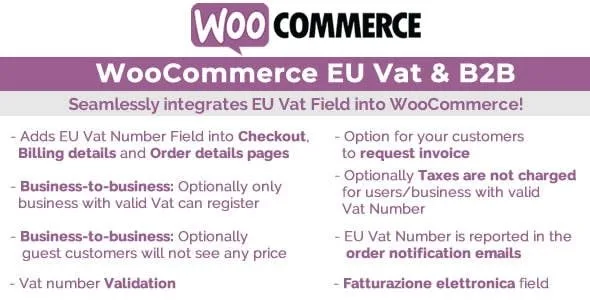
About WooCommerce EU Vat & B2B
For the shop that sells to EU businesses, not for anyone needing full invoicing
Asking for a VAT number at checkout seems trivial until you have to decide what to do with it: is it valid? Should the tax be removed? Should private customers who just want a T-shirt be asked too? This plugin answers those questions inside WooCommerce.
It suits you if you sell to European companies, if you mix private and professional customers, or if you want a store that only accepts registration from businesses with a valid VAT number. It is not an invoicing system: it adds the field, validates it and can remove the tax, but it does not generate invoices by itself. Also, if you show the field to customers outside the EU as well, the tax can be removed if you enable that, but those numbers are not validated.
The field appears only when it makes sense
The VAT field is shown at checkout and in the profile billing address only if the billing country belongs to the EU. That way you don't bother buyers from elsewhere.
You can also avoid asking consumers for company data with two options:
- Request an invoice: the VAT field is only visible if the customer ticks that they want an invoice.
- Consumer/business selector: the company name and VAT only appear if they identify as a business.
You can also make the field mandatory or leave it optional.
VAT validation: VIES or format only
There are two levels. With VIES, the plugin checks the number; with the format check, it only verifies that the structure is correct. If validation fails, the order cannot be completed and the customer sees a warning whose text you can customize.
If you sell B2B, VIES is the sensible choice: a correct format does not guarantee that the number exists. There is also an optional uniqueness check so that two different users cannot register the same VAT number.
WooCommerce EU Vat & B2B and tax exemption
When a customer enters a VAT number, the plugin can charge without tax. The change shows in shop, product, cart and checkout, and applies with the number entered at checkout, in My Account (billing addresses) or at registration. By default it affects customers with a number; optionally, it also covers those whose billing country is the same as the shop base location.
Review that option with your tax advisor: in many transactions the exemption depends on the country of origin and destination, and enabling it carelessly can leave you charging tax incorrectly.
Special fields for Italy, Spain and Greece
- Italy: when selected, Codice fiscale and SDI/PEC appear, with format validation. There is also support for Italian electronic invoicing.
- Spain: the NIF / NIE / CIF field appears, with format validation.
- Greece: if the customer picks the business type, "Tax office" and "Business activity" are shown.
If you don't sell in these countries, you won't notice them. If you do, they save you from adding fields by hand.
Integration and texts
The VAT number appears at checkout, My Account, the order details and the order emails, with no extra configuration. In the admin you can see the VAT number and whether the customer asked for an invoice from the order details and the orders list.
Labels, placeholders and error messages are edited from the texts menu, and with WPML you switch language and enter the texts for each one.
Frequently asked questions
Can I allow registration only for businesses?
Yes. There is an option that only lets businesses with a valid VAT number register, according to the chosen validation method and country.
Can tax be removed for customers outside the EU?
If you show the field to non-EU customers, you can enable the exemption for them, but their numbers are not validated.
What happens if validation fails?
The customer cannot finish the purchase and sees a message that you can change.
Can I ask the customer whether they want an invoice?
Yes, with the request an invoice option, and you can see in the order who asked for one.
Topics
Version history
-
v
10.5 Current 12 Jul 2024
Customer reviews
Sign in to leave a review. Only people who have the product can review it.
No reviews for this product yet.
Frequently asked questions
-
GPL (General Public License) is the license under which WordPress and most premium plugins/themes are distributed. It grants you the right to use, modify and redistribute the software in as many projects as you want, with no domain restrictions.
-
Yes. With membership you get automatic updates via our GPLClub Updater plugin (installed on your WP, detects new versions and applies them). With individual purchase, you get one year of manual updates from your account.
-
Depends on the plan. Monthly: 3 domains. Semi-annual: 7. Annual and Lifetime: 15. Individual purchase: 1 domain.
-
GPLClub offers its own support for installation, configuration and compatibility. For direct support from the original author (feature requests, product-specific bugs), a license purchased from the author is required.