WooCommerce Partial COD Premium
Antivirus scan
Powered by ClamAV
✅ Verified clean
This product file has passed our security filters.
Want to run a fresh ClamAV scan right now? Takes a few seconds and shows scanner version, signature DB and live result.
This can take 5 to 30 seconds.
Clean file Threat detected
No threats detected in this file.
- File
- Size
- Scanned
- ClamAV
- Signature database
⚡ Powered by ClamAV
Scan could not be completed
Report product
If you detected an issue (broken file, malware, inappropriate content, etc.) let us know and we'll review it ASAP.
Sign in to report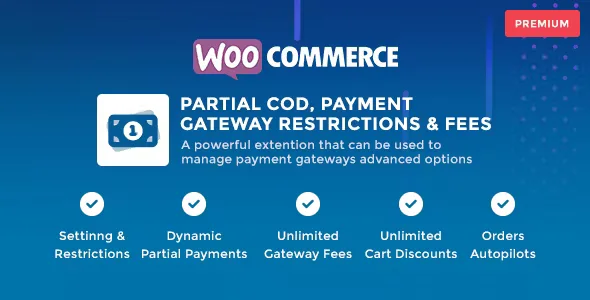
About WooCommerce Partial COD Premium
Cash on delivery has a problem no sales report tells you about: the order that leaves the warehouse and comes back refused. You pay for shipping out, shipping back and the time spent preparing something nobody collected. WooCommerce Partial COD Premium tackles that gap with a partial payment upfront and rules that decide when, to whom and with what fee each payment method is offered.
From refused cart to collected deposit: the journey of an order
Picture a store that sells by cash on delivery and suffers returns. Here is how the plugin works step by step:
- Step 1, you decide who can pay on delivery. In the settings and restrictions module you limit the availability of each gateway based on cart conditions (the plugin mentions more than 84 conditions) and product rules. For example, you can hide cash on delivery for certain products or situations.
- Step 2, you define the deposit. In partial payments, the amount to charge now is calculated by combining product totals, shipping costs, cart fees, taxes and subtotals. You can create several partial payment options, each with its own conditions.
- Step 3, you adjust the message. You change the title, description and button text of each gateway according to conditions, so the customer understands what they pay now and what they pay on receipt.
- Step 4, you add a fee or a discount. With gateway fees you can charge a fixed amount or a percentage of the cart or of the products. With cart discounts you do the opposite, for example to nudge customers toward a method that costs you less.
- Step 5, you automate what comes next. Order autopilots react to a created order, a status change or a scheduled task (cron), and can change the status, add notes or update order or customer metadata.
What to know before opening cash on delivery to everyone
A deposit reduces the risk but does not remove it: there is still a balance to collect on delivery. It is also a WooCommerce add-on, so it needs a payment gateway that collects the online deposit. Check in the demo how the breakdown is shown to the customer at checkout, on the thank-you page and in the order details, because that is where it is decided whether they understand what they are paying.
Product rules: the fine control of WooCommerce Partial COD Premium
Restrictions, partial payments, fees and discounts can rely on around 22 product rules, in addition to cart conditions. In practice you can require a larger deposit for expensive products or ones that cannot be returned, and a smaller one for cheap items. Partial payments support around 85 conditions.
Frequently asked questions
Can I collect a percentage of the order upfront?
Yes. The partial payment amount is calculated from product totals, shipping, fees, taxes and subtotal, so you can set the deposit as you see fit.
Does it work with multilingual stores or several currencies?
It has been tested with Polylang, WOOCS and WooCommerce Multi Currency. It has not been tested with WPML. It includes .pot, .po and .mo translation files.
Can I apply fees to just one payment method?
Yes. Fees and discounts are created per gateway, with conditions and product rules, and can be a fixed amount or a percentage.
Is it only for cash on delivery?
No. The restrictions and settings module works with payment gateways in general, and the autopilots automate orders beyond cash on delivery.
Automating orders without touching them by hand
Order autopilots save the repetitive work of reviewing orders with a deposit: you can leave a note when the order is created or change its status when another one changes. Even so, they do not replace your confirmation process with the customer: they automate rules you define, they do not decide for you.
Topics
Version history
-
v
1.5.3 Current 28 Apr 2026
Customer reviews
Sign in to leave a review. Only people who have the product can review it.
No reviews for this product yet.
Frequently asked questions
-
GPL (General Public License) is the license under which WordPress and most premium plugins/themes are distributed. It grants you the right to use, modify and redistribute the software in as many projects as you want, with no domain restrictions.
-
Yes. With membership you get automatic updates via our GPLClub Updater plugin (installed on your WP, detects new versions and applies them). With individual purchase, you get one year of manual updates from your account.
-
Depends on the plan. Monthly: 3 domains. Semi-annual: 7. Annual and Lifetime: 15. Individual purchase: 1 domain.
-
GPLClub offers its own support for installation, configuration and compatibility. For direct support from the original author (feature requests, product-specific bugs), a license purchased from the author is required.