WordPress Upload Files Anywhere
Antivirus scan
Powered by ClamAV
✅ Verified clean
This product file has passed our security filters.
Want to run a fresh ClamAV scan right now? Takes a few seconds and shows scanner version, signature DB and live result.
This can take 5 to 30 seconds.
Clean file Threat detected
No threats detected in this file.
- File
- Size
- Scanned
- ClamAV
- Signature database
⚡ Powered by ClamAV
Scan could not be completed
Report product
If you detected an issue (broken file, malware, inappropriate content, etc.) let us know and we'll review it ASAP.
Sign in to report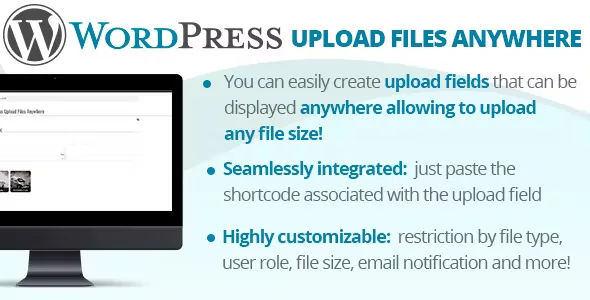
About WordPress Upload Files Anywhere
The upload cap is set by the server, and your client only sees an error
You ask a client to send you a video or a design file. They try from your website, wait, and the form rejects it for size. You open your hosting to raise the limit and that setting may be out of your reach. In the end the file comes by another route, without the details you needed and outside your site.
The limit stopping your client is usually not in your form, but in the server configuration. WordPress Upload Files Anywhere lets people upload files of any size, on the page you choose, without changing those settings.
An upload field with its own rules
Each field is created in a configurator and placed with a shortcode, so you can have several with different rules. With the options button you set:
- File types accepted.
- Size: size limits per field.
- User roles that can access the upload area.
- Width of the upload area.
- Extra input fields associated with the file.
Fields can be duplicated and sorted, and uploads appear in a list with a detail view.
The file arrives with its details
A file without context forces you to ask whose it is and what it is for. To each upload field you can attach text, textarea, date, time, single or multiple select, and checkbox fields.
All the available texts can be customized and translated for each language installed with WPML. For developers there is a filter that customizes the final folder name, wpufa_storage_folder_name, and an action triggered after each upload, wpufa_upload_performed.
Made for the desktop: the weak spot is mobile
The plugin was designed and tested only for the desktop versions of Chrome, Firefox and Edge, and has no official support for mobile browsers. If your clients will upload from a phone, try it on their devices first. They need a fully HTML5-compliant browser and the latest version of the operating system.
Files must be stored on the device itself. If one is chosen from a third-party controller that only passes a reference to a remote file, the browser cannot provide the information the plugin needs to upload it.
Its features also do not include a link to WooCommerce orders. And since avoiding the server limit does not create space, keep an eye on the disk if you accept large files.
Creating the field and publishing it on your page
You need WordPress and, for whoever uploads, an up-to-date desktop browser.
- Activate the plugin and go to WordPress Upload Files Anywhere, Configurator.
- Create an upload field.
- Click Show options and set file types, roles and size limits.
- Add the extra input fields you need.
- Paste the field's shortcode on the page where you want to show it.
- Do a real upload with a large file and confirm it appears in the list.
When the file belongs to an order or a form
If the file is part of an order, Customer Upload Files for WooCommerce lets customers attach it on the product page, cart or checkout and keeps it with the order. If you receive files inside Gravity Forms, the catalog has Gravity Forms File Upload Pro.
On sizes, guests and phones
Do I have to change the server configuration?
No. It exists precisely to upload files of any size without altering those settings.
Can I limit the size?
Yes, size limits are set among the field options.
Can people without an account upload files?
It allows guest users and also restricting access by role, depending on what you set for each field.
Does it work on mobile?
It can work in an HTML5-compliant browser, but it has no official support on mobile.
Can I accept only certain formats?
Yes, each field can be restricted to the file types you choose.
Does it work for a multilingual site?
Yes, it is compatible with WPML and its texts are translated for each installed language.
Version history
-
v
2.8 Current 29 Nov 2025
Customer reviews
Sign in to leave a review. Only people who have the product can review it.
No reviews for this product yet.
Frequently asked questions
-
GPL (General Public License) is the license under which WordPress and most premium plugins/themes are distributed. It grants you the right to use, modify and redistribute the software in as many projects as you want, with no domain restrictions.
-
Yes. With membership you get automatic updates via our GPLClub Updater plugin (installed on your WP, detects new versions and applies them). With individual purchase, you get one year of manual updates from your account.
-
Depends on the plan. Monthly: 3 domains. Semi-annual: 7. Annual and Lifetime: 15. Individual purchase: 1 domain.
-
GPLClub offers its own support for installation, configuration and compatibility. For direct support from the original author (feature requests, product-specific bugs), a license purchased from the author is required.