WordPress WooCommerce Wallet System Plugin
Antivirus scan
Powered by ClamAV
✅ Verified clean
This product file has passed our security filters.
Want to run a fresh ClamAV scan right now? Takes a few seconds and shows scanner version, signature DB and live result.
This can take 5 to 30 seconds.
Clean file Threat detected
No threats detected in this file.
- File
- Size
- Scanned
- ClamAV
- Signature database
⚡ Powered by ClamAV
Scan could not be completed
Report product
If you detected an issue (broken file, malware, inappropriate content, etc.) let us know and we'll review it ASAP.
Sign in to report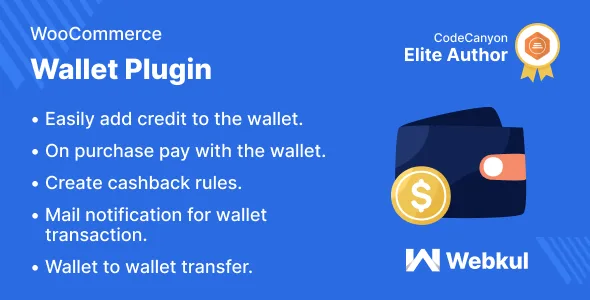
About WordPress WooCommerce Wallet System Plugin
A store with customers who come back, not one-off purchases
Making someone type their card details again on every order is a friction you won't see in your analytics, but it costs sales. And a declined payment at the last step is a lost sale. This plugin gives each customer a prepaid wallet inside your store: top up once and pay later with that balance.
One business detail is worth being clear about: a wallet balance is money you have already collected but have not yet delivered in product or service. It is a debt to your customer, not closed revenue. That is why it fits stores with recurring purchases (consumables, usage subscriptions, services, bookings) and does little if you sell something people buy once in a lifetime.
- It is not a card gateway: to top up, the customer uses the payment methods you already have active.
- If they top up by bank transfer or check, the balance only arrives when you approve it.
- Holding customer money and handling withdrawals may have legal implications depending on your country: check before enabling it.
How WooCommerce Wallet System behaves at checkout
The plugin acts as one more payment method. The customer enters the amount they want to top up, pays through an available route and that credit lands in their account. On the next order they decide whether to use the balance or prefer another method. Every movement is emailed to them.
From the admin you can add or subtract balance manually for any customer (useful for compensations or refunds as credit) and review the transaction list with ID, reference, type, amount and date. You can also allow the balance to pay for virtual product orders.
Cashback and caps: loyalty without losing control
Cashback rules are defined by ranges: you set a minimum cart total, a maximum and the amount the customer receives if their purchase falls within. If you enable multiple conditions, the customer can earn cashback on cart and product at once; if not, you choose which one takes priority.
Two caps protect your cash flow:
- A minimum top-up amount, to avoid micro top-ups that cost more than they are worth.
- A maximum balance usable per transaction.
The admin also includes settings for balance limits, balance expiry and multicurrency support. Check in the demo how they are configured for your case.
Sending money, paying by QR and recommending others
A customer can transfer their cashback to any other registered customer. They can also request a withdrawal: they enter their details, the method and the amount, and you handle the request from the admin. If you don't want to return cash, that is a store policy decision you should make before opening it up.
Each user can have a unique QR code with a built-in scanner. It makes sense if you sell in person (physical store, events, bookings) and want to charge with balance without going through the web checkout. The referral program generates own codes for each customer.
Buy now, pay later: credit with a per-customer limit
The BNPL module lets customers buy even if the balance falls short: the difference stays as credit that is recovered later. You set the per-customer limit, the repayment term, a fixed or percentage fee and a maximum of pending orders. It is the riskiest part of the plugin: you are advancing goods, so start with low limits. There are also identity verification (KYC) settings for those who want to filter users.
Questions before enabling the wallet
Can it be used to charge by card?
Not directly. The balance is paid with the wallet; the card or method you use serves to top it up.
Is the balance credited instantly?
It depends on the top-up method. With bank transfer or check, the balance is credited when you approve it.
Can the customer mix balance and another method?
At checkout they can choose between using the balance or any other payment method. With BNPL, the missing part is recorded as credit.
Does it work on multisite?
Yes, it is compatible with multisite installations.
Topics
Version history
-
v
3.10.0 Current 24 Oct 2026
-
v
3.6.3 26 Aug 2024
Customer reviews
Sign in to leave a review. Only people who have the product can review it.
No reviews for this product yet.
Frequently asked questions
-
GPL (General Public License) is the license under which WordPress and most premium plugins/themes are distributed. It grants you the right to use, modify and redistribute the software in as many projects as you want, with no domain restrictions.
-
Yes. With membership you get automatic updates via our GPLClub Updater plugin (installed on your WP, detects new versions and applies them). With individual purchase, you get one year of manual updates from your account.
-
Depends on the plan. Monthly: 3 domains. Semi-annual: 7. Annual and Lifetime: 15. Individual purchase: 1 domain.
-
GPLClub offers its own support for installation, configuration and compatibility. For direct support from the original author (feature requests, product-specific bugs), a license purchased from the author is required.