WP Statistics - Customization
Antivirus scan
Powered by ClamAV
✅ Verified clean
This product file has passed our security filters.
Want to run a fresh ClamAV scan right now? Takes a few seconds and shows scanner version, signature DB and live result.
This can take 5 to 30 seconds.
Clean file Threat detected
No threats detected in this file.
- File
- Size
- Scanned
- ClamAV
- Signature database
⚡ Powered by ClamAV
Scan could not be completed
Report product
If you detected an issue (broken file, malware, inappropriate content, etc.) let us know and we'll review it ASAP.
Sign in to report
About WP Statistics - Customization
Your client opens the dashboard and sees someone else's name
You hand over a finished website, the client logs in to check the visits and finds a third-party plugin logo, menus they do not understand and sections they do not care about. They end up asking you what each thing is or, worse, assuming that tool is not part of your work.
Whoever installs WP Statistics - Customization is usually an agency or a freelancer who maintains other people's websites. Their problem is not the statistics, which already work, but that the screen the client looks at most often does not look like part of your service. This add-on changes that screen: the appearance, not the data.
A walkthrough with WP Statistics - Customization: from generic dashboard to your own brand
Picture a client's website that already has WP Statistics running. Here is how it changes with the add-on.
First, trim the menus
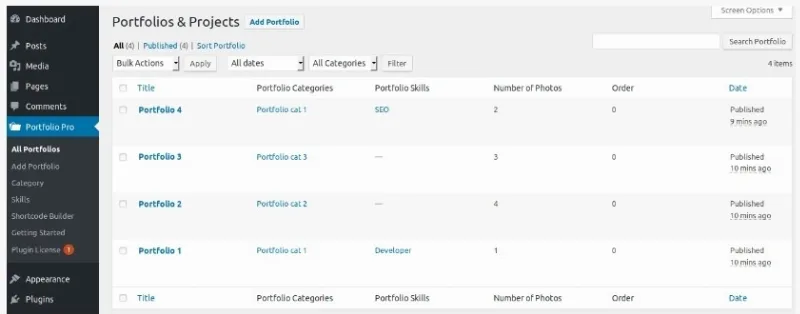
You choose which of the plugin's admin menus are visible. You hide what the client will not use and keep the essentials, so they do not get lost among options that only matter to you. Think of it as tidying what is shown, not adjusting what is measured.
Second, put your logo in
You replace the WP Statistics logo in the header with your own. With the branding swapped, the plugin looks like your own tool instead of a third-party product.
Third, use the Overview as a notice board
On the Overview page you can add your own widgets: a notice or any content relevant to your brand.
Fourth, repeat it on your other sites
Once the setup is the way you want it, you export it and import it into other installations. You do not redo the work site by site. And if a client prefers the original look, you can reset the options to their defaults whenever you like.
One limit worth keeping in mind from the very first step: all of this happens on top of WP Statistics, not in place of it.
Questions before installing it
Can I completely remove the WP Statistics branding?
You can replace the branding, including the logo in the header, and hide menus so the plugin looks like your own solution. That is the purpose of the add-on.
Does it make sense if I only manage one website?
Only if you want that dashboard to carry your brand or have fewer menus. Its real value shows up when you present the dashboard to clients or repeat the same setup across several sites.
Can I go back to the original look?
Yes. The branding and customization options can be reset to their default values at any time.
Can I take my setup to another website?
Yes, with settings export and import you save the customization once and reuse it on other installations.
It needs WP Statistics installed and adds no new metrics
It is an add-on: without the base plugin it does nothing. Before buying, be clear about what it brings and what it does not:
- It changes menus, the header logo and the Overview widgets, that is, the presentation.
- It adds no reports or data sources: what you measure still depends on WP Statistics and its other add-ons.
- It does not turn the statistics into a client report on its own: if you want to send results, you need another tool.
Topics
Version history
-
v
1.2.0 Current 15 May 2024
Customer reviews
Sign in to leave a review. Only people who have the product can review it.
No reviews for this product yet.
Frequently asked questions
-
GPL (General Public License) is the license under which WordPress and most premium plugins/themes are distributed. It grants you the right to use, modify and redistribute the software in as many projects as you want, with no domain restrictions.
-
Yes. With membership you get automatic updates via our GPLClub Updater plugin (installed on your WP, detects new versions and applies them). With individual purchase, you get one year of manual updates from your account.
-
Depends on the plan. Monthly: 3 domains. Semi-annual: 7. Annual and Lifetime: 15. Individual purchase: 1 domain.
-
GPLClub offers its own support for installation, configuration and compatibility. For direct support from the original author (feature requests, product-specific bugs), a license purchased from the author is required.