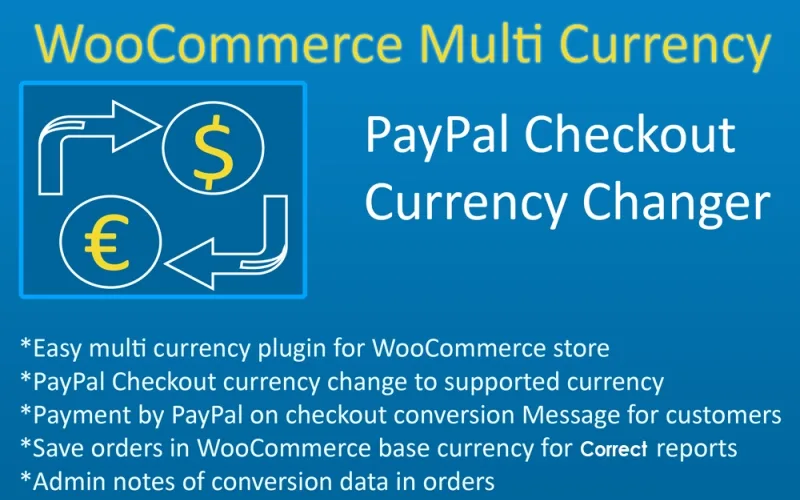
WPC Multi Currency for WooCommerce (Premium)
Antivirus scan
Powered by ClamAV
✅ Verified clean
This product file has passed our security filters.
Want to run a fresh ClamAV scan right now? Takes a few seconds and shows scanner version, signature DB and live result.
This can take 5 to 30 seconds.
Clean file Threat detected
No threats detected in this file.
- File
- Size
- Scanned
- ClamAV
- Signature database
⚡ Powered by ClamAV
Scan could not be completed
Report product
If you detected an issue (broken file, malware, inappropriate content, etc.) let us know and we'll review it ASAP.
Sign in to report
About WPC Multi Currency for WooCommerce (Premium)
Showing the price in their currency is not charging in their currency
This is the misunderstanding that generates the most refunds in shops starting to sell abroad. A converter gets installed, the visitor from Mexico sees pesos, the one from Colombia sees Colombian pesos, and everybody assumes the charge goes through in that currency too.
It does not. The charge is settled by your gateway in whatever currency you configured with it, usually your own country's. The buyer's bank receives a foreign currency charge, applies its own rate and adds its own fee. Result: the customer saw 350 pesos and their statement says 362.
That is not the plugin's fault, and the maker says so plainly in its documentation: the conversion is display only. But it is worth knowing beforehand, because the complaint arrives anyway and it arrives at you.
What it does
- Automatic rates from three providers: ExchangeRate-API, Fixer.io and CurrencyFreaks, with scheduled updates hourly, twice daily, daily or weekly.
- Manual rate override for any currency, when you would rather not depend on the market.
- Charm pricing: ending in 99, in 95, in 9, or rounding to the unit, ten, hundred or thousand.
- Dual price, showing the converted and the original currency at the same time.
- Currency switchers in several formats so you can place them where they fit.
- Gateway and shipping filtering per currency, so only what you can actually charge or ship gets offered.
- Compatible with WPML and Polylang, which is the usual setup if your shop is already in two languages.
Rounding matters more than the exchange rate
An exact rate produces prices like 47.83, and that looks correct but reads as an automatic conversion. The buyer notices that this price was not meant for them, and in some markets that costs trust.
Which is why the options to end in 99 or 95 are not a cosmetic whim: they make the price look decided rather than calculated. They are worth five minutes for every currency you switch on.
The risk on the other side is rounding down with thin margins and discovering that in one currency you are selling below cost. If you work on tight margins, setting the rate manually is safer than automatically.
Gateway filtering avoids the expensive failure
Of all the features, this is the least advertised and the one that saves the most trouble. If one of your gateways does not take a currency, offering it leads to a payment that fails at the very end, with the customer already decided.
The same goes for shipping: showing a rate in a currency for a country you do not ship to is promising something you then have to undo by email.
The right way to set it up is the reverse of how it is usually done: first check which currencies your gateway really accepts, and switch on only those.
Requirements and what it does not do
It needs WooCommerce and works with high performance order storage. Automatic rates depend on WP-Cron working on your installation.
It does not settle in the customer's currency. It does not convert at the gateway and it does not remove the need to configure your gateway for several currencies if that is what you actually want.
And it is not a translation plugin. It changes prices, not text: languages remain the job of WPML, Polylang or whichever you use.
Alternatives in the catalogue
There is plenty to choose from in this category, and it is worth looking because whether a plugin settles or not varies: WooCommerce Multi Currency Store, Multi Currency Pro, the YITH switcher and YayCurrency.
If your specific problem is PayPal conversion, there is a dedicated tool for that: PayPal Currency Converter.
Frequently asked questions
Does the customer pay in the currency they see?
Not necessarily. The conversion is display only; settlement goes in your gateway's currency.
Where do the exchange rates come from?
From ExchangeRate-API, Fixer.io or CurrencyFreaks, and you can set them by hand if you prefer not to depend on the market.
How often are they updated?
Hourly, twice daily, daily or weekly, depending on your setting. It relies on WP-Cron.
Do orders and emails come out in the chosen currency?
They are displayed in that currency, yes, but it is presentation formatting.
Can I hide a gateway for a particular currency?
Yes, and you should for the ones your gateway does not accept, so you do not lose the payment at the end.
Does it translate the shop?
No. Prices and currency only; languages go through WPML or Polylang.
Version history
-
v
1.1.3 Current 18 Sep 2026
-
v
1.1.2 7 Aug 2026
Customer reviews
Sign in to leave a review. Only people who have the product can review it.
No reviews for this product yet.
Frequently asked questions
-
GPL (General Public License) is the license under which WordPress and most premium plugins/themes are distributed. It grants you the right to use, modify and redistribute the software in as many projects as you want, with no domain restrictions.
-
Yes. With membership you get automatic updates via our GPLClub Updater plugin (installed on your WP, detects new versions and applies them). With individual purchase, you get one year of manual updates from your account.
-
Depends on the plan. Monthly: 3 domains. Semi-annual: 7. Annual and Lifetime: 15. Individual purchase: 1 domain.
-
GPLClub offers its own support for installation, configuration and compatibility. For direct support from the original author (feature requests, product-specific bugs), a license purchased from the author is required.