YOOTHEME VENICE WORDPRESS THEME
Antivirus scan
Powered by ClamAV
✅ Verified clean
This product file has passed our security filters.
Want to run a fresh ClamAV scan right now? Takes a few seconds and shows scanner version, signature DB and live result.
This can take 5 to 30 seconds.
Clean file Threat detected
No threats detected in this file.
- File
- Size
- Scanned
- ClamAV
- Signature database
⚡ Powered by ClamAV
Scan could not be completed
Report product
If you detected an issue (broken file, malware, inappropriate content, etc.) let us know and we'll review it ASAP.
Sign in to report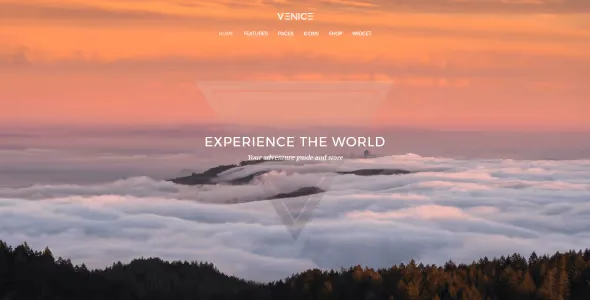
About YOOTHEME VENICE WORDPRESS THEME
A front page that shows the whole photo, not a crop
Building a photography, travel or architecture site with a generic theme usually ends the same way: the image gets squeezed into a column, the header eats half the screen and the visitor sees more menu than landscape. People who land on an image site don't read first, they look, and whatever fills the first screen decides whether they scroll or leave.
YOOtheme Venice Theme starts from that idea. It includes a fullscreen position for images, videos or a Widgetkit slideshow that combines both. It covers the whole browser window and fits the width of any device.
Venice depending on the kind of site you build
Travel magazine or photography blog
The blog offers two styles: the default stacked one, with the featured image above the title, and an alternating two column grid that places image and article side by side and adapts to different screen sizes. This second layout is optional and suits sites where every post opens with a strong photo.
Architecture portfolio or creative studio
A fullscreen front page with images or video works as a showcase from the first glance. Section backgrounds (default, alternative or image) let you vary the rhythm of the page and separate blocks of projects.
Visual site with a bit of store
Venice includes WooCommerce support, so you can add products to an image-focused site. Before betting on a serious store, check in the demo how the catalog fits with the rest of the design.
Fixed, transparent menu with a centered logo
The main navigation can stay fixed at the top while the visitor scrolls. You can also enable an alternative bar that places the logo between the items of a centered menu. When the page uses the fullscreen position, the menu turns transparent and the logo moves above the bar, so it doesn't cover the image.
Other pieces worth knowing:
- Six pre-built style variations, so you don't start from scratch with colors and fonts.
- Customizer and LESS: simple settings for those who don't code and LESS access for those who do.
- Bonus Switcher widget, which navigates between content panes using thumbnails.
- Socialbar widget position and an option to hide the page title and pagination in WordPress.
Questions before choosing Venice
Can I use the front page without video? Yes. The fullscreen position accepts images, videos or a slideshow that mixes both.
Is the menu always fixed? No, fixing it at the top is an option. With the fullscreen position it switches to a transparent style.
Do I need to touch code to change the look? Not for the basics: there are six variations and a customizer. LESS is for finer adjustments.
Is it useful for a site that isn't about photos? It has a blog and WooCommerce support, but its strength is visual content. If your content is mostly dense text, the fullscreen position will add little.
Can I remove the page title? Yes, it has an option to hide the title and the pagination.
The front page slideshow relies on Widgetkit
Venice uses Widgetkit for the fullscreen slideshow and for the Switcher widget. If the slideshow front page is what attracts you, check in the demo how it is built and prepare your images and vídeos with that format in mind. The two column blog, in addition, is an optional alternative and not the default layout.
Topics
Version history
-
v
1.0.8 Current 8 Jan 2025
Customer reviews
Sign in to leave a review. Only people who have the product can review it.
No reviews for this product yet.
Frequently asked questions
-
GPL (General Public License) is the license under which WordPress and most premium plugins/themes are distributed. It grants you the right to use, modify and redistribute the software in as many projects as you want, with no domain restrictions.
-
Yes. With membership you get automatic updates via our GPLClub Updater plugin (installed on your WP, detects new versions and applies them). With individual purchase, you get one year of manual updates from your account.
-
Depends on the plan. Monthly: 3 domains. Semi-annual: 7. Annual and Lifetime: 15. Individual purchase: 1 domain.
-
GPLClub offers its own support for installation, configuration and compatibility. For direct support from the original author (feature requests, product-specific bugs), a license purchased from the author is required.