Asset CleanUp Pro Performance Plugin
Antivirus scan
Powered by ClamAV
✅ Verified clean
This product file has passed our security filters.
Want to run a fresh ClamAV scan right now? Takes a few seconds and shows scanner version, signature DB and live result.
This can take 5 to 30 seconds.
Clean file Threat detected
No threats detected in this file.
- File
- Size
- Scanned
- ClamAV
- Signature database
⚡ Powered by ClamAV
Scan could not be completed
Report product
If you detected an issue (broken file, malware, inappropriate content, etc.) let us know and we'll review it ASAP.
Sign in to report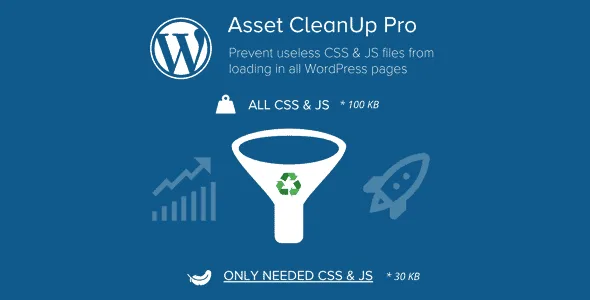
About Asset CleanUp Pro Performance Plugin
Your contact form also loads on the blog
You installed a plugin for one page, the contact page. Its styles and scripts still travel to every post, to the home page and to the product page, where nobody fills anything in. The same happens with the home slider and several other plugins.
The useful question for speeding up WordPress is where each plugin loads, more than how many you have. An add-on can be needed on one page and surplus on the rest. Deactivating it is no way out, because that page needs it: the way out is a rule by context, and that is what Asset CleanUp Pro provides.
The plugin shows you what each page loads and lets you remove what is not needed there. Since removing the wrong thing breaks things, it includes a mode for testing without affecting your visitors.
Rules by page, by type and by condition
- CSS and JavaScript management: unloading on the home page, posts, pages and custom types, with site-wide or content-type rules, and exceptions.
- More contexts: taxonomies, archives, authors, dates, search results, 404 pages and URL patterns.
- Hardcoded assets: control over CSS and JavaScript written directly in the page source.
- Device-specific rules among the advanced conditions.
- Delivery: async or defer, media query conditions, inline JavaScript and moving files between HEAD and BODY.
- Images: rules by source, class or full tag, automatic lazy loading and exclusions for critical ones.
- Cleanup: minification, combining, preloading, emojis, Dashicons for guests, RSS feeds and XML-RPC.
The Plugins Manager in the Pro version goes further: it stops a plugin from running, both its PHP and its assets, on matching requests, on the public side or in the Dashboard. On the public side it also accepts rules by logged-in user role.
Testing on the real site without anyone noticing
With Test Mode on, your rules apply only to you as a logged-in administrator. Your visitors see the pages as if the plugin were not active.
A notice in the admin bar reminds you it is still on. Clear the cache of the affected pages when you enable it, because a caching or minification plugin may keep serving older files.
To compare, add ?wpacu_no_load to the address and Asset CleanUp is disabled on the fly for that load.
It neither caches nor writes your critical CSS
Asset CleanUp is not a page-caching plugin. It optimizes what WordPress generates, and your cache or CDN delivers the result. You still need that layer separately.
Critical CSS is managed by hand per context, because it is not generated automatically. Some dynamically injected assets may not appear in the manager. And no plugin promises a specific score: unloading a file the layout needs breaks the page.
If you use another optimization plugin, leave minifying or combining to just one.
A first pass through your site
It works independently of your theme or page builder, and on multisite each site is configured separately.
- Enable Test Mode and clear the cache.
- Open a high-traffic page and look at what it loads.
- Unload the assets of a plugin not used there.
- Go through the page, forms and menus included.
- Repeat with the other important templates.
- Turn Test Mode off, clear caches and check as a logged-out visitor.
Where Perfmatters and WP Rocket fit
Perfmatters includes a script manager to disable scripts per post, per page or site-wide.
WP Rocket works on another layer, page caching, so it can coexist with Asset CleanUp Pro as long as minification and combining do not overlap.
Decisions before unloading anything
Does it replace my caching plugin?
No. It works alongside a page cache, server cache or CDN.
Can it break my site?
Yes, if you unload a file the page needs. That is why it pays to start in Test Mode.
Why do I not see my change?
Clear every cache layer and check whether Test Mode is still on.
Can it stop plugins in the Dashboard?
Yes, the Pro version can stop whole plugins on Dashboard pages too.
Does it generate critical CSS?
Not automatically. It is managed by hand per context.
Can I combine it with another optimizer?
Yes, without enabling the same minification or combining in both.
Topics
Version history
-
v
1.2.8.4 Current 19 Oct 2026
-
v
1.2.8.3 7 Oct 2026
-
v
1.2.8.2 30 Sep 2026
-
v
1.2.8.1 15 Sep 2026
-
v
1.2.8.0 12 Sep 2026
-
v
1.2.7.9 7 Sep 2026
-
v
1.2.7.5 6 Aug 2026
-
v
1.2.7.0 3 Nov 2025
Customer reviews
Sign in to leave a review. Only people who have the product can review it.
No reviews for this product yet.
Frequently asked questions
-
GPL (General Public License) is the license under which WordPress and most premium plugins/themes are distributed. It grants you the right to use, modify and redistribute the software in as many projects as you want, with no domain restrictions.
-
Yes. With membership you get automatic updates via our GPLClub Updater plugin (installed on your WP, detects new versions and applies them). With individual purchase, you get one year of manual updates from your account.
-
Depends on the plan. Monthly: 3 domains. Semi-annual: 7. Annual and Lifetime: 15. Individual purchase: 1 domain.
-
GPLClub offers its own support for installation, configuration and compatibility. For direct support from the original author (feature requests, product-specific bugs), a license purchased from the author is required.