
Bit Social PRO
Antivirus scan
Powered by ClamAV
✅ Verified clean
This product file has passed our security filters.
Want to run a fresh ClamAV scan right now? Takes a few seconds and shows scanner version, signature DB and live result.
This can take 5 to 30 seconds.
Clean file Threat detected
No threats detected in this file.
- File
- Size
- Scanned
- ClamAV
- Signature database
⚡ Powered by ClamAV
Scan could not be completed
Report product
If you detected an issue (broken file, malware, inappropriate content, etc.) let us know and we'll review it ASAP.
Sign in to report
About Bit Social PRO
Scheduling for nine does not mean publishing at nine
Whoever schedules their social posts from WordPress assumes the post will go out at the set time. Often it does not, and people almost never know why. The reason lies in how WordPress works underneath.
WordPress scheduled tasks, known as WP-Cron, do not run on a clock of their own: they only fire when someone loads a page on your site. A task set for 2:00 PM, if nobody visits until 5:00 PM, runs at 5:00 PM. On a site with few visits, the nine in the morning post goes out when the first reader arrives.
Bit Social Pro distributes WordPress content to social networks and schedules when it goes out. But an auto poster is only as punctual as the cron that drives it, and the first thing to set up is not the network, it is that.
The networks and features Pro adds
- Every platform: on top of Facebook and the LinkedIn profile from the free version, LinkedIn pages, Instagram, Google Business Profile, X, Tumblr, Pinterest, TikTok, Bluesky, Discord, Line, Telegram and Threads.
- Advanced scheduling and calendar, with sleep time, delay controls and the option to re-share older content.
- WooCommerce products with name, price, description, image and link, plus custom post types.
- Group accounts, the full smart tag library and connection through your own apps.
- External Cron, so scheduled items do not wait for a visit, and AI prompts with ChatGPT and DALL·E.
How to make it go out on time
There are two routes. The first is External Cron, a vendor service that calls your site at intervals so tasks do not depend on visits; it is a Pro feature.
The second depends on nobody: a real server cron. You disable the internal cron by adding define('DISABLE_WP_CRON', true); to wp-config.php and create a task in your hosting panel that calls wp-cron.php every five or ten minutes. Bit Social shows the command ready to copy in its settings.
If the site gets steady visits at all hours, WP-Cron may be enough. If not, this step is what separates a calendar that is kept from one that is kept now and then.
X, Instagram and network changes
It does not connect X in one click. The only route is creating your own app in the X developer portal, and the free X API no longer exists: paid access is required. With API v2.0, on top of that, images are not sent.
It does not post to just any Instagram. It has to be a professional business account linked to a Facebook page you manage.
It does not shield you from network changes. When a platform changes its API, posting can fail until the plugin adapts.
Installing it and connecting the first network
It needs WordPress 5.1 or later and PHP 7.4 or later. Pro checks that the free version is installed, so you need both. For X, paid access to its API.
- Install the free version and then Pro.
- Set up the server cron or External Cron before scheduling anything.
- Connect one or two networks first, check that a test post goes out on time and add the rest afterwards.
- Review the calendar during the first week to confirm that what was scheduled matches what was published.
Other social auto posters in the catalogue
Blog2Social works with more than 20 networks and adapts the message to each one instead of copying the same text.
If what you mainly need is scheduling WordPress posts themselves, there is SchedulePress Pro, and as another social auto poster, Social Auto Poster.
Questions about scheduling social posts with Bit Social
Why do my scheduled posts go out late?
Because WP-Cron only fires when someone visits the site. A server cron or External Cron solves it.
Which networks does the free version cover?
Facebook and the LinkedIn profile. The other platforms are Pro.
Can I post to X without paying for its API?
No. The free X API no longer exists and paid access is required.
What kind of Instagram account do I need?
A professional business account linked to a Facebook page you manage.
Does it share WooCommerce products?
Yes, with name, price, description, image and link.
Do I need the free version?
Yes. Pro checks that it is installed.
Topics
Version history
-
v
1.20.2 Current 31 Oct 2026
-
v
1.20.1 28 Oct 2026
-
v
1.19.0 18 Sep 2026
-
v
1.17.0 21 Aug 2026
-
v
1.13.9 1 May 2026
Customer reviews
Sign in to leave a review. Only people who have the product can review it.
No reviews for this product yet.
Frequently asked questions
-
GPL (General Public License) is the license under which WordPress and most premium plugins/themes are distributed. It grants you the right to use, modify and redistribute the software in as many projects as you want, with no domain restrictions.
-
Yes. With membership you get automatic updates via our GPLClub Updater plugin (installed on your WP, detects new versions and applies them). With individual purchase, you get one year of manual updates from your account.
-
Depends on the plan. Monthly: 3 domains. Semi-annual: 7. Annual and Lifetime: 15. Individual purchase: 1 domain.
-
GPLClub offers its own support for installation, configuration and compatibility. For direct support from the original author (feature requests, product-specific bugs), a license purchased from the author is required.
Related products
Directorist Gamipress Integration
By GamiPress
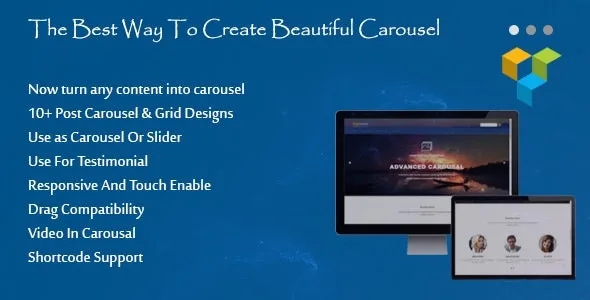
Ultimate Carousel For WPBakery Page Builder Pro

WP Latest Posts Pro
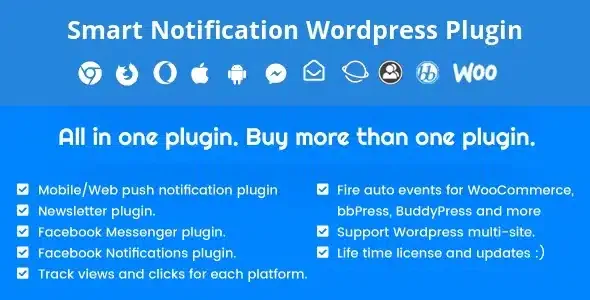
Smart Notification Wordpress Plugin. Web & Mobile Push, FB Messenger, FB Notifications & Newsletter
By Newsletter