Bookly Customer Information Addon
Antivirus scan
Powered by ClamAV
✅ Verified clean
This product file has passed our security filters.
Want to run a fresh ClamAV scan right now? Takes a few seconds and shows scanner version, signature DB and live result.
This can take 5 to 30 seconds.
Clean file Threat detected
No threats detected in this file.
- File
- Size
- Scanned
- ClamAV
- Signature database
⚡ Powered by ClamAV
Scan could not be completed
Report product
If you detected an issue (broken file, malware, inappropriate content, etc.) let us know and we'll review it ASAP.
Sign in to reportNewer version out, or a problem?
About Bookly Customer Information Addon
When the booking form doesn't ask what you need to know
A client books, shows up for the appointment, and only then do you find out you needed their size, whether it's their first visit, what allergies they have, or how they found you. Asking over WhatsApp or by phone after the booking takes time and gets lost in scattered conversations. Bookly Customer Information Addon solves exactly that: it adds your own questions to the booking form and saves the answers in the client's profile.
Anyone booking services with a personal component (classes, treatments, consultations, sessions) usually has details that affect how the service is delivered. If those details arrive before the appointment, you prepare better and don't start every visit with an interrogation.
Custom fields in the Details step
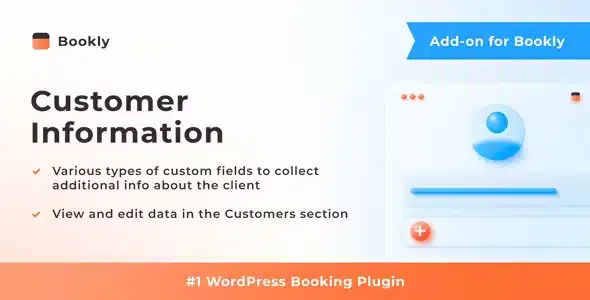
The add-on creates fields that appear in the Details step of the Bookly booking form. You can create as many as you need and choose between several types:
- Text
- Checkbox
- Drop-down list
- Radio button
Each field can be required or optional. Keep required fields for what you truly need before the appointment; every extra question is a reason for someone to abandon the form.
The information stays in the client's profile
When the booking is completed, what the client entered is added to their profile in Bookly, and you can update it if needed.
You also decide how often the fields are shown: just once or every time the client makes a new booking. For data that rarely changes (an allergy, a fixed preference) once is enough; for data that changes with each visit (the reason for the appointment, a specific goal) it's better to ask every time.
It needs Bookly PRO and you should decide what to ask
This add-on doesn't work on its own: it requires Bookly PRO to be installed and active. If you don't use Bookly yet, factor in that requirement before deciding. Nor is it a general form builder: the fields live inside Bookly's booking flow, not on other pages of your site.
Before installing it, make a short list of the data you would actually use at each appointment. If your business collects health data or other sensitive personal data, check which data protection obligations apply to you and how you inform the client.
Can I create different questions for each service?
Check in the Bookly demo whether the form gives you that level of detail before planning it that way.
Can I make a field required?
Yes. Each field is set as required or optional.
What question types does it support?
Text, checkbox, drop-down list and radio button.
Can the data be edited after the booking?
Yes, the information in the client's profile can be updated if you need to.
Does it work without Bookly PRO?
No. It's an add-on and needs Bookly PRO installed and active.
Topics
Version history
-
v
4.1 Current 13 Jul 2026
-
v
4.0 14 Apr 2026
Customer reviews
Sign in to leave a review. Only people who have the product can review it.
No reviews for this product yet.
Frequently asked questions
-
GPL (General Public License) is the license under which WordPress and most premium plugins/themes are distributed. It grants you the right to use, modify and redistribute the software in as many projects as you want, with no domain restrictions.
-
Yes. With membership you get automatic updates via our GPLClub Updater plugin (installed on your WP, detects new versions and applies them). With individual purchase, you get one year of manual updates from your account.
-
Depends on the plan. Monthly: 3 domains. Semi-annual: 7. Annual and Lifetime: 15. Individual purchase: 1 domain.
-
GPLClub offers its own support for installation, configuration and compatibility. For direct support from the original author (feature requests, product-specific bugs), a license purchased from the author is required.