BuddyPress Profile Visibility Manager
Antivirus scan
Powered by ClamAV
✅ Verified clean
This product file has passed our security filters.
Want to run a fresh ClamAV scan right now? Takes a few seconds and shows scanner version, signature DB and live result.
This can take 5 to 30 seconds.
Clean file Threat detected
No threats detected in this file.
- File
- Size
- Scanned
- ClamAV
- Signature database
⚡ Powered by ClamAV
Scan could not be completed
Report product
If you detected an issue (broken file, malware, inappropriate content, etc.) let us know and we'll review it ASAP.
Sign in to report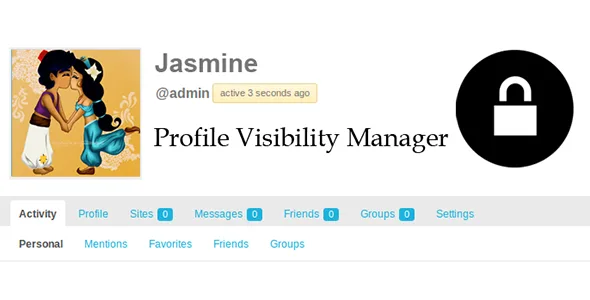
About BuddyPress Profile Visibility Manager
Members who want to be in the community without being exposed
A BuddyPress community usually discovers privacy late: a message arrives from an upset member because a stranger wrote to them, or because they appear in a listing nobody explained. And they almost never ask to leave: they ask to stay with less exposure.
BuddyPress Profile Visibility Manager puts that decision in each user's hands, instead of forcing you to pick a single level of openness for everyone. Those who feel comfortable let themselves be seen; those who don't hide and keep taking part. A community with an open directory and no individual control can lose precisely its most cautious members, who make the least noise when they go.
What each member decides about their profile
- Appear or not in the members directory.
- Appear or not in directory searches.
- Show or hide their last activity.
- Allow or block friendship requests.
- Choose who sees their profile: everyone, only logged-in users, only friends, only members of their groups, or only themselves.
Depending on what each person chooses, they can become invisible everywhere, widgets included. With the only me option the profile is private, but the super administrator can still access it.
What to know before installing it
It is an add-on: it needs BuddyPress (it also states compatibility with BuddyBoss Platform) and does not work on its own. It manages visibility; it does not moderate content or guarantee compliance with data protection rules. Controlling visibility by Paid Memberships Pro levels requires a separate addon. And if you want privacy levels of your own, there are simple hooks, but you will need to touch code. If your community uses the friends only option, check in the demo that your setup has the friendships module enabled.
Frequently asked questions before activating it
Can I stop users from changing their privacy?
Yes. The plugin can be set to admin-only mode: in that mode only the administrator changes or sets the settings.
Can I define a default privacy?
Yes, from the admin options you choose the initial value members will receive.
Can I close the whole directory?
Yes. You can limit access to the members directory to everyone, to logged-in users, or to the site administrator only.
Does it work with BuddyBoss?
It states compatibility with BuddyBoss Platform and includes settings designed for it, such as privacy for wall posts.
Can the available privacy levels be changed?
Yes, a developer can customize them through simple hooks.
The members directory can also be closed entirely
Besides individual preferences, you get a global restriction on the directory. Combined, they give two layers: you decide who can even see the listing, and each member decides whether they appear in it. It is useful if your community should not be a public showcase of people, for example a network of customers, students or partners.
Test with three accounts before opening it to members
Before announcing the change, set the default value and decide whether you will keep admin-only mode. Then create three test accounts: a friend, an unrelated member and a visitor without a session. With each one, check the directory, searches, group member lists and widgets. That review tells you what each type of user will see in your specific setup.
Topics
Version history
-
v
2.0.4 Current 21 Oct 2026
-
v
2.0.3 13 Feb 2026
Customer reviews
Sign in to leave a review. Only people who have the product can review it.
No reviews for this product yet.
Frequently asked questions
-
GPL (General Public License) is the license under which WordPress and most premium plugins/themes are distributed. It grants you the right to use, modify and redistribute the software in as many projects as you want, with no domain restrictions.
-
Yes. With membership you get automatic updates via our GPLClub Updater plugin (installed on your WP, detects new versions and applies them). With individual purchase, you get one year of manual updates from your account.
-
Depends on the plan. Monthly: 3 domains. Semi-annual: 7. Annual and Lifetime: 15. Individual purchase: 1 domain.
-
GPLClub offers its own support for installation, configuration and compatibility. For direct support from the original author (feature requests, product-specific bugs), a license purchased from the author is required.