Everest Forms - Calculations
Antivirus scan
Powered by ClamAV
✅ Verified clean
This product file has passed our security filters.
Want to run a fresh ClamAV scan right now? Takes a few seconds and shows scanner version, signature DB and live result.
This can take 5 to 30 seconds.
Clean file Threat detected
No threats detected in this file.
- File
- Size
- Scanned
- ClamAV
- Signature database
⚡ Powered by ClamAV
Scan could not be completed
Report product
If you detected an issue (broken file, malware, inappropriate content, etc.) let us know and we'll review it ASAP.
Sign in to reportNewer version out, or a problem?
About Everest Forms - Calculations
Quotes that change with what the customer fills in
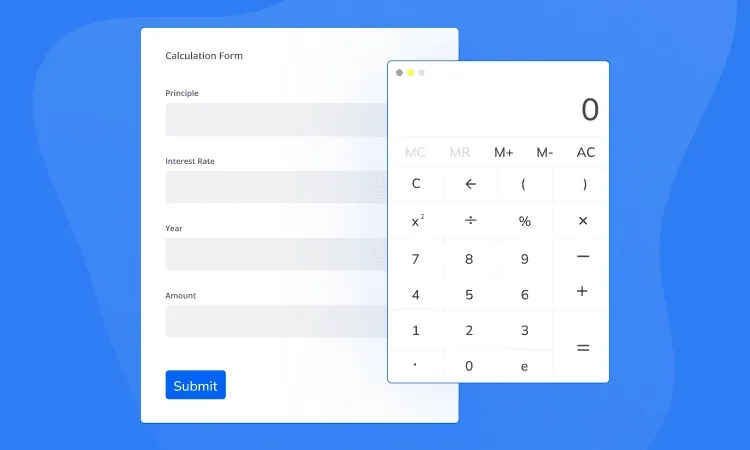
When a final figure depends on four or five answers (product, quantity, term and extras), the work usually ends up in an email and a spreadsheet that someone recalculates by hand, with the risk that the amount does not match what was requested. Everest Forms Calculations puts that logic inside the form itself: number and range fields are combined with formulas and the result appears instantly.
The visitor sees a cost estimate while filling in the request, and the figure they read comes from their own answers. The formulas can give totals, discounts, taxes or shipping costs depending on what each person has chosen.
Profiles that get the most out of a form with calculations
The same mechanism works for very different needs. These are some of the add-on's use cases.
Quotes, estimates and orders
Order or quote request forms where the price comes from the quantity, the option chosen and the extras. The customer sees the total before ordering, without anyone having to work out the sum by hand.
Bookings and shipping costs
Booking forms and shipping cost calculators, where the formula calculates based on the data the person enters.
Loan, mortgage and health calculators
Mortgage and loan calculators, and health and fitness calculators, where the person enters their data and gets a result. If you ask for health data, review the legal notice that goes with the form and make clear what the result represents.
Registrations, insurance and educational quizzes
The add-on can be used for registration forms (user, event, etc.), insurance forms and educational calculators.
Operators, conditions and functions inside the formula
For simple operations there is addition, subtraction, multiplication and division. For decisions, the formula accepts if(), elseif() and else() conditions, so one field can give one result or another depending on what the user chooses.
There are also math functions such as round(), ceil(), floor(), pow(), sqrt(), average(), max() or min(), and text functions such as concat(), trim() or truncate(), in case you need to work with words. You can set how many decimals the result shows.
How to write a formula in the editor
In the expression field you write the formula, and the code button gives you the form fields ready to use. You combine a field, an operator and another field, and a message tells you whether the formula is valid.
You can use number, range, dropdown, multiple choice, checkbox and payment fields, such as the payment total. Results rely on number or single item fields, so it is worth planning the formula when you design the form.
Everest Forms Calculations frequently asked questions
Do I need to know how to code?
No. The drag-and-drop builder lets you create calculator forms without writing code.
What types of calculations can I do?
From simple operations to advanced formulas with conditions and math and text functions. You can design the formula your specific case needs.
Is there a limit to the number of calculations per form?
No. You can add as many calculation fields as the form needs.
Can it calculate taxes, discounts and shipping costs?
Yes. Based on what the user enters, the calculation fields can give totals, discounts, taxes, shipping costs and other values.
Everest Forms Calculations requires Everest Forms Pro to be active
It is an add-on for Everest Forms Pro, so that plugin must be installed and active for the calculations to work.
Topics
Version history
-
v
1.0.9 Current 14 May 2024
Customer reviews
Sign in to leave a review. Only people who have the product can review it.
No reviews for this product yet.
Frequently asked questions
-
GPL (General Public License) is the license under which WordPress and most premium plugins/themes are distributed. It grants you the right to use, modify and redistribute the software in as many projects as you want, with no domain restrictions.
-
Yes. With membership you get automatic updates via our GPLClub Updater plugin (installed on your WP, detects new versions and applies them). With individual purchase, you get one year of manual updates from your account.
-
Depends on the plan. Monthly: 3 domains. Semi-annual: 7. Annual and Lifetime: 15. Individual purchase: 1 domain.
-
GPLClub offers its own support for installation, configuration and compatibility. For direct support from the original author (feature requests, product-specific bugs), a license purchased from the author is required.