FooEvents Calendar Plugin
Antivirus scan
Powered by ClamAV
✅ Verified clean
This product file has passed our security filters.
Want to run a fresh ClamAV scan right now? Takes a few seconds and shows scanner version, signature DB and live result.
This can take 5 to 30 seconds.
Clean file Threat detected
No threats detected in this file.
- File
- Size
- Scanned
- ClamAV
- Signature database
⚡ Powered by ClamAV
Scan could not be completed
Report product
If you detected an issue (broken file, malware, inappropriate content, etc.) let us know and we'll review it ASAP.
Sign in to report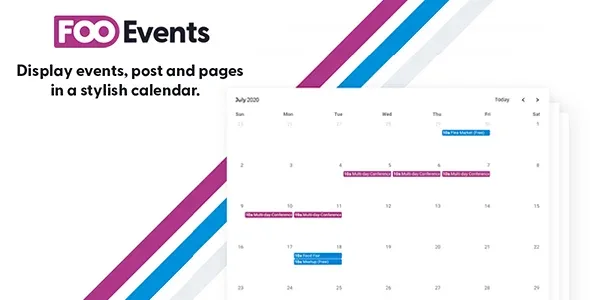
About FooEvents Calendar Plugin
Your events are on the site, but nobody browses them by date
Event organizers often have their information scattered: one page per activity, a few blog posts and a visitor who arrives with a very simple question: "what's on Saturday?". People don't search for events by name, they search by date. If they have to open five pages to find out what is still available, they will most likely leave without buying.
FooEvents Calendar is an extension for FooEvents for WooCommerce that shows your events in a calendar or a list, and links each one to its ticket page. The visitor sees the month, picks a day and goes straight to what they can buy.
Any content can be an event with FooEvents Calendar
You don't have to rebuild your site structure. The plugin can treat a post, a page, a product or a custom post type as an event and display it in the calendar as it is.
- Shortcode or block: place the calendar wherever you want, with a shortcode or with the FooEvents Calendar block.
- Several calendars on the same page: each with its own settings, filters or event selection.
- Filter by category or ID: useful for building a calendar per room, department, event type or audience.
- Multi-day events: festivals, conferences, retreats or long training programs look like what they are, not a single dot on the start day.
- Calendar or list view: visitors browse by day, week, month or year.
Colors by event type and remaining spots in plain sight
A calendar full of identical labels forces people to read everything. Here you can assign background and text colors to each event type so they stand out at a glance, and choose from the built-in styles: Default, Light, Dark, Flat and Minimalist. For the list there are light and dark card designs, more compact.
One detail that affects sales: you can show how many tickets or spots are left before the person clicks. With FooEvents Bookings, bookable slots also appear in the calendar with their available dates and times.
- Full-day mode: hides the time for exhibitions, public holidays or free-entry activities, where the time only gets in the way.
- 12-hour or 24-hour format to suit your audience.
- Week starting on Sunday or Monday, and an option to hide weekends if everything happens Monday to Friday.
- Default date: the calendar can open on a past or future month, not just the current one, for example the month of your next festival.
- Eventbrite: import events from Eventbrite and submit yours, as long as you configure the integration.
Is FooEvents Calendar worth it if you don't use FooEvents for WooCommerce yet?
It is an add-on, not a standalone plugin: it needs FooEvents for WooCommerce installed and active. If you only want a calendar of dates and sell nothing, it is more than you need. If you already sell tickets or bookings with FooEvents, it is the missing piece that lets customers find the event by date. Bookable slots only show with FooEvents Bookings, and the Eventbrite connection works only if you configure it.
Does it work without FooEvents for WooCommerce?
No. It is an extension and depends on that base plugin.
Can I show several calendars on the same page?
Yes, each with its own settings, filters or selected events.
Can I show the spots that are left?
Yes: it can show remaining tickets or spots, and with FooEvents Bookings also the available slots.
Can I match the look to my site?
Yes: five calendar styles, card-style list designs and your own colors by event type.
Topics
Version history
-
v
2.0.5 Current 24 Oct 2026
-
v
2.0.4 20 Aug 2026
-
v
1.7.14 8 Dec 2025
Customer reviews
Sign in to leave a review. Only people who have the product can review it.
No reviews for this product yet.
Frequently asked questions
-
GPL (General Public License) is the license under which WordPress and most premium plugins/themes are distributed. It grants you the right to use, modify and redistribute the software in as many projects as you want, with no domain restrictions.
-
Yes. With membership you get automatic updates via our GPLClub Updater plugin (installed on your WP, detects new versions and applies them). With individual purchase, you get one year of manual updates from your account.
-
Depends on the plan. Monthly: 3 domains. Semi-annual: 7. Annual and Lifetime: 15. Individual purchase: 1 domain.
-
GPLClub offers its own support for installation, configuration and compatibility. For direct support from the original author (feature requests, product-specific bugs), a license purchased from the author is required.