JetFormBuilder PDF Attachment
Antivirus scan
Powered by ClamAV
✅ Verified clean
This product file has passed our security filters.
Want to run a fresh ClamAV scan right now? Takes a few seconds and shows scanner version, signature DB and live result.
This can take 5 to 30 seconds.
Clean file Threat detected
No threats detected in this file.
- File
- Size
- Scanned
- ClamAV
- Signature database
⚡ Powered by ClamAV
Scan could not be completed
Report product
If you detected an issue (broken file, malware, inappropriate content, etc.) let us know and we'll review it ASAP.
Sign in to report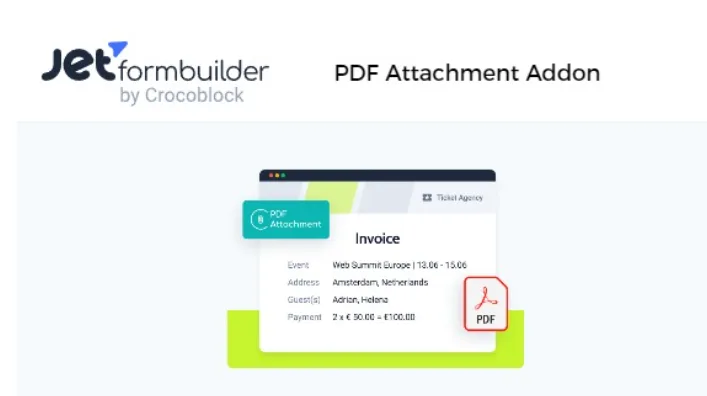
About JetFormBuilder PDF Attachment
A confirmation email doesn't get filed, a document does
Anyone who collects applications, medical reports, travel bookings, vacation requests or receipts ends up copying the data from a form notification into a document to print it, sign it or put it in a file. And the customer wants something they can forward or show, which an email with loose fields doesn't feel like.
JetFormBuilder PDF Attachment is a JetFormBuilder Pro addon that generates a PDF with the data of each submission, so the form delivers the document and not just the notification. If that PDF contains health data or other sensitive information, think about who can access the file and where it is sent.
What JetFormBuilder PDF Attachment does with each submission
It is added as a post-submit action (called Generate PDF). When someone submits the form:
- It generates the PDF from a template with the submitted values.
- It attaches it to the Send Email action's message, so it reaches the user.
- It saves it in the Uploads folder, protected from public access with .htaccess.
- It can open it after submission so the person can download it.
Now the limits. It is an addon: it does not work without JetFormBuilder Pro. Each image block accepts only one macro, so if a media field receives several images, the PDF shows only the first one. The content is edited with the Heading, Paragraph, Image, Columns, Custom HTML and Table blocks, so the document is built with them. And to see the PDF from the form record you also need the Save Form Record action.
Templates with macros and parts that change depending on the answers
The template is written in a label-and-macro format, for example Email: %email%. Macros work in the Paragraph, Heading, Custom HTML, Table and Image blocks. In a table, the easy way is to put the label in the first column and the macro in the second.
- Conditional block: shows or hides parts of the HTML depending on the values of other fields.
- Dynamic visibility: with the JetEngine toolkit, show different content depending on the user's role. You need JetEngine for this.
- Submission date: add a hidden field and use it to print the date and time in the PDF.
- Design: you can change the font, the text color and the background color. For the text color, use the color picker rather than the default values.
The file name can be fixed text, the template name, or a macro that uses what the user typed in a field.
Is the PDF deleted after submission?
Is the PDF deleted after submission?
It depends on the Save generated PDF option. If it is off, the file is removed when all actions finish. If it is on, it is uploaded to the Media Library and, with the Save Form Record action, it also appears in the form record, where you can view it or open it to edit.
Does it work with any theme?
Yes, it doesn't depend on the theme. The form is placed with the JetForm widget in Elementor, the JetForm block in the block editor or the JetForm element in Bricks.
Can I warn the user if generation fails?
Yes. The action has two configurable messages: one for the error creating the file and another for the error creating the attachment.
Do I have to assign a form to the template?
It isn't required, the template works the same. If you assign one, the editor's macro button offers you that form's fields directly.
The template is created from the action itself and the email is linked with a button
The addon is installed and activated from JetFormBuilder, in the Addons section. Then, in the form, add the Generate PDF action among the post-submit actions. From there, the Add new template button opens the template editor, and all the ones you create are stored in JetFormBuilder's Templates tab.
For the email, the action includes a button that creates a Send Email action (or modifies the one you already have) and takes you to its attachments option. Make a test submission, check the email you receive and open the PDF from the form record before publishing.
Topics
Version history
-
v
1.0.4 Current 7 Oct 2026
-
v
1.0.3 15 Feb 2025
Customer reviews
Sign in to leave a review. Only people who have the product can review it.
No reviews for this product yet.
Frequently asked questions
-
GPL (General Public License) is the license under which WordPress and most premium plugins/themes are distributed. It grants you the right to use, modify and redistribute the software in as many projects as you want, with no domain restrictions.
-
Yes. With membership you get automatic updates via our GPLClub Updater plugin (installed on your WP, detects new versions and applies them). With individual purchase, you get one year of manual updates from your account.
-
Depends on the plan. Monthly: 3 domains. Semi-annual: 7. Annual and Lifetime: 15. Individual purchase: 1 domain.
-
GPLClub offers its own support for installation, configuration and compatibility. For direct support from the original author (feature requests, product-specific bugs), a license purchased from the author is required.