Loco Automatic Translate Addon PRO
Antivirus scan
Powered by ClamAV
✅ Verified clean
This product file has passed our security filters.
Want to run a fresh ClamAV scan right now? Takes a few seconds and shows scanner version, signature DB and live result.
This can take 5 to 30 seconds.
Clean file Threat detected
No threats detected in this file.
- File
- Size
- Scanned
- ClamAV
- Signature database
⚡ Powered by ClamAV
Scan could not be completed
Report product
If you detected an issue (broken file, malware, inappropriate content, etc.) let us know and we'll review it ASAP.
Sign in to report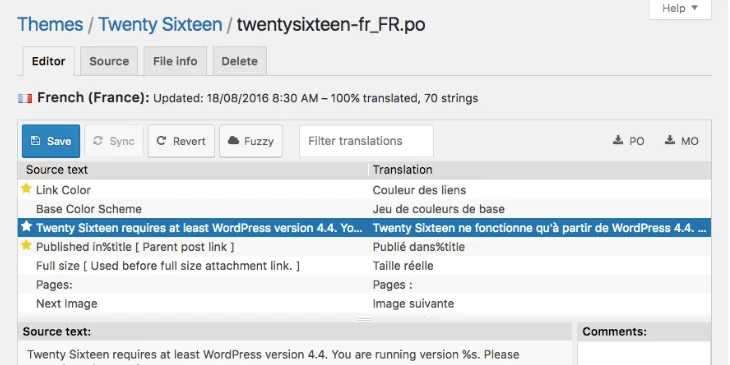
About Loco Automatic Translate Addon PRO
Translating a theme or plugin string by string with Loco Translate is the kind of task that drags on without you noticing: you open the file, type a line, save, and by the two hundredth string the afternoon is gone. Loco Automatic Translate Addon PRO exists to skip that mechanical work.
What happens when you press the translate button
This addon sits on top of Loco Translate and does not work without it. Its job is to translate plugin and theme strings automatically with a single click. Let's walk through a typical case, step by step.
- Step 1: in Loco Translate you open the theme or plugin you want to translate and create or edit the language you need.
- Step 2: instead of going row by row, you launch the automatic translation.
- Step 3: you review the translations and save as usual.
The advantage is the time you save on the first draft. The limit is that it is still a draft: a machine does not know whether in your store «cart» should be «carrito» or «cesta».
Google, Yandex or DeepL: choosing an engine by language
Not all engines perform equally for every language pair, so if you translate into several languages, run a short test with the same block of strings and compare the results before launching the whole plugin.
Keep in mind that these services are external and that usage limits depend on that service, not on the addon.
The business of translating interfaces: the mistake stays hidden until the customer sees it
Whoever installs this usually runs a multilingual website, or is an agency delivering sites to clients in other languages. The curious thing about this work is that a plugin's strings are the part of the site that almost nobody reviews: buttons, error messages, checkout texts. A mistake there does not show up in the design, it shows up when a user does not understand what a form is asking and abandons it.
That is why automatic translation works well as a first pass and poorly as a final delivery. Set aside time to review especially what the user sees when buying, registering or getting in touch.
What Loco Automatic Translate Addon PRO does not cover
- It is not a multilingual plugin: it does not create versions of your pages or posts. It translates the plugin and theme strings managed by Loco Translate.
- It does not work on its own: it needs Loco Translate installed and active.
- It does not guarantee a translation ready to publish: the text should be reviewed, especially technical or sales copy.
If you want to translate the content of pages or posts, you need a different kind of tool.
Questions people ask before installing it
Is it for translating the pages of my site?
No. It focuses on plugin and theme strings, not on the content you write in the editor.
Which engine suits me?
It depends on the language. Try a small batch with Google and DeepL, and keep the one that sounds most natural.
Topics
Version history
-
v
2.2.5 Current 20 Jun 2026
-
v
1.4.1 14 May 2024
Customer reviews
Sign in to leave a review. Only people who have the product can review it.
No reviews for this product yet.
Frequently asked questions
-
GPL (General Public License) is the license under which WordPress and most premium plugins/themes are distributed. It grants you the right to use, modify and redistribute the software in as many projects as you want, with no domain restrictions.
-
Yes. With membership you get automatic updates via our GPLClub Updater plugin (installed on your WP, detects new versions and applies them). With individual purchase, you get one year of manual updates from your account.
-
Depends on the plan. Monthly: 3 domains. Semi-annual: 7. Annual and Lifetime: 15. Individual purchase: 1 domain.
-
GPLClub offers its own support for installation, configuration and compatibility. For direct support from the original author (feature requests, product-specific bugs), a license purchased from the author is required.