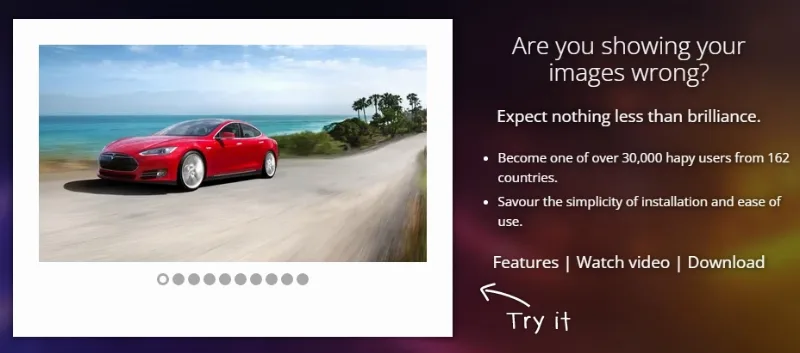
Magic Slideshow
Antivirus scan
Powered by ClamAV
✅ Verified clean
This product file has passed our security filters.
Want to run a fresh ClamAV scan right now? Takes a few seconds and shows scanner version, signature DB and live result.
This can take 5 to 30 seconds.
Clean file Threat detected
No threats detected in this file.
- File
- Size
- Scanned
- ClamAV
- Signature database
⚡ Powered by ClamAV
Scan could not be completed
Report product
If you detected an issue (broken file, malware, inappropriate content, etc.) let us know and we'll review it ASAP.
Sign in to reportNewer version out, or a problem?
About Magic Slideshow
A slider that mixes photos, video and text on the same page
Moving objects grab attention, which is why a slideshow is ideal for highlighting offers and news. Magic Slideshow is built to put those presentations together in WordPress without writing code, and it works for photo galleries as well as slides with video or text.
Fourteen effects and 23 options to adjust each slide
You can pick from 14 effects, from dissolve and cube spin to 3D bars or the slow zoom and pan of the Ken Burns effect. If you cannot decide on one, the random option plays them all. To fine-tune the result there are 23 options, such as effects, thumbnails, bullets and animation speed, plus ready-made templates you can customise until they fit your website.
Photo sliders versus slides with video, text and buttons
The plugin covers two ways of using it, and it helps to know which one you need before building the first slideshow:
- Photo sliders: galleries with thumbnails or bullets.
- Mixed slides: each slide can carry images, videos, text, buttons and shapes.
A shortcode of its own for each slideshow
Every slideshow you create gets its own shortcode, which you paste wherever you want it within pages or posts. You can rename each slideshow so you do not get confused when you have several at once. Image names can also be SEO-friendly, and you can create and add as many slideshows to your site as you need.
Fast loading, image caching and lazy loading for slow connections
Magic Slideshow is a standalone JavaScript module with no dependencies on third-party libraries, and it works with or without jQuery. That keeps it light to install and to load. It also lets you use image caching and lazy loading, which eases the page for visitors on slow connections.
Frequently asked questions about Magic Slideshow
Do I need jQuery for it to work?
No. It is a standalone JavaScript module and works with or without jQuery.
Can I mix images, videos and text in the same slideshow?
Yes. Each slideshow can include images, videos, text, buttons and shapes.
How do I insert it on a page?
You create the slideshow from the Magic Slideshow menu, then insert it into the page or post using the plugin icon in the WordPress editor. Its shortcode appears there, and you can preview the page to see it working.
Can I change how the slides look?
Yes, with the 14 effects and 23 adjustment options, or with a template you can customise.
Topics
Version history
-
v
6.8.51 Current 14 May 2024
Customer reviews
Sign in to leave a review. Only people who have the product can review it.
No reviews for this product yet.
Frequently asked questions
-
GPL (General Public License) is the license under which WordPress and most premium plugins/themes are distributed. It grants you the right to use, modify and redistribute the software in as many projects as you want, with no domain restrictions.
-
Yes. With membership you get automatic updates via our GPLClub Updater plugin (installed on your WP, detects new versions and applies them). With individual purchase, you get one year of manual updates from your account.
-
Depends on the plan. Monthly: 3 domains. Semi-annual: 7. Annual and Lifetime: 15. Individual purchase: 1 domain.
-
GPLClub offers its own support for installation, configuration and compatibility. For direct support from the original author (feature requests, product-specific bugs), a license purchased from the author is required.