One time password (OTP) Login
Antivirus scan
Powered by ClamAV
✅ Verified clean
This product file has passed our security filters.
Want to run a fresh ClamAV scan right now? Takes a few seconds and shows scanner version, signature DB and live result.
This can take 5 to 30 seconds.
Clean file Threat detected
No threats detected in this file.
- File
- Size
- Scanned
- ClamAV
- Signature database
⚡ Powered by ClamAV
Scan could not be completed
Report product
If you detected an issue (broken file, malware, inappropriate content, etc.) let us know and we'll review it ASAP.
Sign in to report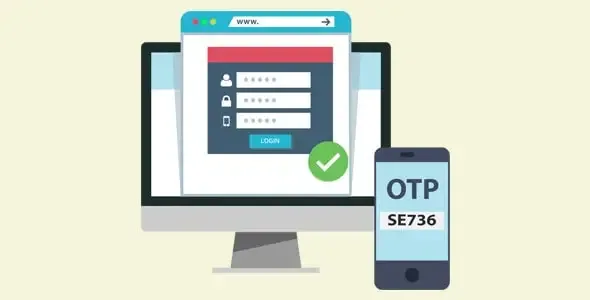
About One time password (OTP) Login
A code sent to a channel proves you control it, not who you are
A customer wants to come back to your store, does not remember the password and leaves before asking for a new one. Signing in with a code received on the phone or by email saves that step. But it changes what signing in means: it no longer proves something the person knows, but something they have access to.
Whoever has access to the phone or the mailbox that receives the code gets into the account, so access to that channel becomes the key to your store.
One Time Password (OTP) Login & Two Factor Authentication (2FA) is a WooCommerce plugin that lets users sign in without a password with a one-time code sent by SMS, WhatsApp or email. It adds a phone field to the registration and login forms, and also offers two-factor authentication and code verification at checkout.
Codes, two-factor and checkout verification
- Phone field on the registration and login forms.
- Passwordless login: the user signs in with the code instead of remembering email and password.
- Email code: login can also be done with a code sent to the email address.
- Two-factor (2FA): by SMS, by email or with an authenticator app.
- Checkout verification: the WooCommerce checkout form can ask for a code.
- Country flags next to the phone prefix.
- Automatic code reading in mobile browsers.
- Resend timer for the code.
- Compatibility with WooCommerce and WPML.
The login screen has tabs to sign in with a code or with a password, the remember me checkbox, the forgotten password link and the buttons to sign in and to request the code. Password reset follows a path of email link, verification and password change. The look is customizable.
A store where the customer signs in with their phone
Imagine a store whose customers buy from their phone. You could enable the phone field at registration, leave login by code and keep the password tab for whoever prefers it. If you also enable two-factor, the code can arrive by SMS or email, or come from an authenticator app. This is an example of use; modify it to suit your customers.
What it covers and what is a separate piece
The plugin is designed for WooCommerce stores. Login in a popup, slider or inline on the page is offered as an independent plugin.
Consider whether you want to keep the password as an alternative.
Turning on login with a code
You need WordPress with WooCommerce active. Then:
- In the dashboard go to Plugins, Add New, upload the plugin file and activate it.
- Enable the phone field on the registration and login forms.
- Choose the channel the code is sent through: SMS, WhatsApp or email.
- Decide whether to enable two-factor and checkout verification.
Phone login and two-factor plugins
To sign in and register with a phone number there are also Digits and Registration and Login with Mobile Phone Number. If you only want two-factor, look at WP 2FA.
Answers about login with a code
Through which channels does the code arrive?
By SMS, WhatsApp or email.
Can a code be requested at checkout?
Yes. It includes code verification on the WooCommerce checkout form.
Does it support authenticator apps?
Yes. Two-factor works by SMS, by email or with an authenticator app.
Is it compatible with WPML?
Yes, it is compatible with WPML and with WooCommerce.
Topics
Version history
-
v
3.2.3 Current 15 Aug 2025
Customer reviews
Sign in to leave a review. Only people who have the product can review it.
No reviews for this product yet.
Frequently asked questions
-
GPL (General Public License) is the license under which WordPress and most premium plugins/themes are distributed. It grants you the right to use, modify and redistribute the software in as many projects as you want, with no domain restrictions.
-
Yes. With membership you get automatic updates via our GPLClub Updater plugin (installed on your WP, detects new versions and applies them). With individual purchase, you get one year of manual updates from your account.
-
Depends on the plan. Monthly: 3 domains. Semi-annual: 7. Annual and Lifetime: 15. Individual purchase: 1 domain.
-
GPLClub offers its own support for installation, configuration and compatibility. For direct support from the original author (feature requests, product-specific bugs), a license purchased from the author is required.