OxyExtras Plugin for Oxygen Builder
Antivirus scan
Powered by ClamAV
✅ Verified clean
This product file has passed our security filters.
Want to run a fresh ClamAV scan right now? Takes a few seconds and shows scanner version, signature DB and live result.
This can take 5 to 30 seconds.
Clean file Threat detected
No threats detected in this file.
- File
- Size
- Scanned
- ClamAV
- Signature database
⚡ Powered by ClamAV
Scan could not be completed
Report product
If you detected an issue (broken file, malware, inappropriate content, etc.) let us know and we'll review it ASAP.
Sign in to report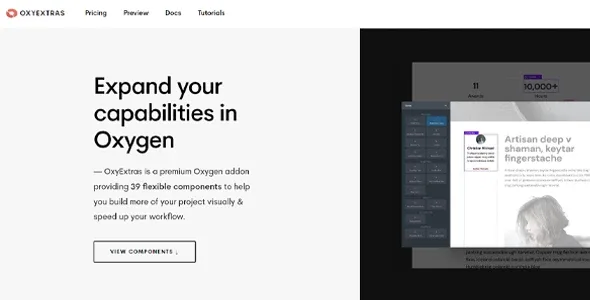
About OxyExtras Plugin for Oxygen Builder
Building a site in Oxygen usually reaches the same point: the design is ready, but the animated counter, the back to top button, the off canvas or the reading progress bar are missing, and you end up pasting a code block with JavaScript and CSS. It works until something changes, and then nobody remembers where that code was.
Every pasted code block is maintenance someone will inherit
OxyExtras is an Oxygen add-on with 41 components designed to replace those patches. The underlying idea is simple: the custom code you paste today will be inherited by whoever touches the site tomorrow (a client, a colleague or you a year from now). A component, on the other hand, is adjusted with controls you already know. You focus on design and the component takes care of the function.
The OxyExtras components that replace common snippets
- Content and reading: animated counters that start when they enter the screen, a reading progress bar (you choose the element containing the article), author boxes with photo, bio and dynamic links to their archive and website, previous and next posts with featured image, title and icons, absolute or relative modified date, and a "read more / read less" wrapper for long blocks.
- Navigation: an off canvas with the trigger and speeds you choose, accessible mega menus that accept any element and items from WordPress menus, a header search (full screen, overlay or below the header), an animated burger button to open modals, off canvas or slide menus, and a back to top button with icons, text or your own image.
- Interaction and media: Lottie animations that can sync with scroll, cursor, click or hover, a video and audio player with lazy loading, lightboxes with dynamic AJAX content, iframes or image and video, a carousel builder (with Repeaters, Easy Posts, Product Lists or your own elements), a content switcher between two variants (useful for toggling prices), SVG circular progress bars, a preloader, and alert boxes fixed to the screen or inside the content.
- Sharing, shop and forms: share links without JavaScript for Facebook, Twitter, LinkedIn, email, Pinterest, WhatsApp and Telegram; an AJAX mini cart and counter for WooCommerce; and visual styling for Fluent Forms forms.
It loads only what you use and saves your settings for the next project
Each component loads only on the pages where you have placed it, so having 41 available does not mean 41 scripts on every visit. The style controls are Oxygen's own, with no parallel interface to learn. And you can export and import presets with your settings and styles.
Is OxyExtras right for you if your site does not use Classic Oxygen?
Before deciding, look at the main limit: OxyExtras is an add-on for the original Oxygen (the classic one), not for the new builder that is also called Oxygen. They are different programs and there is no upgrade path from one to the other. It is also a component library: it adds functions, not templates or complete designs, and it does not work without Oxygen.
Does it work with the new builder called Oxygen?
No. It is designed for Classic Oxygen. If your site uses the new builder, this add-on is not for you.
Do I need any additional plugin?
Only for specific components: the mini cart and counter are for WooCommerce, and the forms component styles Fluent Forms forms (including the Pro version). The rest works directly on Oxygen.
Does it load every component on every page?
No, each one loads only where it is used.
Can I reuse my styles on another site?
Yes, with presets: you configure and style once, export, and import them into another project.
Version history
-
v
1.5.4 Current 15 Sep 2026
-
v
1.5.3 12 Sep 2026
-
v
1.5.2 3 Aug 2026
-
v
1.5.0 13 Apr 2026
Customer reviews
Sign in to leave a review. Only people who have the product can review it.
No reviews for this product yet.
Frequently asked questions
-
GPL (General Public License) is the license under which WordPress and most premium plugins/themes are distributed. It grants you the right to use, modify and redistribute the software in as many projects as you want, with no domain restrictions.
-
Yes. With membership you get automatic updates via our GPLClub Updater plugin (installed on your WP, detects new versions and applies them). With individual purchase, you get one year of manual updates from your account.
-
Depends on the plan. Monthly: 3 domains. Semi-annual: 7. Annual and Lifetime: 15. Individual purchase: 1 domain.
-
GPLClub offers its own support for installation, configuration and compatibility. For direct support from the original author (feature requests, product-specific bugs), a license purchased from the author is required.