PeepSo Pages Addon
Antivirus scan
Powered by ClamAV
✅ Verified clean
This product file has passed our security filters.
Want to run a fresh ClamAV scan right now? Takes a few seconds and shows scanner version, signature DB and live result.
This can take 5 to 30 seconds.
Clean file Threat detected
No threats detected in this file.
- File
- Size
- Scanned
- ClamAV
- Signature database
⚡ Powered by ClamAV
Scan could not be completed
Report product
If you detected an issue (broken file, malware, inappropriate content, etc.) let us know and we'll review it ASAP.
Sign in to report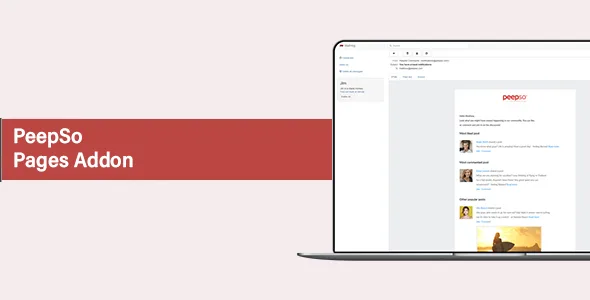
About PeepSo Pages Addon
When your brand speaks through an employee's profile
Your community already has members, and now a shop, an association or a cause needs to appear inside it. With nowhere else to go, whoever runs communications posts from their personal profile. Replies and trust build up around that person, and their profile leaves with them the day they change jobs.
A brand inside a community needs an identity of its own, separate from whoever manages it. PeepSo Pages adds fan and business pages to a PeepSo community, with followers and a team that runs them.
An identity shared by a team
- Three management roles: owner, manager and moderator, with their own view in the followers tab.
- Posting as the Page: those posts stay out of profile streams. Moderators cannot act on behalf of the Page.
- Blog posts under the Page's name: the published post shows the Page as its author, and you can also attribute older posts to it.
- Followers tab: it separates all followers, the team, invited people and banned users, whom the owner can unban.
- Following stream: Page content appears there only if the person liked or follows the Page.
- Optional categories: each Page can take from 1 to 100, depending on the limit you set.
Settings that divide the work
Two panels decide who edits posts and comments, and who edits the files of each Page. You can combine owners, managers and moderators as you prefer. Pinning posts belongs to administrators by default, and an option opens it to managers.
In the settings tab, the owner controls the like button, the invite button and the followers tab. They can also turn off comments and likes, which does not affect owners, managers or site administrators, and choose whether people who do not follow the Page can react, comment, do both or do neither.
From the admin side you also decide whether any member can create Pages or only administrators, whether you get an email for each new Page, whether the listing opens to logged-out visitors and whether follower counts are shown.
A brand page inside PeepSo
Here "Page" means a brand page inside the community, in the style of a fan page. It has nothing to do with WordPress pages, so this add-on does not build your contact section or your home page.
It does not replace groups either. A group is a space around a shared interest, with its own privacy options and moderation. A Page gives a brand or a cause a presence before its followers.
And it works as an add-on: it needs a PeepSo installation and its settings live in the PeepSo configuration. A Page's byline on the blog has a nuance too, because the WordPress post list always shows the real author.
Five steps to open Pages to your community
You need PeepSo installed. With that in place, the route is this:
- Activate the add-on and open PeepSo, Configuration, Pages tab.
- Choose whether all members can create Pages or only administrators.
- Mark which roles edit posts, comments and files.
- If you are going to classify Pages, enable categories and create them in PeepSo, Manage, Page categories.
- To sign posts with the Page, turn on Post to Activity Stream in the Blog Posts settings. Author Profiles also adds a posts tab to the Page.
PeepSo pieces that round out the community
PeepSo Core is the base, with profiles and the activity stream. PeepSo Groups covers interest-based spaces, with their own privacy and moderation, and is worth adding if your community needs conversation among members as well as a brand's voice.
Answers about Pages and followers
Can all members create Pages?
It depends on a setting. Enabled, any site member can create them. Disabled, only administrators can.
Can moderators post as the Page?
No, moderators cannot act on its behalf. Assign the roles carefully before opening the Page to the team.
Can you see who really wrote a blog post?
On the site, the Page's name appears. In the WordPress post list, the real author is always recorded.
Can people who do not follow the Page comment?
The owner decides: nothing, reactions, comments or both. By default, nothing.
Topics
Version history
-
v
9.1.0.0 Current 26 Oct 2026
-
v
9.0.2.0 2 Jun 2026
-
v
8.0.0.0 17 Dec 2025
Customer reviews
Sign in to leave a review. Only people who have the product can review it.
No reviews for this product yet.
Frequently asked questions
-
GPL (General Public License) is the license under which WordPress and most premium plugins/themes are distributed. It grants you the right to use, modify and redistribute the software in as many projects as you want, with no domain restrictions.
-
Yes. With membership you get automatic updates via our GPLClub Updater plugin (installed on your WP, detects new versions and applies them). With individual purchase, you get one year of manual updates from your account.
-
Depends on the plan. Monthly: 3 domains. Semi-annual: 7. Annual and Lifetime: 15. Individual purchase: 1 domain.
-
GPLClub offers its own support for installation, configuration and compatibility. For direct support from the original author (feature requests, product-specific bugs), a license purchased from the author is required.