Pwork - Intranet For WordPress
Antivirus scan
Powered by ClamAV
✅ Verified clean
This product file has passed our security filters.
Want to run a fresh ClamAV scan right now? Takes a few seconds and shows scanner version, signature DB and live result.
This can take 5 to 30 seconds.
Clean file Threat detected
No threats detected in this file.
- File
- Size
- Scanned
- ClamAV
- Signature database
⚡ Powered by ClamAV
Scan could not be completed
Report product
If you detected an issue (broken file, malware, inappropriate content, etc.) let us know and we'll review it ASAP.
Sign in to report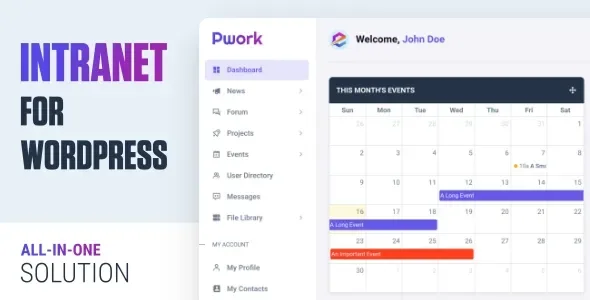
About Pwork - Intranet For WordPress
Every notice from your intranet depends on WordPress knowing how to send email
Moving internal work to your own portal has a weak spot that is easy to miss when installing it: people do not go in to see whether there is anything new. They go in because a notice reached them. If someone replies in the forum or changes a project checklist and the email ends up in spam, for the rest of the team it never happened.
Pwork installs in your WordPress, so its notices leave by the same road as your site's email, and that includes any delivery problem you already have. If your contact form messages arrive late or not at all, the intranet's will share that fate.
That is why the first task comes before uploading documents or creating projects: connect an SMTP plugin, send a test email and check it reaches several company addresses.
Pwork's modules for daily work
- Projects with a Kanban board, checklists, a countdown to the due date, private projects and archiving.
- File library with folders and subfolders, descriptions, list and folder views, and a choice of who can access each file.
- Knowledge base with its own dashboard widget.
- Forum with sticky topics and announcements for the company.
- Events calendar.
- Direct messages and contacts, along with a user directory.
- Dashboard with widgets, including a links one, and default widgets for anyone logging in for the first time.
- Light and dark modes, a logo for each mode and a custom login form.
A portal separate from your public website
Pwork is a plugin, not a theme. It runs at its own address within your site, /pwork/ by default, isolated from the theme your public website uses. That means you can add it to an existing WordPress without changing the look of what your customers see.
If you would rather make the whole site internal, the lock option blocks access to public pages outside the intranet. This is a decision to make from the start: on a public website already getting visits, turning it on leaves those pages without access.
Access is graded by role for each module, and each project can also be private and each file can be limited to whoever you choose.
What a team will have to solve with other tools
Pwork organizes communication and documents. Its features include no payroll, time tracking or vacation management, and no video calls either. If your intranet revolves around human resources, those pieces will have to come from another system.
The size and type of files that can be uploaded depend on your WordPress configuration, so it is worth reviewing them before migrating heavy documents.
From installation to the first week with the team
It needs no mandatory plugin. User Role Editor is useful if you want custom roles, and an SMTP plugin is the piece we recommend putting in place first.
- Upload the plugin in WordPress, activate it and open the portal at /pwork/.
- Set up SMTP and test delivery with several accounts.
- Define which roles can access each module.
- Create the library folders and upload the most requested documents first.
- Adjust the default widgets so everyone sees the same thing the first time they log in.
If your intranet looks more like a social network
If you need profiles, groups and an activity wall, some themes start from BuddyPress: Alliance builds an intranet or extranet on that base, and Micro Office adds files, projects, internal training and editing with Elementor. Cera Intranet is also a theme, with widgets for calendars, forums and polls, and WPML compatibility.
If you only want a documentation base, weDocs is dedicated to that.
Data, files, Kanban and translation in Pwork
Where is the data stored?
On your own server, because it is a self-hosted solution inside your WordPress.
Can I limit a file to certain people?
Yes, when uploading it you can choose who can access it, and the library supports folders and subfolders.
Does it work if my team does not use Kanban?
Yes, Kanban is one part of projects, which also have checklists and a countdown to the due date.
Can it be translated?
Yes, it comes with a language file for adapting the portal's text.
Topics
Version history
-
v
2.2 Current 27 Apr 2026
Customer reviews
Sign in to leave a review. Only people who have the product can review it.
No reviews for this product yet.
Frequently asked questions
-
GPL (General Public License) is the license under which WordPress and most premium plugins/themes are distributed. It grants you the right to use, modify and redistribute the software in as many projects as you want, with no domain restrictions.
-
Yes. With membership you get automatic updates via our GPLClub Updater plugin (installed on your WP, detects new versions and applies them). With individual purchase, you get one year of manual updates from your account.
-
Depends on the plan. Monthly: 3 domains. Semi-annual: 7. Annual and Lifetime: 15. Individual purchase: 1 domain.
-
GPLClub offers its own support for installation, configuration and compatibility. For direct support from the original author (feature requests, product-specific bugs), a license purchased from the author is required.