Styler - Icons, Fonts and CSS Generator for WP
Antivirus scan
Powered by ClamAV
✅ Verified clean
This product file has passed our security filters.
Want to run a fresh ClamAV scan right now? Takes a few seconds and shows scanner version, signature DB and live result.
This can take 5 to 30 seconds.
Clean file Threat detected
No threats detected in this file.
- File
- Size
- Scanned
- ClamAV
- Signature database
⚡ Powered by ClamAV
Scan could not be completed
Report product
If you detected an issue (broken file, malware, inappropriate content, etc.) let us know and we'll review it ASAP.
Sign in to report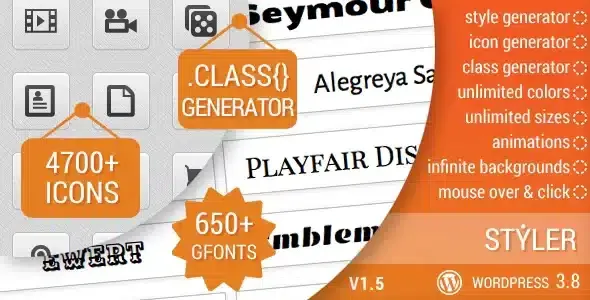
About Styler - Icons, Fonts and CSS Generator for WP
Changing an icon or a font shouldn't force you to open the theme CSS
Anyone who maintains client sites knows the scene: they ask for an icon next to a title, another typeface in a quote and a different color on hover, and every tweak ends up as a loose line in the stylesheet that nobody remembers months later. Styler brings icons, fonts and a CSS generator together in a plugin that hands you shortcodes and classes in one click.
The bottleneck in these jobs is almost never the design, but the volume of small adjustments. Each one is trivial, but together they eat up hours and leave messy code behind. A generator that gives you a ready-to-paste result turns those adjustments into something repeatable and easy to find later.
Which Styler generator to use depending on the tweak in front of you
You need an icon on a page
With Add Icon you choose among 4721 icons spread over 15 sets and define their color, size, background color and spin. You can also set how it changes on hover (color, opacity, background and spin) and give it a URL with its link target. You copy the shortcode and paste it into the content.
You want a different typeface on a specific text
Add Style comes with 657 Google Fonts and controls for size, color, weight, style, line height, alignment and text direction. It adds text animations.
The theme won't let you adjust a detail
Add Class creates unlimited custom CSS classes and lets you target classes and tags that already exist in the theme in order to modify them. It includes more than 100 CSS attributes, more than 30 HTML tags, a color picker, a visual class tester and direct code insertion. It resembles a code editor with a helper, but it remains a generator.
It generates single pieces, it doesn't lay out pages
Styler works element by element: an icon, a text, a class. It doesn't build sections, headers or templates, so it doesn't replace a page builder. To apply a generated class you need to know which element it is aimed at.
Before deciding, check in the demo how the hover effects and text animations look with your own design.
Questions that usually come up before installing it
Do I need to know CSS? Not for icons and text styles, which are set up with fields and copied as a shortcode. For custom classes it helps to know which element you want to touch, although the color picker and the visual tester show you the result before you insert it.
Can I turn an icon into a link? Yes, the icon accepts a URL and a link target option.
Can I modify classes my theme already includes? Yes, Add Class lets you target and edit existing classes and tags, as well as create your own.
Does it look good on high-density screens? The plugin is retina ready and compatible with different browsers.
Fifteen icon sets and text animations already built in
The 4721 icons come from 15 sets, including Font Awesome, Typicons, Entypo and Linecons. The text animations are based on Animate.css.
It is a plugin meant for people who often tweak other people's sites and want to solve each detail with a generator instead of writing code by hand.
Version history
-
v
1.5 Current 8 Jan 2025
Customer reviews
Sign in to leave a review. Only people who have the product can review it.
No reviews for this product yet.
Frequently asked questions
-
GPL (General Public License) is the license under which WordPress and most premium plugins/themes are distributed. It grants you the right to use, modify and redistribute the software in as many projects as you want, with no domain restrictions.
-
Yes. With membership you get automatic updates via our GPLClub Updater plugin (installed on your WP, detects new versions and applies them). With individual purchase, you get one year of manual updates from your account.
-
Depends on the plan. Monthly: 3 domains. Semi-annual: 7. Annual and Lifetime: 15. Individual purchase: 1 domain.
-
GPLClub offers its own support for installation, configuration and compatibility. For direct support from the original author (feature requests, product-specific bugs), a license purchased from the author is required.