Theia Post Slider
Antivirus scan
Powered by ClamAV
✅ Verified clean
This product file has passed our security filters.
Want to run a fresh ClamAV scan right now? Takes a few seconds and shows scanner version, signature DB and live result.
This can take 5 to 30 seconds.
Clean file Threat detected
No threats detected in this file.
- File
- Size
- Scanned
- ClamAV
- Signature database
⚡ Powered by ClamAV
Scan could not be completed
Report product
If you detected an issue (broken file, malware, inappropriate content, etc.) let us know and we'll review it ASAP.
Sign in to report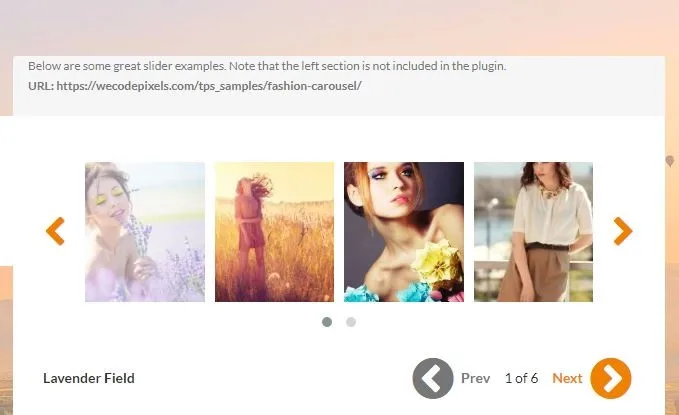
About Theia Post Slider
Turns multi-page posts into a slider
WordPress lets you split a post across pages, but the navigation it offers is a row of numbers at the end of the text, with a full reload between one page and the next. Theia Post Slider replaces that with a slider: transitions, arrows, keyboard, swipe on mobile and a dropdown for jumping to any section.
It preloads the following pages, so the jump is immediate, and it keeps a distinct address for each one, which is what avoids damaging search rankings.
What it brings
- Four transition effects and more than two hundred slider styles.
- Keyboard and swipe navigation, as well as the arrows.
- Photo carousel built from each section's images.
- Counting as a pageview in Analytics, and ad refreshing when moving between sections.
- Works with the posts you already have, without touching them, and with any theme.
The honest conversation about this kind of plugin
Worth having, because this product is sold largely on its effect on advertising revenue: more sections mean more pageviews and more ads served.
The problem is that splitting an article into pieces to multiply impressions is one of the things readers dislike most. Everybody recognises the pattern of the list of twenty things spread across twenty clicks, and the usual reaction is to leave. If the content did not ask to be split in the first place, you have made the experience worse to win impressions from a visitor who is not coming back.
Where this plugin does fit is when the content is a sequence: a gallery commented photo by photo, a step-by-step guide, a model comparison, an event report moment by moment. There the slider is a better format than the long article, and the swipe and keyboard navigation is genuinely welcome.
The test: if the reader would want it separated even with no ads on the page, go ahead. If not, do not.
Frequently asked questions
Does it work with my existing posts?
Yes, with those already split into pages, with no need to modify them.
Does each section have its own address?
Yes, it keeps a unique address per section, which is what avoids harming rankings.
Can it be navigated without a mouse?
Yes, with the keyboard and with a swipe gesture on mobile and desktop.
Does it work with any theme?
Yes, and it brings over two hundred styles, plus the option of your own with CSS.
Topics
Version history
-
v
2.7.5 Current 28 May 2024
Customer reviews
Sign in to leave a review. Only people who have the product can review it.
No reviews for this product yet.
Frequently asked questions
-
GPL (General Public License) is the license under which WordPress and most premium plugins/themes are distributed. It grants you the right to use, modify and redistribute the software in as many projects as you want, with no domain restrictions.
-
Yes. With membership you get automatic updates via our GPLClub Updater plugin (installed on your WP, detects new versions and applies them). With individual purchase, you get one year of manual updates from your account.
-
Depends on the plan. Monthly: 3 domains. Semi-annual: 7. Annual and Lifetime: 15. Individual purchase: 1 domain.
-
GPLClub offers its own support for installation, configuration and compatibility. For direct support from the original author (feature requests, product-specific bugs), a license purchased from the author is required.