User Registration Private Notes Addon
Antivirus scan
Powered by ClamAV
✅ Verified clean
This product file has passed our security filters.
Want to run a fresh ClamAV scan right now? Takes a few seconds and shows scanner version, signature DB and live result.
This can take 5 to 30 seconds.
Clean file Threat detected
No threats detected in this file.
- File
- Size
- Scanned
- ClamAV
- Signature database
⚡ Powered by ClamAV
Scan could not be completed
Report product
If you detected an issue (broken file, malware, inappropriate content, etc.) let us know and we'll review it ASAP.
Sign in to report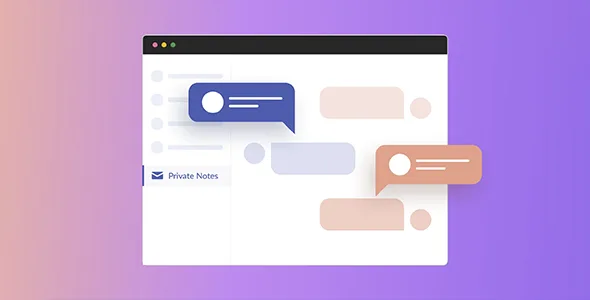
About User Registration Private Notes Addon
When emails to your members get lost among spam and promotions
Sending a welcome document, an invoice or a specific instruction by email usually ends the same way: the message sinks in the inbox, lands in spam, or the member looks for it weeks later and cannot find it. And the reply arrives in your personal inbox, mixed in with everything else.
Whoever runs a community or a membership has one thing in their favor that they rarely use: their members already visit their account page. User Registration Private Notes Addon puts the message there, where the user already is, and does not depend on them opening an email.
Notes aimed at one person, one role or everyone, with file attachments
You create each note from the admin area, with a title and a message, and choose who sees it. This is what you control:
- Recipient: all users on the site, a specific role (a note for "Subscriber" only reaches subscribers), several chosen users or a single person.
- Private or general: a note aimed at a user is private; one sent to the whole site works as a general notice. You decide note by note.
- Optional replies: you can enable them on some notes and keep them closed on others.
- Attachments: you and the user can both add files to a note or a reply, useful for onboarding documents, invoices or instructions for a specific account.
Replies in User Registration Private Notes Addon land in a single archive
The note appears on the recipient's My Account page and only the audience you selected can see it: one member cannot read another member's notes. If you enabled replies, the user answers from their dashboard and you receive an email notice.
All replies are gathered in a reply archive inside the plugin itself, and you can answer from there. That way the conversation with each member stays in one place instead of being spread across email threads. Think of it as notes with replies, not a live chat or a public forum.
Decide whether User Registration Private Notes Addon suits you, based on the base plugin
It is an add-on: it needs the User Registration & Membership plugin to be active. You do not have to set up membership tiers or payments if you do not want them, and the user's account page is created automatically by the base plugin, with no separate dashboard setup.
It does not replace your newsletter tool or a ticket-based support system. Anyone who has not registered receives nothing.
Is it the same as WordPress comments?
No. Comments are public and tied to posts. These notes belong to the user's account and are aimed at specific people or roles.
What files can be attached?
Those allowed by your WordPress media library settings, for both administrators and users.
Can I write to several users at once?
Yes: by role or by selecting several users. Each one sees the note on their own dashboard.
Does it notify me when someone replies?
Yes, you receive an email and the reply is stored in the reply archive. The user also gets an email notice when you answer.
Topics
Version history
-
v
1.0.15 Current 26 Jun 2026
-
v
1.0.14 23 Jan 2026
Customer reviews
Sign in to leave a review. Only people who have the product can review it.
No reviews for this product yet.
Frequently asked questions
-
GPL (General Public License) is the license under which WordPress and most premium plugins/themes are distributed. It grants you the right to use, modify and redistribute the software in as many projects as you want, with no domain restrictions.
-
Yes. With membership you get automatic updates via our GPLClub Updater plugin (installed on your WP, detects new versions and applies them). With individual purchase, you get one year of manual updates from your account.
-
Depends on the plan. Monthly: 3 domains. Semi-annual: 7. Annual and Lifetime: 15. Individual purchase: 1 domain.
-
GPLClub offers its own support for installation, configuration and compatibility. For direct support from the original author (feature requests, product-specific bugs), a license purchased from the author is required.