WooCommerce Orders Tracking
Antivirus scan
Powered by ClamAV
✅ Verified clean
This product file has passed our security filters.
Want to run a fresh ClamAV scan right now? Takes a few seconds and shows scanner version, signature DB and live result.
This can take 5 to 30 seconds.
Clean file Threat detected
No threats detected in this file.
- File
- Size
- Scanned
- ClamAV
- Signature database
⚡ Powered by ClamAV
Scan could not be completed
Report product
If you detected an issue (broken file, malware, inappropriate content, etc.) let us know and we'll review it ASAP.
Sign in to report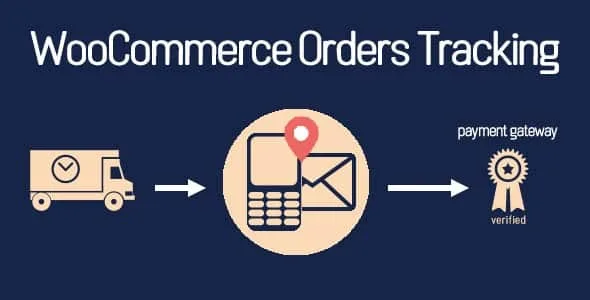
About WooCommerce Orders Tracking
For the store that ships every day and is tired of answering «where is my order?»
Once an order leaves the warehouse, the most anxious part of the purchase begins for the customer: waiting. If they can't tell where the parcel is, they write, call or open a dispute. This plugin suits anyone selling physical products through a carrier who wants customers to check the status by themselves.
It isn't for those who sell only digital products or services, since there's nothing to track. Nor does it do the job on its own: the plugin stores and displays tracking numbers, but you or your team (or a connected external service) have to supply them.
Assign tracking to an order or to each item
WooCommerce Orders Tracking lets you manage tracking per whole order, per item or both, and add it even from the order list, without opening each order. It's useful when one order ships in several parcels or with different carriers.
You pick the carrier from a built-in list of more than 90 companies, type the number and the plugin generates the tracking URL. You can hide the carriers you don't use and create your own by entering a name, slug and tracking URL. If you work with a local courier, this saves you from depending on it being on the list.
Notify the customer by email, SMS and PayPal
- Tracking email: sent when you add the number. You customize subject, heading and content with shortcodes that insert customer name, order ID or shipping details. If you use WooCommerce Email Template Customizer, you can design its template.
- WooCommerce emails: tracking can appear in the usual emails when the order status changes, in the position you choose.
- SMS: notifies with the tracking URL when the information changes. It works with Twilio, Nexmo and Plivo, and has a test mode to check the connection.
- PayPal: adds carrier, number and shipment status to the transaction details, with a sandbox mode to test first.
If your store is multilingual, with Polylang or WPML emails and SMS can go out in the customer's language.
External tracking services: you depend on their key and their fee
For the plugin to pull the parcel status automatically, it connects via API with TrackingMore, Cainiao, EasyPost, Aftership, Tracktry and 17Track. All except Cainiao require a valid access key, and these services belong to third parties: they may charge for their use. Check their terms before building your workflow.
Updates can be received through webhooks or scheduled at intervals. Without a connected service, the plugin still works for storing numbers and sending links, but not for showing the parcel's journey inside your site.
Tracking page, import and access control
You can create a customizable tracking page where customers check their shipment, and display the form anywhere with a shortcode. The timeline can be translated and Google reCAPTCHA protects the form from spam.
If you have many orders, you import and export orders and tracking data with CSV files. You can also decide whether the plugin settings are limited to administrators or also open to shop managers.
With the ALD plugin (AliExpress Dropshipping and Fulfillment for WooCommerce), installed and active, SMS and the PayPal number can be automated for AliExpress orders. Without that plugin, it doesn't happen.
Frequently asked questions about WooCommerce Orders Tracking
Does it track parcels without me doing anything?
Only if you connect a compatible tracking service (with its API key, except Cainiao). Otherwise, you add the numbers yourself or by CSV.
Can I use a carrier that isn't on the list?
Yes, you create a custom one with a name, slug and tracking URL.
Does it send SMS with any provider?
With Twilio, Nexmo and Plivo. You need your own account with one of them.
Does it work for stores in several languages?
Yes, with Polylang or WPML you can send emails and SMS in different languages.
Can I control who changes the settings?
Yes, you can limit it to administrators or open it to shop managers.
Topics
Version history
-
v
1.2.2 Current 26 Oct 2026
-
v
1.2.1 7 Sep 2026
-
v
1.2.0 30 Jun 2026
-
v
1.1.22 30 Jan 2026
Customer reviews
Sign in to leave a review. Only people who have the product can review it.
No reviews for this product yet.
Frequently asked questions
-
GPL (General Public License) is the license under which WordPress and most premium plugins/themes are distributed. It grants you the right to use, modify and redistribute the software in as many projects as you want, with no domain restrictions.
-
Yes. With membership you get automatic updates via our GPLClub Updater plugin (installed on your WP, detects new versions and applies them). With individual purchase, you get one year of manual updates from your account.
-
Depends on the plan. Monthly: 3 domains. Semi-annual: 7. Annual and Lifetime: 15. Individual purchase: 1 domain.
-
GPLClub offers its own support for installation, configuration and compatibility. For direct support from the original author (feature requests, product-specific bugs), a license purchased from the author is required.