WooCommerce Product Retailers
Antivirus scan
Powered by ClamAV
✅ Verified clean
This product file has passed our security filters.
Want to run a fresh ClamAV scan right now? Takes a few seconds and shows scanner version, signature DB and live result.
This can take 5 to 30 seconds.
Clean file Threat detected
No threats detected in this file.
- File
- Size
- Scanned
- ClamAV
- Signature database
⚡ Powered by ClamAV
Scan could not be completed
Report product
If you detected an issue (broken file, malware, inappropriate content, etc.) let us know and we'll review it ASAP.
Sign in to report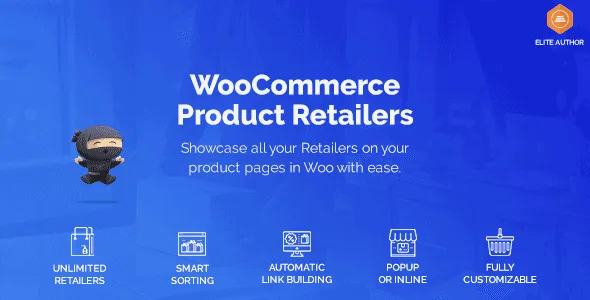
About WooCommerce Product Retailers
Your book is on Amazon and your store has no idea
Selling a product in your store while also having it in other channels creates an awkward problem: WooCommerce external or affiliate products let you choose between selling it yourself or sending the customer to another site, but not both at once. For an author with a book series, a small publisher or a brand that also ships through big platforms, that forces you to hide alternatives the buyer already knows about.
WooCommerce Product Retailers makes that exit happen from your product page and with your link, not from a new Google tab.
A different link for every retailer and every product
First you add your retailers or distributors with a general link to their site. Then you assign them to each product and, if you want, set a specific URL for that item, so the button leads to the exact product page at the retailer and not to its home page.
- Several retailers per product: you can list all the ones that sell that item, not just one.
- Buttons or drop-down menu: you choose how they are presented to the customer when setting up the product.
- Purchase button text: you adapt it to your case, for example depending on the channel.
- Purchase only at the retailer: you can make a product impossible to buy in your store so it is only purchased elsewhere.
- Only when the product is out of stock: retailers appear only when you run out of inventory.
This last option changes how you handle a sold-out item: instead of accepting backorders that may take weeks, you send the customer to a place where they can buy today. If you use affiliate links, that visit can turn into commission instead of being lost.
Product Retailers versus WooCommerce external or affiliate products
If you wonder whether you need the plugin, this comparison sums it up:
| Feature | Product Retailers | External/affiliate product |
| Buy the product directly in your store | Yes | No |
| Buy only from the retailer or distributor | Yes | Yes |
| Several links per product | Yes | No |
| Limit use to out-of-stock products | Yes | No |
| Customize the button text | Yes | Yes |
Show retailers always, or only when you run out of stock?
That is the decision that matters.
Be clear about the limit: the plugin takes the customer to the retailer's site, but the purchase is completed there, not in your store. Affiliate links, if you want them, are added by you. And if you want to change the look of the buttons, prepare some CSS.
Can I sell the product in my store and also link to Amazon?
Yes, that is exactly what it is for. It is the key difference from WooCommerce external products, which do not allow buying in your own store.
Can I set a different link for each product?
Yes. Each retailer has a general link and you can replace it with a specific URL on each product.
Can I offer several retailers for the same item?
Yes, and you can show them as buttons or as a drop-down menu.
Does it work for collecting backorders?
It does not collect backorders: what it does is show the retailers when the product is out of stock, so the customer buys there.
Topics
Version history
-
v
1.18.4 Current 20 Jun 2026
-
v
1.18.3 5 Nov 2025
Customer reviews
Sign in to leave a review. Only people who have the product can review it.
No reviews for this product yet.
Frequently asked questions
-
GPL (General Public License) is the license under which WordPress and most premium plugins/themes are distributed. It grants you the right to use, modify and redistribute the software in as many projects as you want, with no domain restrictions.
-
Yes. With membership you get automatic updates via our GPLClub Updater plugin (installed on your WP, detects new versions and applies them). With individual purchase, you get one year of manual updates from your account.
-
Depends on the plan. Monthly: 3 domains. Semi-annual: 7. Annual and Lifetime: 15. Individual purchase: 1 domain.
-
GPLClub offers its own support for installation, configuration and compatibility. For direct support from the original author (feature requests, product-specific bugs), a license purchased from the author is required.