WordPress Real Physical Media
Antivirus scan
Powered by ClamAV
✅ Verified clean
This product file has passed our security filters.
Want to run a fresh ClamAV scan right now? Takes a few seconds and shows scanner version, signature DB and live result.
This can take 5 to 30 seconds.
Clean file Threat detected
No threats detected in this file.
- File
- Size
- Scanned
- ClamAV
- Signature database
⚡ Powered by ClamAV
Scan could not be completed
Report product
If you detected an issue (broken file, malware, inappropriate content, etc.) let us know and we'll review it ASAP.
Sign in to report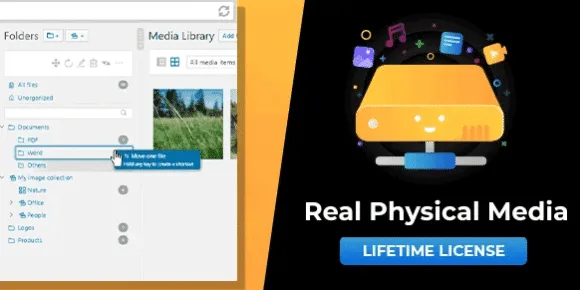
About WordPress Real Physical Media
For sites that live off image search and already organize their library with folders
Uploading hundreds of images to WordPress and seeing them all sit under /2020/01/ or /2021/07/ is normal: that folder tells you when you uploaded the file, not what it shows. An image search engine can't understand what it sees in the photo, so a path like that tells it nothing.
Real Physical Media fits if your site has many images, PDFs or other files you want to rank and if you already organize your library with Real Media Library (or are willing to). It doesn't fit if you expect it to create folders on its own: it mirrors on the server the structure you build in Real Media Library, and without it there is nothing to mirror. Nor does it write your alt texts or guarantee rankings: it improves the path, it doesn't replace the rest of your image SEO work.
From one folder per month to a path that explains the image
Search engines rely on what you tell them: the alt and title attributes and, almost as important, which images are related to each other. A folder is the most intuitive way to group them, for people too. With this plugin, a URL like /uploads/real-physical-media/product-description/features/seo-optimized-file-paths.gif makes it clear which product, which section and which feature the image belongs to.
To get there, the plugin does several things at once:
- Moves each new upload to its physical folder instantly, with no waiting queue.
- Renames files according to their title.
- Removes special characters from file and folder names so they don't cause problems outside your language.
- Lets you add your own suffix to the uploads folder, for example wp-content/uploads/storage/.
- Supports paths and file names longer than 255 characters, the usual WordPress limit.
What happens to links when a file changes place
Moving a file changes its URL, and that is exactly what scares anyone who already has traffic. If your site or another one links to the old file, Real Physical Media redirects the browser with a 301 or 302 redirect so you don't lose what you've earned.
You don't need to start from scratch: you can physically reorganize the folders you had already created in Real Media Library before installing the plugin, so older images gain visibility too, not just new ones. And if you ever uninstall it, your files stay in the physical folders where they were.
Real Physical Media when the library has thousands of files
Reordering thousands of files at once is a good way to bring a server down. That's why the plugin includes a rewrite queue that records every movement (move, reorder, mass move, folder rename) and processes them in an orderly way to avoid crashes or timeouts. Optionally you can set up a cron job that processes it in the background while you keep editing.
If you're coming from another folder plugin such as FileBird, WP Media Folder, Advanced Media Library or Media Library Wizard, you can import its categories through Real Media Library and rewrite that structure on the server. It also works with Multisite (each site has its own folder tree) and with images, video, audio, text and PDFs.
Frequently asked questions before you decide
Does it work without Real Media Library?
It makes no sense without it: folders are created in Real Media Library and this plugin turns them into real folders on the server.
Do links to already published images break?
If the referenced file changes URL when it moves, the plugin redirects with a 301 or 302 to protect your SEO.
What if I uninstall it?
Your files stay in the physical folders where they were.
Is it only for images?
No, it also works with the video, audio, text and PDFs in your library.
Can it handle a large site?
It is designed for that thanks to its rewrite queue, which can also be processed in the background with a cron job.
Version history
-
v
1.6.7 Current 30 Sep 2026
-
v
1.6.0 20 Aug 2026
-
v
1.5.106 7 May 2025
Customer reviews
Sign in to leave a review. Only people who have the product can review it.
No reviews for this product yet.
Frequently asked questions
-
GPL (General Public License) is the license under which WordPress and most premium plugins/themes are distributed. It grants you the right to use, modify and redistribute the software in as many projects as you want, with no domain restrictions.
-
Yes. With membership you get automatic updates via our GPLClub Updater plugin (installed on your WP, detects new versions and applies them). With individual purchase, you get one year of manual updates from your account.
-
Depends on the plan. Monthly: 3 domains. Semi-annual: 7. Annual and Lifetime: 15. Individual purchase: 1 domain.
-
GPLClub offers its own support for installation, configuration and compatibility. For direct support from the original author (feature requests, product-specific bugs), a license purchased from the author is required.