WP Sheet Editor Custom Tables Pro
Antivirus scan
Powered by ClamAV
✅ Verified clean
This product file has passed our security filters.
Want to run a fresh ClamAV scan right now? Takes a few seconds and shows scanner version, signature DB and live result.
This can take 5 to 30 seconds.
Clean file Threat detected
No threats detected in this file.
- File
- Size
- Scanned
- ClamAV
- Signature database
⚡ Powered by ClamAV
Scan could not be completed
Report product
If you detected an issue (broken file, malware, inappropriate content, etc.) let us know and we'll review it ASAP.
Sign in to reportNewer version out, or a problem?
About WP Sheet Editor Custom Tables Pro
Your business keeps courses, affiliates or listings in tables that wp-admin does not edit
If your site uses LearnDash, LearnPress, TutorLMS, AffiliateWP or a directory plugin, that data lives in tables the plugin creates apart from the standard ones. This plugin is for anyone who needs to change that information without fighting each plugin's screens. If what you need is to edit posts, pages, products, users or taxonomies, it is not your tool: WP Sheet Editor Custom Tables Pro only works with custom tables and does not include the standard ones, which other WP Sheet Editor plugins cover with their own sheets, such as the Posts, Users, Taxonomies or Media library sheets.
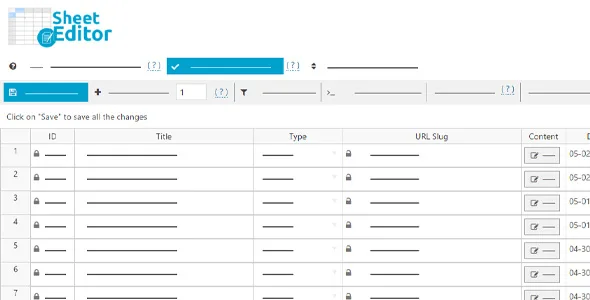
WP Sheet Editor Custom Tables Pro creates one sheet for each table it finds
When it scans your database, it generates a spreadsheet editor for every custom table. This lets you correct information that you usually cannot touch from wp-admin, such as affiliate statistics or a student's progress in a course. Changes apply live on the site, and you do not need to import or export files to move them.
Bulk editing of thousands of rows with formulas and replacements
When a table holds thousands of records, editing one by one makes no sense. The available actions include:
- Editing cells directly or applying changes to many at once with formulas.
- Replacing words or phrases across several columns at once.
- Moving the content of one column to another in bulk.
- Deleting in bulk, creating new rows or duplicating them.
The sheet supports hundreds of thousands of rows and hundreds of columns. You can also copy and paste large amounts of cells from one sheet to another, which helps when you want to move information from one plugin to another.
Search by any combination of columns
To find a piece of data, advanced search combines columns using operators. Each column can be hidden, shown, sorted, resized and renamed, and its format can change from text to checkbox, TinyMCE editor, file uploader or dropdown selector. This way the sheet adapts to how your team works.
Changes saved in batches and only in the cells you touched
On large tables, saving only what changed avoids unnecessary work on the server. If you load 500 rows and edit 3 fields, only those 3 are saved. You can also control how many rows are saved per batch and how long to wait between batches. The plugin loads only in wp-admin and does not affect your site's speed.
Export to Excel or Google Sheets to analyze and migrate data
You can export to Excel or Google Sheets to analyze data or generate reports, and import from other sites or from other plugins on the same site. For example, redirections from one site can move to another in bulk, searching by any field and editing or deleting in bulk before moving them.
Common questions about WP Sheet Editor Custom Tables Pro
Can it edit posts, products or users?
No. It works with custom tables and does not include the standard ones. For those, WP Sheet Editor has its own plugins, such as the Posts, Users or Taxonomies sheets.
Is there a row limit?
The sheet supports hundreds of thousands of rows and hundreds of columns. For large loads, you can also adjust how many rows are saved per batch.
Are all rows saved when I press save?
No. Only the modified cells are saved, and the number of rows per batch and the wait between batches are configurable.
Can I change a column's format?
Yes. You can switch a text column to a checkbox, TinyMCE editor, file uploader or dropdown selector.
Can visitors of the public site see the sheet?
No. The plugin loads only in wp-admin.
Version history
-
v
1.2.25 Current 21 Jan 2026
Customer reviews
Sign in to leave a review. Only people who have the product can review it.
No reviews for this product yet.
Frequently asked questions
-
GPL (General Public License) is the license under which WordPress and most premium plugins/themes are distributed. It grants you the right to use, modify and redistribute the software in as many projects as you want, with no domain restrictions.
-
Yes. With membership you get automatic updates via our GPLClub Updater plugin (installed on your WP, detects new versions and applies them). With individual purchase, you get one year of manual updates from your account.
-
Depends on the plan. Monthly: 3 domains. Semi-annual: 7. Annual and Lifetime: 15. Individual purchase: 1 domain.
-
GPLClub offers its own support for installation, configuration and compatibility. For direct support from the original author (feature requests, product-specific bugs), a license purchased from the author is required.