Analytify Forms Tracking Addon
Antivirus scan
Powered by ClamAV
✅ Verified clean
This product file has passed our security filters.
Want to run a fresh ClamAV scan right now? Takes a few seconds and shows scanner version, signature DB and live result.
This can take 5 to 30 seconds.
Clean file Threat detected
No threats detected in this file.
- File
- Size
- Scanned
- ClamAV
- Signature database
⚡ Powered by ClamAV
Scan could not be completed
Report product
If you detected an issue (broken file, malware, inappropriate content, etc.) let us know and we'll review it ASAP.
Sign in to report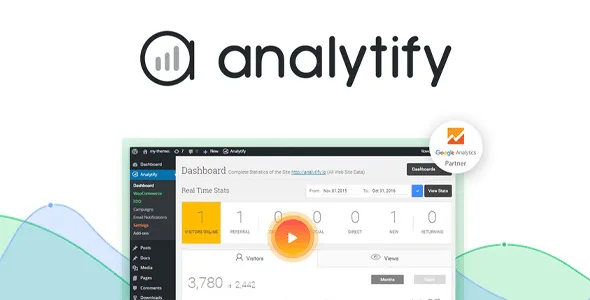
About Analytify Forms Tracking Addon
A form with few submissions is not necessarily a bad form
You have two forms, one on the home page and one on a service page. The first receives far more submissions and you conclude it works better. But nobody has looked at how many times each one was shown, and without that figure the comparison says nothing.
The number of submissions depends on how many people see the form, and the conversion rate sets it against those impressions: to compare forms you have to use the second.
Analytify Forms Tracking is an Analytify addon that records impressions and submissions of your WordPress forms. It shows the figures per form, the conversion rate and which ones are most popular, so each form is judged by its own traffic and not by the rest of the site's.
What it records and on which forms
- Impression and submission reports per form, with the most popular in view.
- Conversion rate and performance of each form.
- Reports for specific periods.
- User segments and reports with an export option.
- GA4 integration, to see forms next to the rest of your site analytics.
It works with Contact Form 7, Formidable Forms, Gravity Forms, Ninja Forms and WPForms. Also with hand-built forms: it is enough to add a class and a name in the code. That same class works for Kadence forms.
A custom form with a recognizable name
With a hand-built form, the name you write in the code is what tells one form from another in your data. Choose names you will still understand when you open the report, a different one for each form.
A typical case: a contact form on two pages with different names and, after a few days of real visits, the conversion rates Analytify shows to decide which one to redesign. Both forms must reach a comparable audience, or the difference means nothing. This is a sample case; adapt it to your forms.
What it needs and where the data shows
It needs Analytify installed and active, and the plugin of the form you want to measure installed and active too.
The reports are in Analytify, Forms Tracking, and also in Analytify, Dashboards, Conversions, Forms Tracking. For each forms plugin there is a toggle you must turn on, and for hand-built forms there is a custom forms setting.
Measuring a form in five steps
- Install and activate Analytify and the Forms Tracking addon.
- Activate the addon in Analytify, Add-ons.
- Open Analytify, Settings, Tracking, Forms Tracking and turn on the toggle for each forms plugin you use. Save.
- If the form is hand-built, add the class
analytify_form_customto itsformtag and a name, turn on Custom Forms and save. - Check Analytify, Forms Tracking once the forms have received visits.
Three tools to measure forms
For the same job with another analytics tool, look at MonsterInsights Forms Tracking. If you use WPForms and want to see what happens with abandoned forms or the visitor's path, there are WPForms Form Abandonment and WPForms User Journey.
Compatibility and reports, plainly
Which forms plugins does it support?
Contact Form 7, Formidable Forms, Gravity Forms, Ninja Forms and WPForms, plus hand-built forms with a class.
Can I measure a hand-written form?
Yes. Add the class analytify_form_custom and a name to the form, and turn on Custom Forms in the settings.
Where do I see the reports?
In Analytify, Forms Tracking, and in Dashboards, Conversions, Forms Tracking.
Do I need to know how to code?
Not for the supported forms plugins. Only hand-built forms require editing a class in the code.
Topics
Version history
-
v
5.1.0 Current 28 Sep 2025
Customer reviews
Sign in to leave a review. Only people who have the product can review it.
No reviews for this product yet.
Frequently asked questions
-
GPL (General Public License) is the license under which WordPress and most premium plugins/themes are distributed. It grants you the right to use, modify and redistribute the software in as many projects as you want, with no domain restrictions.
-
Yes. With membership you get automatic updates via our GPLClub Updater plugin (installed on your WP, detects new versions and applies them). With individual purchase, you get one year of manual updates from your account.
-
Depends on the plan. Monthly: 3 domains. Semi-annual: 7. Annual and Lifetime: 15. Individual purchase: 1 domain.
-
GPLClub offers its own support for installation, configuration and compatibility. For direct support from the original author (feature requests, product-specific bugs), a license purchased from the author is required.