BABE Payment Bank transfer
Antivirus scan
Powered by ClamAV
✅ Verified clean
This product file has passed our security filters.
Want to run a fresh ClamAV scan right now? Takes a few seconds and shows scanner version, signature DB and live result.
This can take 5 to 30 seconds.
Clean file Threat detected
No threats detected in this file.
- File
- Size
- Scanned
- ClamAV
- Signature database
⚡ Powered by ClamAV
Scan could not be completed
Report product
If you detected an issue (broken file, malware, inappropriate content, etc.) let us know and we'll review it ASAP.
Sign in to report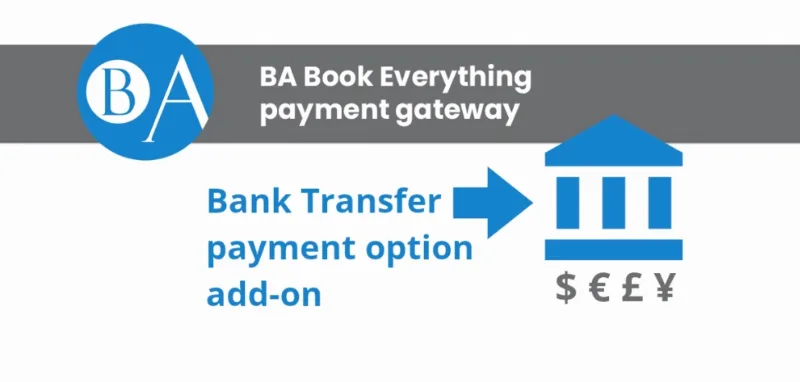
About BABE Payment Bank transfer
Collecting a booking payment by bank transfer often ends in an improvised email: the customer books, you type your IBAN by hand, they wonder whether the number is right, and the order hangs there with no idea whether they paid. BABE Payment Bank transfer puts those bank details where the customer needs them, without you having to write to anyone.
The journey of a booking paid by bank transfer
Imagine you run a tours or accommodation business built with BA Book Everything and some of your customers prefer to pay through their bank. Here is how the process unfolds with this plugin:
- First of all: you activate the plugin and fill in your payment details on the "BA Settings" page of the WordPress dashboard. There are sections for the checkout page, the order confirmation and the confirmation email, so you decide what text appears in each place.
- At checkout: the customer picks bank transfer as the method and sees your details for sending the money.
- After confirming: the order confirmation page repeats those details, so it doesn't depend on having written them down earlier.
- In their inbox: the email to the customer includes the transfer details, so they have them at hand when they open their banking app.
Nothing is charged here: BABE Payment Bank transfer only informs
This is the limit worth being clear about. The plugin does not process online payments. It shows the information, but the money reaches your account outside WordPress, and you are the one who must check at the bank that it has arrived. If you want automatic card payment with instant confirmation, you need a different payment gateway.
It doesn't work on its own either: it is an add-on for BA Book Everything, so without that booking plugin it has nothing to connect to.
What the booking business doesn't tell you about transfers
In bookings, the customer who chooses to transfer pays late: between the booking and the deposit there is a gap in which the spot or date is taken but not paid for. The less friction in that stretch, the fewer bookings are left half done because of a simple "I can't find where to pay". Having the details visible three times (checkout, confirmation and email) reduces those doubts, but managing deadlines and unpaid bookings is still up to you.
Questions before installing
Does it collect the booking payment for me?
No. It only shows your bank details; the payment is offline and you verify it yourself.
Does it work without BA Book Everything?
No, it is designed as an extension of that booking plugin.
Where do the details appear?
On the checkout page, on the order confirmation and in the customer's email.
What technical requirements does it have?
It needs PHP 8.1 or higher on your hosting. Check it before installing.
Where is it configured?
On the "BA Settings" page of the WordPress dashboard, with sections for checkout, confirmation and email.
Topics
Version history
-
v
1.0.2 Current 12 May 2024
Customer reviews
Sign in to leave a review. Only people who have the product can review it.
No reviews for this product yet.
Frequently asked questions
-
GPL (General Public License) is the license under which WordPress and most premium plugins/themes are distributed. It grants you the right to use, modify and redistribute the software in as many projects as you want, with no domain restrictions.
-
Yes. With membership you get automatic updates via our GPLClub Updater plugin (installed on your WP, detects new versions and applies them). With individual purchase, you get one year of manual updates from your account.
-
Depends on the plan. Monthly: 3 domains. Semi-annual: 7. Annual and Lifetime: 15. Individual purchase: 1 domain.
-
GPLClub offers its own support for installation, configuration and compatibility. For direct support from the original author (feature requests, product-specific bugs), a license purchased from the author is required.