Business Reviews Bundle
Antivirus scan
Powered by ClamAV
✅ Verified clean
This product file has passed our security filters.
Want to run a fresh ClamAV scan right now? Takes a few seconds and shows scanner version, signature DB and live result.
This can take 5 to 30 seconds.
Clean file Threat detected
No threats detected in this file.
- File
- Size
- Scanned
- ClamAV
- Signature database
⚡ Powered by ClamAV
Scan could not be completed
Report product
If you detected an issue (broken file, malware, inappropriate content, etc.) let us know and we'll review it ASAP.
Sign in to report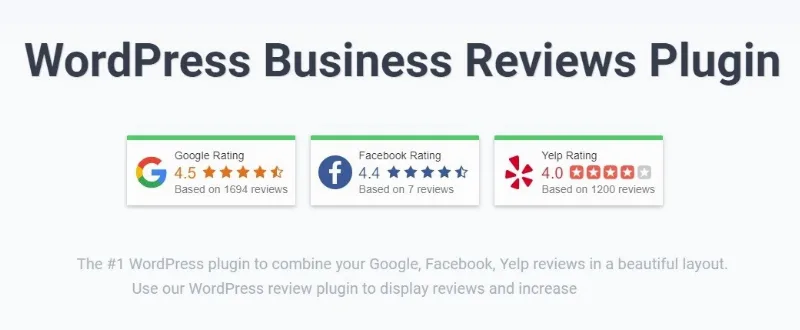
About Business Reviews Bundle
The reviews worth having are the ones you do not control
A testimonial written on your own site convinces nobody, because everybody knows you put it there. A Google review with the person's name, their photograph and the date does: you cannot delete it, you cannot edit it, and the visitor knows it. That is the whole difference, and it is why bringing reviews in from outside works better than writing them inside.
Business Reviews Bundle brings the Google, Facebook and Yelp ones onto your site.
How they display
- Five formats: slider, grid, list, fixed trust badge and embedded badge.
- Pagination, for deciding how many show before the see more link.
- Trimming with a link, for long reviews.
- Filters: by keyword and by minimum rating.
- Placement by widget, by shortcode, or by code for non-WordPress sites.
On filtering by rating
It can be configured so only four and five star reviews appear, and it is tempting. Worth thinking twice.
A block where every review is perfect reads as fake, because no real business has only fives. And the suspicious visitor is going to go and look at your Google listing anyway, where they all are. Showing a three-star one with a well-written reply conveys more solidity than twenty perfect ones, and demonstrates along the way that you handle complaints.
Where the filter does make sense is excluding by keyword the reviews that are not about your business, which on Google happens more than you would think.
Requirements and Google's small print
An access key for Google's interface has to be configured, and there is an important limitation worth knowing before buying: with Google's public interface only the five most helpful reviews are retrieved. Bringing them all requires a verified business listing and the corresponding access.
In other words, if your business does not have a verified Google listing, the result will be considerably poorer than the demo promises. Verifying is free and in any case is the first thing a local business should do, but worth having it done beforehand.
The paid version also adds the structured data so the stars can appear in search results, although whether they show is Google's decision.
How to start
One. Verify your Google business listing if you have not already. Without it, the rest performs at half strength.
Two. Configure the access key following the documentation, which is the step everybody gets stuck on.
Three. Start by showing all reviews, with no rating filter, and see how it looks.
Four. Put them where the decision happens: beside the contact form and beside the buy button, not on a testimonials page nobody visits.
Alternatives in the catalogue
If besides bringing in outside reviews you want to collect your own, with a form and moderation, WP Review Slider Pro combines both and is the most complete in the catalogue on that ground.
If you use Elementor, Premium Addons includes Google, Facebook and Yelp review widgets among its elements, so if you already have it you may need nothing else.
And a warning about what not to do: publishing invented reviews as though they came from real customers is illegal in the European Union, and there are products on the market that make it easy. The Faview page explains that situation in detail.
Frequently asked questions
Where does it pull reviews from?
From Google, Facebook and Yelp.
Do I need a verified Google listing?
To bring them all, yes. Without verification only the five most helpful are retrieved.
Do the stars appear in Google results?
The paid version adds the structured data, but showing them is Google's decision.
Can I hide the bad reviews?
Technically yes, with a rating filter. It is rarely advisable: a block of nothing but fives reads as fake.
Does it work outside WordPress?
Yes, there is a universal code option for other sites.
Is it data protection compliant?
It includes options for obscuring reviewer details, useful depending on how you handle that information.
Topics
Version history
-
v
1.9.29 Current 17 May 2024
Customer reviews
Sign in to leave a review. Only people who have the product can review it.
No reviews for this product yet.
Frequently asked questions
-
GPL (General Public License) is the license under which WordPress and most premium plugins/themes are distributed. It grants you the right to use, modify and redistribute the software in as many projects as you want, with no domain restrictions.
-
Yes. With membership you get automatic updates via our GPLClub Updater plugin (installed on your WP, detects new versions and applies them). With individual purchase, you get one year of manual updates from your account.
-
Depends on the plan. Monthly: 3 domains. Semi-annual: 7. Annual and Lifetime: 15. Individual purchase: 1 domain.
-
GPLClub offers its own support for installation, configuration and compatibility. For direct support from the original author (feature requests, product-specific bugs), a license purchased from the author is required.