Divi Toolbox
Antivirus scan
Powered by ClamAV
✅ Verified clean
This product file has passed our security filters.
Want to run a fresh ClamAV scan right now? Takes a few seconds and shows scanner version, signature DB and live result.
This can take 5 to 30 seconds.
Clean file Threat detected
No threats detected in this file.
- File
- Size
- Scanned
- ClamAV
- Signature database
⚡ Powered by ClamAV
Scan could not be completed
Report product
If you detected an issue (broken file, malware, inappropriate content, etc.) let us know and we'll review it ASAP.
Sign in to report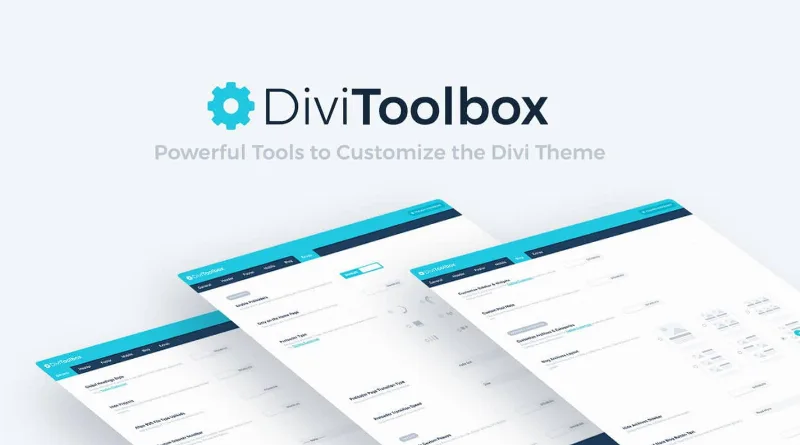
About Divi Toolbox
A Customizer setting holds for the whole site, not for one page
You adjust the fixed header logo looking only at the home page and call it done. Weeks later you see it does not fit on an inner page. What you adjust in the Customizer is not saved per page: it applies to the entire site.
Every setting you change with Divi Toolbox in the Customizer is a decision about the whole site, so test it on several different pages before you call it done.
Divi Toolbox is a plugin for the Divi theme that gathers options for the header, mobile menu, blog, popups and visual effects. Each feature is turned on separately and, once on, its options appear in the Divi Customizer. The changes you make there apply across the site.
What Divi Toolbox adds to the theme
- Header and navigation: custom dropdown menus, a menu item styled as a call to action, hover effects you can edit, a logo swap when the header is fixed and a logo that overlaps the content.
- Divi Library layouts: any library layout can be shown before or after the header.
- Mobile menu: a fixed bar, a menu that slides in, hamburger icon animations, nested submenus that collapse and a separate logo for mobile.
- Blog: nine layouts for category and archive pages, with elements you can customize, and extras on the single post: author box, related posts and navigation to the previous and next post.
- Sidebar and footer: the sidebar is customized or hidden across the site, and the footer and widgets also accept adjustments.
- Visual effects: a typing effect, a particles background, 3D tilt on hover, parallax scrolling and a preloader.
- Popups: they can show any layout from the Divi Library.
One use: giving blog categories their own design
One case where the plugin fits is a blog whose category pages all look the same and lack character. Among the nine archive layouts you can try one, adjust its elements and add the author box and related posts on the single post.
It is a combination worth testing first on a copy of the site: check a category with few posts, one with many and a post without a featured image, because the layout you choose will apply to all of them.
Limits of Divi Toolbox
- It needs the Divi theme. The theme is not included with the plugin, so it must be installed and active.
- Settings live in the Customizer. What you change there affects the whole site and not one specific page.
- Among its features there is no tool to export and import settings between sites.
- Animated effects, such as particles or parallax, are turned on separately: you can leave them off and use only the menu or the blog.
First steps with Divi Toolbox
Before you start, the site must use the Divi theme. Then:
- Install the plugin with the WordPress installer and activate it.
- Pick a single feature, for example the mobile menu, and turn it on.
- Open the Divi Customizer and find the options that just appeared.
- Adjust, save and check the result on the home page, on an inner page and on a blog post.
- When one feature looks right, turn on the next.
Turning features on one at a time lets you tell which one caused a change you did not expect.
Alternatives in the catalog for Divi
If you are looking for more pieces for Divi, the catalog has Divi Booster, Divi Plus and Divi Blog Extras. To work on the mobile menu alone, look at Divi Mobile Menu, and for menus with their own design, DiviMenus.
Answers about Divi Toolbox
Does it work without the Divi theme?
No. It needs the Divi theme, which is not included with the plugin.
Do I have to turn on every feature?
No. You turn on only the ones you need, and each shows its options in the Customizer once you do.
Can I limit a Customizer setting to one page?
No. Customizer settings apply across the whole site.
Can I show a popup with a layout of my own?
Yes. Popups can show any layout from the Divi Library.
Topics
Version history
-
v
1.8 Current 31 Dec 2025
Customer reviews
Sign in to leave a review. Only people who have the product can review it.
No reviews for this product yet.
Frequently asked questions
-
GPL (General Public License) is the license under which WordPress and most premium plugins/themes are distributed. It grants you the right to use, modify and redistribute the software in as many projects as you want, with no domain restrictions.
-
Yes. With membership you get automatic updates via our GPLClub Updater plugin (installed on your WP, detects new versions and applies them). With individual purchase, you get one year of manual updates from your account.
-
Depends on the plan. Monthly: 3 domains. Semi-annual: 7. Annual and Lifetime: 15. Individual purchase: 1 domain.
-
GPLClub offers its own support for installation, configuration and compatibility. For direct support from the original author (feature requests, product-specific bugs), a license purchased from the author is required.