Elegant Themes Divi Builder
Antivirus scan
Powered by ClamAV
✅ Verified clean
This product file has passed our security filters.
Want to run a fresh ClamAV scan right now? Takes a few seconds and shows scanner version, signature DB and live result.
This can take 5 to 30 seconds.
Clean file Threat detected
No threats detected in this file.
- File
- Size
- Scanned
- ClamAV
- Signature database
⚡ Powered by ClamAV
Scan could not be completed
Report product
If you detected an issue (broken file, malware, inappropriate content, etc.) let us know and we'll review it ASAP.
Sign in to report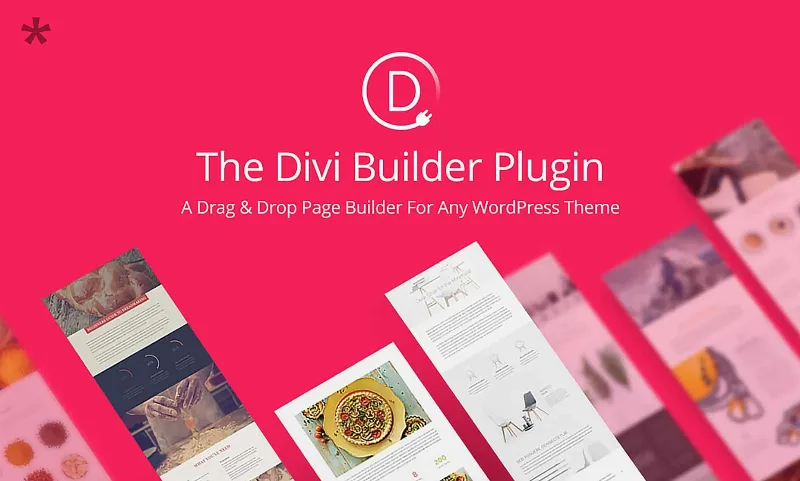
About Elegant Themes Divi Builder
Divi Builder on the theme you already have: consistency from the first page
You have a theme that works, but every new page comes out different from the last: a button with another radius, a heading in another size, spacing done by eye. Divi Builder puts a visual editor on top of the theme you already use, and its value is not in creating the first page, but in making the tenth one look like the first.
It is the Divi visual editor as a plugin. It works with any theme. You design by dragging and dropping, editing live on the page itself and without writing code.
Divi Builder depending on who installs it
Freelancer or agency
Your problem is not laying out one page, it is delivering ten that look like the same brand and being able to tweak them without opening each one. Global styles and class-based presets let you define a style once and reuse it: when you change a preset, it updates across the whole site. You can also save global elements and selectively sync only some styles, keeping unique the ones that need it.
Small business building its own site
What costs the most is not the design, but keeping a visual standard as you add pages with no designer beside you. The visual editor and premade templates give you a starting point that you adapt to your brand, and global variables for colors, fonts and sizes stop every page from inventing its own style.
Anyone publishing content or catalogs
If you repeat the same block for posts, portfolios or products, the Loop Builder and dynamic content let you design the block once and repeat it for posts, terms or users. It works for blog listings, shop pages or portfolios with a look of their own.
Flexbox, Grid and breakpoints: control on every screen
Divi Builder is not limited to placing modules in columns. These are the features that change the result the most:
- Layouts with CSS Flexbox and CSS Grid, to build fluid, structured designs beyond classic columns.
- Customizable breakpoints: there are seven predefined ones for different devices and you can adjust the width of each, with different styles and layout per screen size.
- Global variables for colors, fonts, sizes, images, text and URLs, usable in any compatible field, plus CSS units and math functions.
- Layers panel, breadcrumbs, right-click menu and settings search, useful when a page grows and you no longer know where everything is.
If you need to go further, it accepts your own code and CSS, so it does not lock you into the visual side.
Divi Builder frequently asked questions
Does it work with any theme?
Yes, it is designed to be used with any theme. If your theme controls the header and footer, test in a demo how far your control goes.
Do I need to know how to code?
No. Design is done visually and without code, although you can add your own CSS or code when you need it.
Can I adjust the design for mobile and tablet separately?
Yes. With breakpoints you can define different styles and layout for each size and change the width of each breakpoint.
Is it useful for blogs or stores?
It is useful for designing post listings, shop pages and portfolios with dynamic content. It works on the design and layout of your pages.
The Divi ecosystem is bigger than this plugin
Divi AI, Quick Sites, Divi Cloud and the Divi Marketplace are part of the Divi ecosystem, but do not assume they are included when you install the plugin. Check what you see in the demo before counting on them.
If you use it with a theme other than Divi, also check how much control you have over headers, footers and global templates, because there the result depends on the theme.
Topics
Version history
-
v
4.27.5 Current 11 Dec 2025
Customer reviews
Sign in to leave a review. Only people who have the product can review it.
No reviews for this product yet.
Frequently asked questions
-
GPL (General Public License) is the license under which WordPress and most premium plugins/themes are distributed. It grants you the right to use, modify and redistribute the software in as many projects as you want, with no domain restrictions.
-
Yes. With membership you get automatic updates via our GPLClub Updater plugin (installed on your WP, detects new versions and applies them). With individual purchase, you get one year of manual updates from your account.
-
Depends on the plan. Monthly: 3 domains. Semi-annual: 7. Annual and Lifetime: 15. Individual purchase: 1 domain.
-
GPLClub offers its own support for installation, configuration and compatibility. For direct support from the original author (feature requests, product-specific bugs), a license purchased from the author is required.