EventON Yearly View Addon
Antivirus scan
Powered by ClamAV
✅ Verified clean
This product file has passed our security filters.
Want to run a fresh ClamAV scan right now? Takes a few seconds and shows scanner version, signature DB and live result.
This can take 5 to 30 seconds.
Clean file Threat detected
No threats detected in this file.
- File
- Size
- Scanned
- ClamAV
- Signature database
⚡ Powered by ClamAV
Scan could not be completed
Report product
If you detected an issue (broken file, malware, inappropriate content, etc.) let us know and we'll review it ASAP.
Sign in to report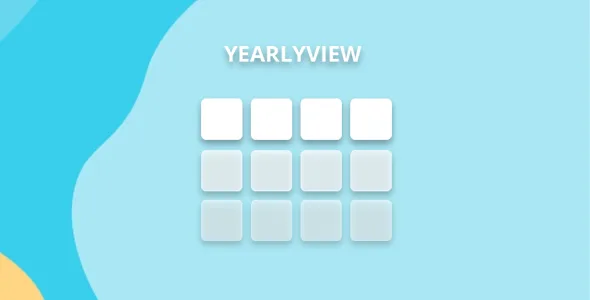
About EventON Yearly View Addon
In the yearly calendar, your busiest days are the ones that show the least
Someone planning their year around your events wants to see at a glance when there is activity. They move the cursor over a date to learn what happens that day and get a preview, not the whole list.
The quick glance for a day shows up to three events, so on the days with the most activity it shows only a sample; the full list is one click away, in the popup.
Yearly View is an EventON add-on that shows a whole year of events in a single grid, with clickable months. That is why it helps to decide what the visitor should see on hover, because that changes precisely on the dates that matter most to you.
Twelve months in view and six functions
- Full year: all twelve months load at once, for a quick overview of the year.
- Lightbox: when you click a date's circle, that day's events open in a window.
- Quick glance: hovering over a date shows up to three events, in the event color or event type color if one is defined.
- Hover count: an alternative style that shows only how many events there are that day.
- Heat circles: each date's circle is colored by the number of events falling on it, like a heat graph.
- Loading animation: circles with events are highlighted with a delayed animation.
Choosing between sample and count
The quick glance and the count meet different needs. The first gives a preview of names, and its limit is three. The second gives a figure that does not fall short when there is more activity.
Heat circles work as a visual cue: the color shows how many events there are, and the lightbox shows which ones.
Appearance is adjusted in the EventON settings, under Appearance, YearlyView: colors, fonts and grid styles. The view also integrates with EventON filters, by category or with custom criteria.
Three things the view does not solve by itself
- The quick glance has a maximum of three events per date.
- It needs EventON installed and active: it does not work as a standalone calendar.
- Among its functions there is no selling tickets or managing attendees.
How to add the yearly view
You need EventON installed and active. Yearly View builds on it.
- Install and activate the add-on together with EventON.
- Open the EventON settings and go to Appearance, YearlyView.
- Adjust colors, fonts and grid styles.
- Choose the quick glance or count style.
Alternative calendar views
If your program fills the weeks, Weekly View adds to EventON a weekly grid with navigation between weeks. If your calendar is not EventON but Calendarize it!, Events Year View adds a full-year view to that calendar.
The yearly grid in four questions
How many events does the quick glance show?
Up to three per date.
Can I show only how many events there are on a day?
Yes, with the hover count style.
Does it work with EventON filters?
Yes, it integrates with EventON filtering by category or custom criteria.
Where is the look adjusted?
In the EventON settings, under Appearance, YearlyView.
Topics
Version history
-
v
0.16 Current 22 Jul 2025
Customer reviews
Sign in to leave a review. Only people who have the product can review it.
No reviews for this product yet.
Frequently asked questions
-
GPL (General Public License) is the license under which WordPress and most premium plugins/themes are distributed. It grants you the right to use, modify and redistribute the software in as many projects as you want, with no domain restrictions.
-
Yes. With membership you get automatic updates via our GPLClub Updater plugin (installed on your WP, detects new versions and applies them). With individual purchase, you get one year of manual updates from your account.
-
Depends on the plan. Monthly: 3 domains. Semi-annual: 7. Annual and Lifetime: 15. Individual purchase: 1 domain.
-
GPLClub offers its own support for installation, configuration and compatibility. For direct support from the original author (feature requests, product-specific bugs), a license purchased from the author is required.