Events Shortcodes Pro Plugin
Antivirus scan
Powered by ClamAV
✅ Verified clean
This product file has passed our security filters.
Want to run a fresh ClamAV scan right now? Takes a few seconds and shows scanner version, signature DB and live result.
This can take 5 to 30 seconds.
Clean file Threat detected
No threats detected in this file.
- File
- Size
- Scanned
- ClamAV
- Signature database
⚡ Powered by ClamAV
Scan could not be completed
Report product
If you detected an issue (broken file, malware, inappropriate content, etc.) let us know and we'll review it ASAP.
Sign in to report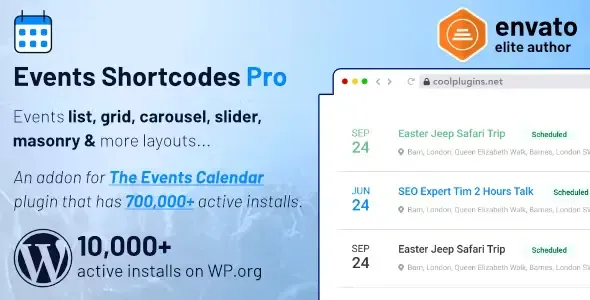
About Events Shortcodes Pro Plugin
A calendar with everything speaks to no one
Your site's events page gathers it all: this week's talk, next month's workshop and the day another team is running in another city. It works for people who come looking for what is on. But on a venue's page you want only what happens at that venue. On a speaker's page, only theirs. On the home page, two or three featured ones.
The full calendar answers what is on; every page of your site needs to answer what is on here. Events Shortcodes Pro, by Cool Plugins, handles that second answer: it takes the events you already have in The Events Calendar, pulls out the slice you need and places it on the page you choose, with the design that fits that space.
How to slice the event list
- By category and by tag, with several tags separated by commas.
- By venue and by organizer, for pages dedicated to each.
- By venue country or city, with the venuecountry and venuecity attributes.
- Featured only, for small spaces.
- By time: future or past events, and filters such as today, this week or this month.
- By exact dates, with start and end in YYYY-MM-DD format.
From accordion to carousel: a design for each space
List, minimal list, timeline, grid, masonry, carousel, slider, accordion, highlighted and calendar-style views. In the accordion, the visitor clicks an event and the details unfold, so a lot fits in little room. Carousels let you set columns and autoplay, and grid and list views offer load more.
Alongside them come color and font settings, the option to share on social networks and event schema markup, intended to help events appear in Google results.
Attributes set what you decide to show. The search and filter bar does the opposite: the visitor searches by keyword or date, filters by category, tag, venue or organizer, and uses time filters such as Today, Tomorrow, Next Week or This Weekend. It is switched on by shortcode and can show search, filters or both.
Events, venues and dates stay managed in The Events Calendar
This plugin does not create events: it shows the ones that already exist, and it works only with The Events Calendar, not with other event plugins. Dates, venues and organizers are still managed there. Among its features there is no ticket sales or attendee registration.
A practical detail: attributes mix underscores and hyphens (hide_venue, date-filter), so it is safer to create the shortcode with the generator than to type it by hand.
The Events Calendar active and a first list in a few steps
It needs The Events Calendar installed, and the free version is enough. Elementor is not mandatory. To get it running:
- Activate The Events Calendar and then Events Shortcodes Pro.
- Open the Get Started page, which includes a guided flow for creating sample events.
- Create the shortcode with the generator, or search for the Events Calendar Shortcode block in Gutenberg.
- Choose the design and the slice, and place it on the venue page, the speaker page or the home page.
Event calendars and widgets in the catalog
If you build with Elementor and prefer working with widgets, Events Widgets Pro shows The Events Calendar events in lists, grids, calendars and carousels, requires both Elementor and The Events Calendar, and brings more than 18 loop item templates.
To extend the calendar itself, The Events Calendar Pro gathers seven views, including photo and map, plus recurring events. If you have not chosen an events plugin yet, EventON is a different system, with its own repeats and event cards.
Free version, Elementor and Bricks
What does Pro add to the free version of the plugin?
The free version brings list, timeline and minimal list. Pro adds the filter bar, grid, carousel, slider, masonry, accordion, highlighted and calendar views, plus slices by venue, organizer and tag, and the option to show featured events only.
Do I need Elementor Pro?
No. You can use it with a shortcode or a block, and if you work with Elementor the free version will do.
Can it be used with Bricks?
Yes, it includes a Bricks Builder integration.
Topics
Version history
-
v
5.0.0 Current 2 Nov 2026
-
v
4.5.4 14 Oct 2026
-
v
4.5.1 5 Sep 2026
-
v
4.5.0 21 Aug 2026
-
v
4.2.0 18 Apr 2026
Customer reviews
Sign in to leave a review. Only people who have the product can review it.
No reviews for this product yet.
Frequently asked questions
-
GPL (General Public License) is the license under which WordPress and most premium plugins/themes are distributed. It grants you the right to use, modify and redistribute the software in as many projects as you want, with no domain restrictions.
-
Yes. With membership you get automatic updates via our GPLClub Updater plugin (installed on your WP, detects new versions and applies them). With individual purchase, you get one year of manual updates from your account.
-
Depends on the plan. Monthly: 3 domains. Semi-annual: 7. Annual and Lifetime: 15. Individual purchase: 1 domain.
-
GPLClub offers its own support for installation, configuration and compatibility. For direct support from the original author (feature requests, product-specific bugs), a license purchased from the author is required.